Configure Auto Reminders in greytHR Recruit for HR Efficiency
Updated in April - 2026 | Subscribe to watch greytHR how-to video
Recruitment workflows involve multiple users such as recruiters, interviewers, hiring managers, and candidates. When actions like interview feedback submission, form completion, or offer acceptance are delayed, the entire hiring process slows down.
To address this, greytHR Recruit provides an Auto Reminder system that automatically sends reminders to relevant users when actions are pending. These reminders help ensure timely completion of tasks and reduce the need for manual follow-ups by recruiters.
Benefits of using Auto Reminders
Reduce delays between recruitment stages
Improve interview feedback submission timelines
Ensure faster offer approvals and candidate responses
Minimize manual follow-ups by recruiters
Improve overall hiring efficiency
Watch the video to know more on Auto Reminder in greytHR Recruit:
Configure Auto Reminders in greytHR
To access and configure Auto Reminders, from the greytHR Admin portal, hover over the 9 dots and go to Recruitment > Settings.
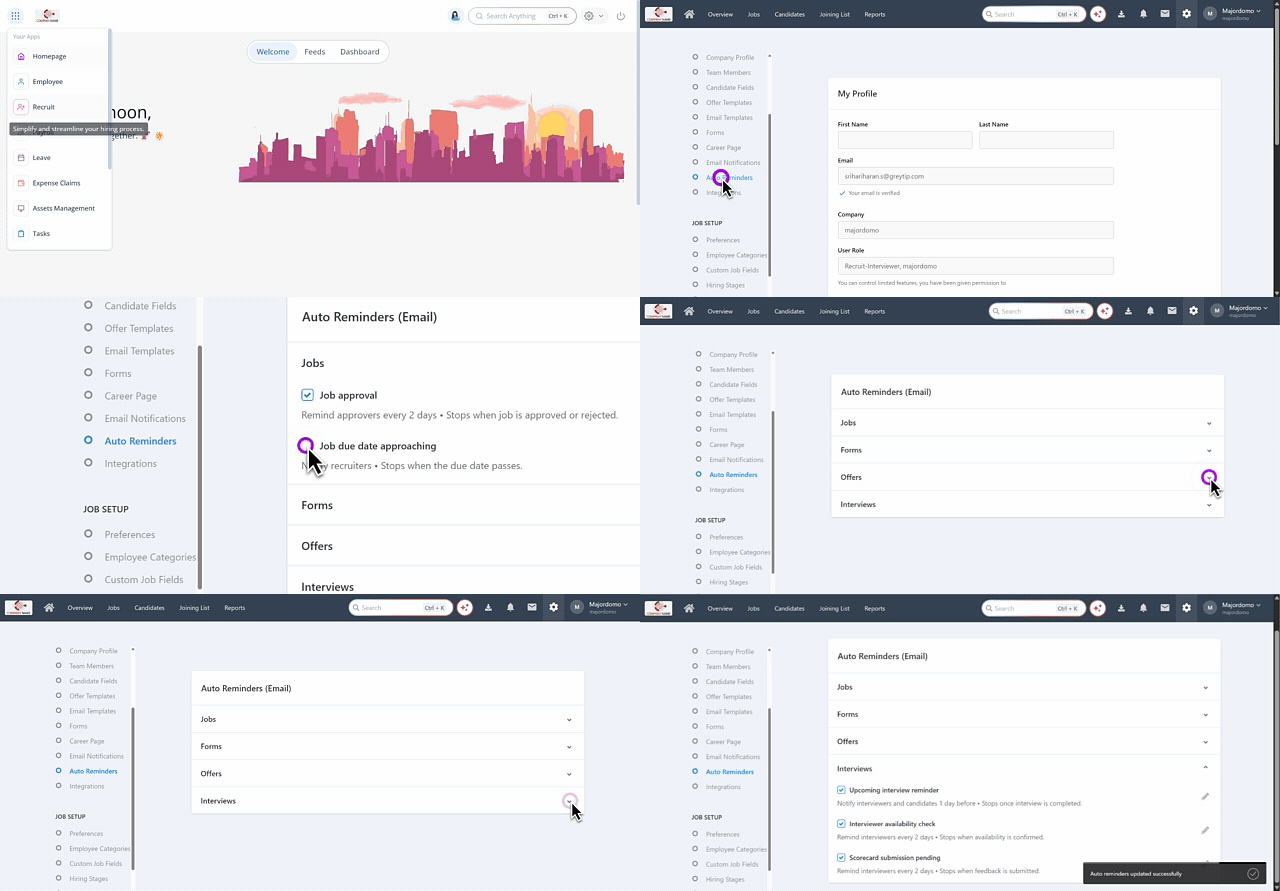
Under the Company section, select Auto Reminders. The Auto Reminders page displays reminder categories in collapsible sections.
Select the required reminder options from the dropdown under each categories.
Once enabled, the system automatically monitors recruitment events and sends reminders when actions remain pending.
Reminders are triggered based on predefined recruitment events and sent to the relevant users. They continue according to the configured frequency and automatically stop once the required action is completed.
Available options for Auto Reminders
On the Auto Reminders page, reminders are grouped based on different stages of the recruitment workflow. To view the available reminder options, click the down arrow next to the required section.
Jobs
The Jobs section contains reminders related to job management activities.
Job approval – Reminds reviewers to take action on pending job approval requests.
Job due date approaching – Notifies recruiters when a job’s due date is approaching so they can take necessary action.
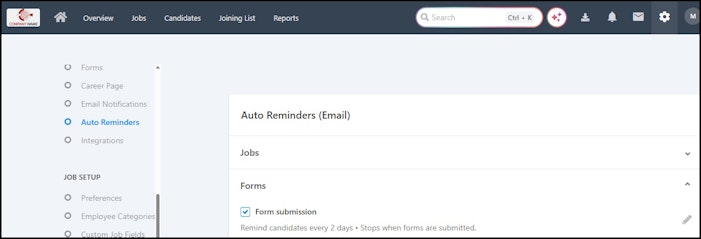
Forms
This section helps track pending document or form submissions.
Form submission – Sends reminders to candidates to complete assigned forms until they are submitted.


Interviews
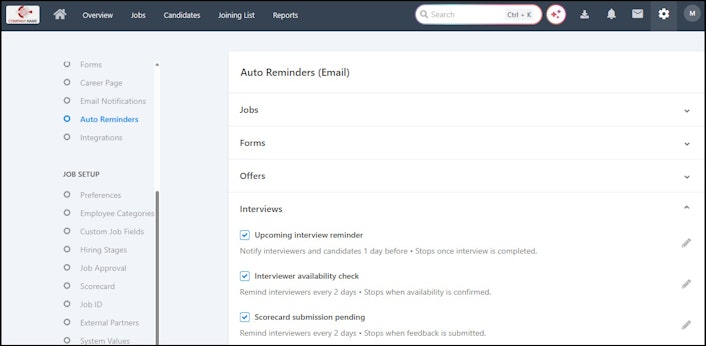
The Interviews section allows admins to configure reminders related to interview activities.
Upcoming interview reminder – Notifies candidates and interviewers before the scheduled interview. The reminder stops once the interview is completed.
Scorecard submission – Reminds interviewers to submit interview feedback until the scorecard is submitted.
Interviewer availability check – Sends reminders to interviewers to confirm their availability for scheduled interviews.


Offers
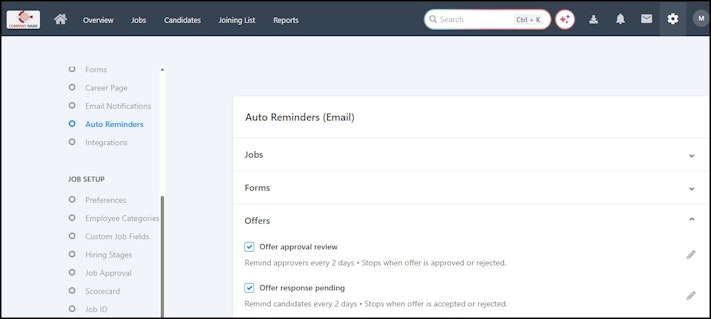
The Offers section helps ensure that offer-related actions are completed on time.
Offer approval review – Reminds approvers to review pending offer approvals. The reminder stops once the offer is approved or rejected.
Offer response pending – Sends reminders to candidates to accept or reject the offer until they respond.


Configure reminder settings
To modify reminder settings:
Expand the required section and click the Edit icon next to the reminder option.The reminder configuration pop-up appears.
In the pop-up window, you can configure the following settings:


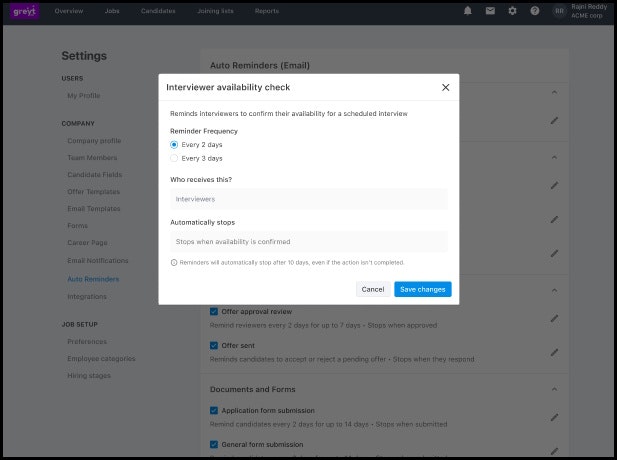
Reminder frequency
Select how often the reminder should be sent (for example, every few days).
Who receives this?
Displays the users who will receive the reminder notification, such as approvers, recruiters, interviewers, or candidates, depending on the reminder type.
Automatically stops
Defines when the reminder should stop automatically. For example, reminders stop when the related action is completed (such as when a job is approved or rejected).
After configuring the required settings, click Save changes to apply the reminder configuration.
Related article:
Configure/set up email sender domain and SPF in greytHR Recruit