Manage Internal Job Postings and Referrals with greytHR
Updated in May - 2026 | Subscribe to watch greytHR how-to video
Imagine you have great internal job opportunities, but employees are unaware of them and miss the chance to apply. Or, your team members want to refer someone, but they’re unsure where to start or what happens next.
greytHR Recruit's employee portal allows your employees to explore internal job openings, apply seamlessly, refer qualified candidates, and track the status of their applications and referrals—all in one place.
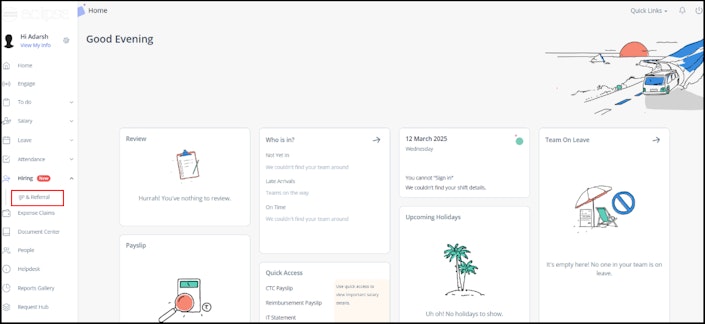
The IJP & Referral option appears under the Hiring menu in the greytHR ESS portal. Clicking on it allows them to explore job openings or refer candidates easily.


Post a job for internal employees on greytHR Recruit
As a recruiter, you can post a job or notify your employees about the current job openings in your organisation from the Jobs page.
Click on a job card > Edit > Go to the Sourcing step.
Enable Internal Job or Open for referral as per the organisation’s requirements.
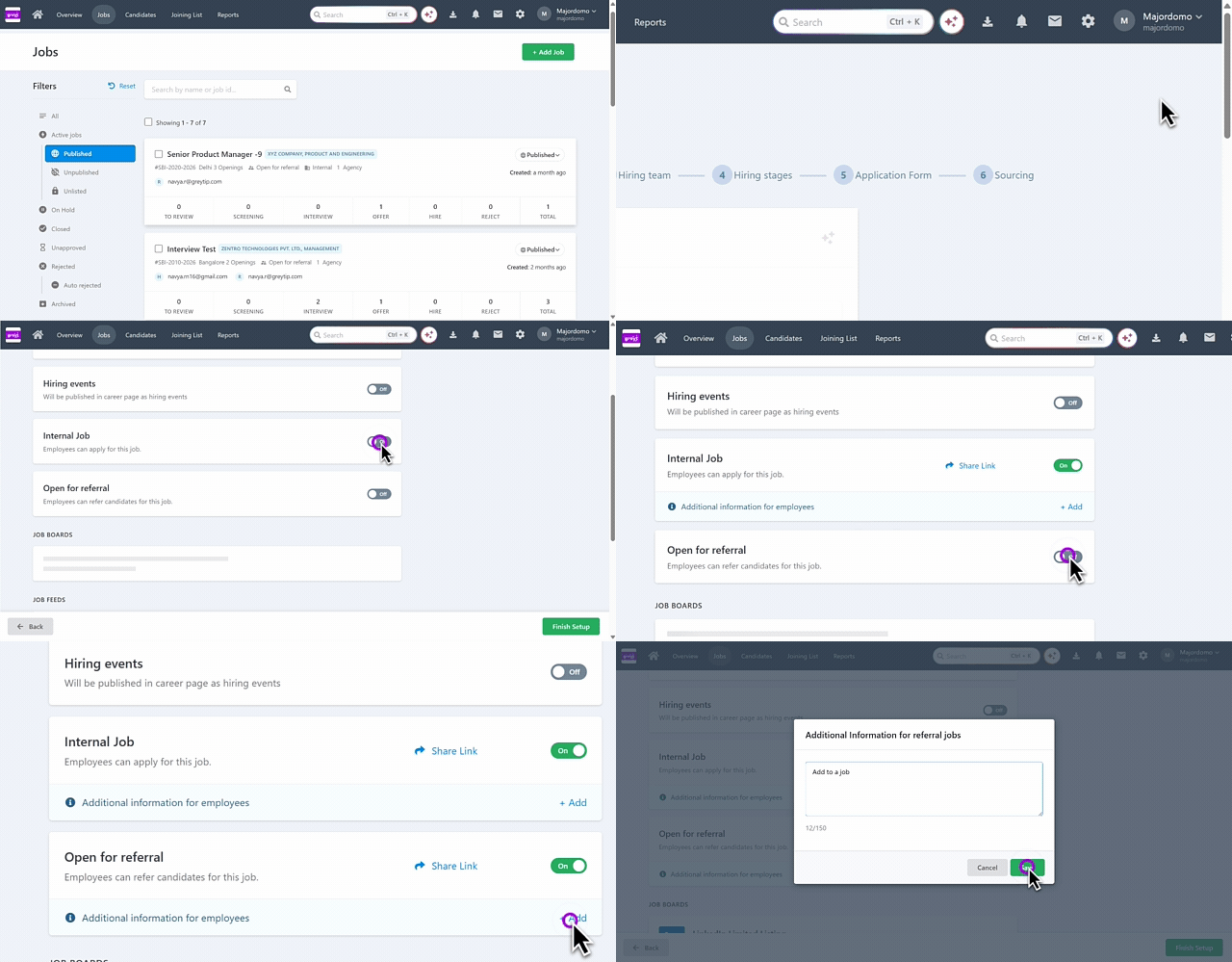
You can also add a note for the employees and choose to publish it immediately or schedule it for later by selecting the date range.
Employees will receive email notifications about internal jobs or referrals if they have enabled notifications in their employee portal.
Identify if a job is posted for IJP or Referrals
Once the Internal Job or Open for referral is enabled, you can see the tags as Open for referral and Internal on the job card.


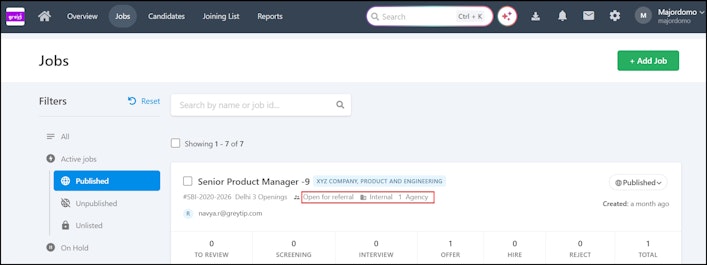
Alternatively, you can click on the Job card > Job Details and go to Sourcing Channels to view the same.


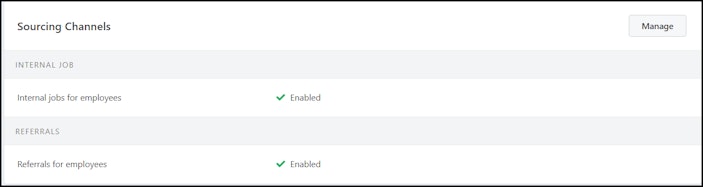
Check if a candidate has applied through IJP or a Referral within a job
When an employee applies through IJP or Referral, you can view their application on the Jobs page. Select the job card, and you can see it in the Candidate section under the Source tab.


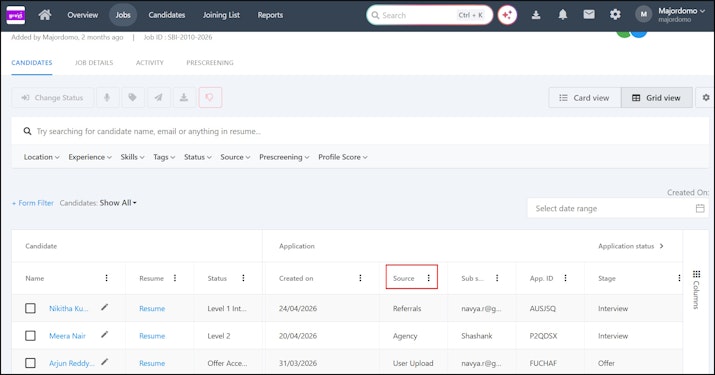
Additionally, you can choose the candidate, and you will see the respective tags in their profile.
Candidate applied through IJP: You can see the tag as Internal and you can also verify their employee number.
Candidate applied through Referral: You can see the tag as Referral along with other details.
Track and analyze candidate applications for IJP and referrals
You can monitor IJP and referral applications through the Reports tab.
Recruitment Summary Report helps you to view the top 5 Candidate Sources and Sources of Hire.

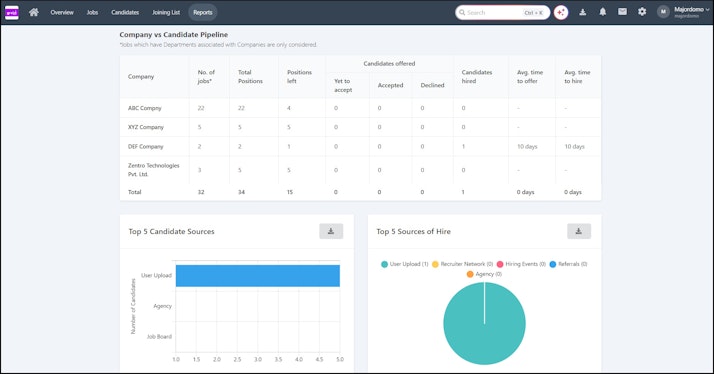
You can check if a job has been posted for IJP or Referral from the following reports:
Job Summary
Pipeline
Candidate
Source and Origin
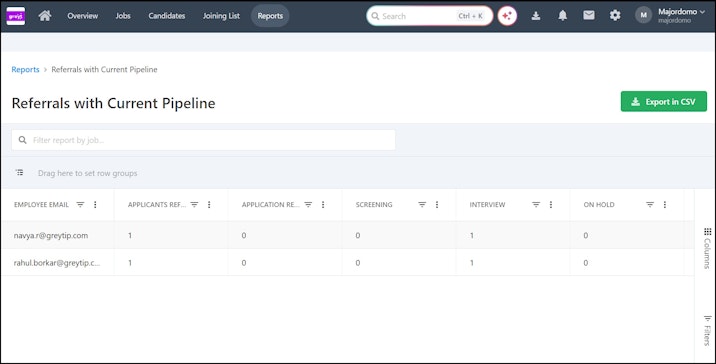
Referrals with Current Pipeline report is accessible only to the users added to the Hiring Team. This section shows the number of candidates they have referred along with their current status.