Easily Configure Leave Reviewer Settings in greytHR
Updated in December- 2025 | Subscribe to watch greytHR how-to video
Configuring leave reviewer settings refers to the process of customizing the settings and preferences related to the review and approval process of employee leave requests within a leave management system or software.
When configuring leave reviewer settings, you can define various parameters and rules that determine how leave requests are evaluated and approved within the organization.
The Advanced Options page in the greytHR Admin portal displays the list of options you can configure.
Configure leave reviewer settings
To configure the leave reviewer settings, from the greytHR Admin portal, go to Settings icon > System Settings > Miscellaneous > Advanced Options.


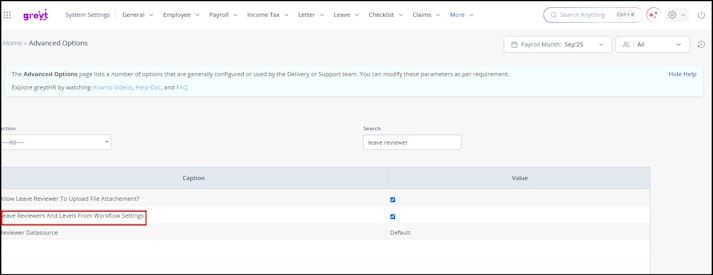
On the Advanced Options, from the Section dropdown list, select the All option.
From the Search box, search and select the Leave Reviewers and Levels From Workflow Settings option.
Click Save to configure the leave reviewer settings.
Note:
Enabling the Leave Reviewers and Levels From Workflow Settings will allow the application to load reviewers based on workflow level configuration.
Ensure all the pending leave applications are closed before changing this configuration setting.
Related Articles: