Efficiently Manage Support Tickets with greytHR Tools
Updated in December - 2024 | Subscribe to watch greytHR how-to video
Tracking support tickets raised through Chat with Bella is difficult for PSP employees. Currently, the greytHR system fetches all the tickets from the My Account > Tickets page. Traditional ways of handling these tickets often lead to:
Difficulty in tracking client-specific tickets as all tickets are grouped together.
Time-consuming searches through numerous email notifications to locate tickets.
Dependency on support teams for monthly ticket reports, causing delays.
These challenges make the entire process inefficient for everyone involved.
But the greytHR Support module in greytHR PRO simplifies support ticket management with:
Centralized ticket management: All tickets are organized by client and filtered by status for better visibility, ensuring streamlined access in one place.
Advanced filters and search: Easily locate tickets by client name, status, or date, eliminating the hassle of sifting through emails.
Role-based access: Tailored views for Associates, Managers, and Administrators ensure users only see tickets relevant to their roles.
Self-service reporting: Managers and Admins can generate detailed reports and export them in Excel, reducing support dependency and enabling faster decision-making.
Thereby ensuring a smoother experience for PSP employees, payroll executives, and their clients.
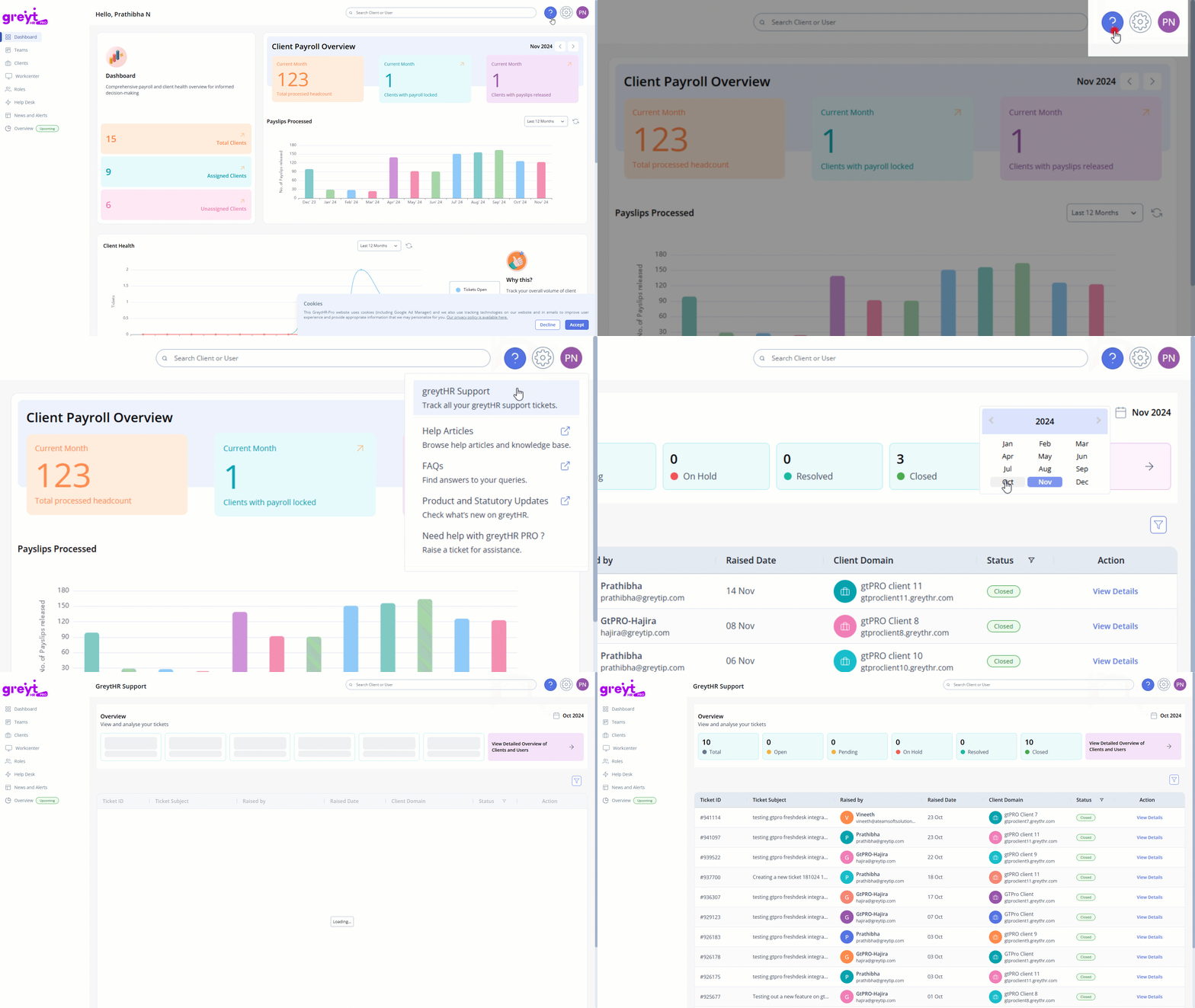
To access the greytHR Support page, log in to the greytHR PRO account > click the Help (❔)icon > select greytHR Support.
Role-based view of greytHR Support page
The greytHR Support page displays the support tickets based on your role as:
Associates: Can view tickets raised for the clients they handle.
Managers: Can view tickets for clients under their supervision, including those handled by their reportees, with an option to filter by reportee.
Administrators: Can view all tickets across the organization.
How to use the greytHR Support page?
The greytHR Support page is designed to simplify ticket management, offering features tailored to your role for efficient handling of client support issues. Here is a breakdown of its key sections and how to use them:
1. Month selector
Choose a specific month and year to view tickets raised during that period, enabling focused tracking.
2. Overview section
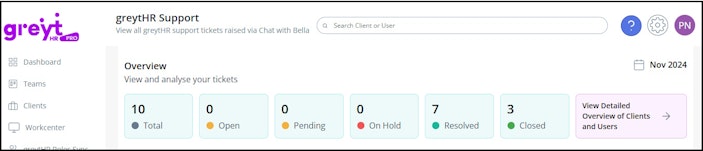
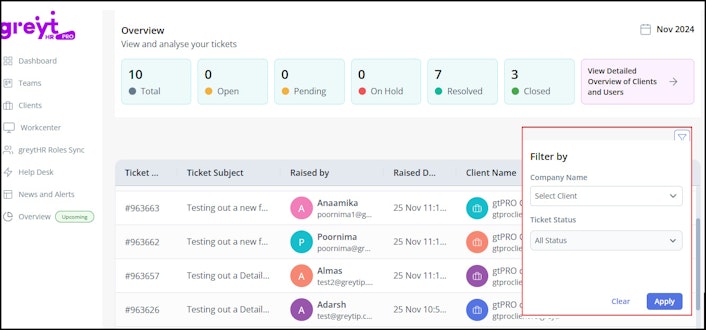
Provides a summary of ticket counts for the selected month, categorized by status such as Open, On Hold, Pending, Resolved, and Closed.


Detailed overview modal:
Click View Detailed Overview of Clients and Users for an in-depth analysis.
Toggle between client-wise and user-wise views.
Data is searchable and can be downloaded as an Excel file for reporting.
3. All tickets listing
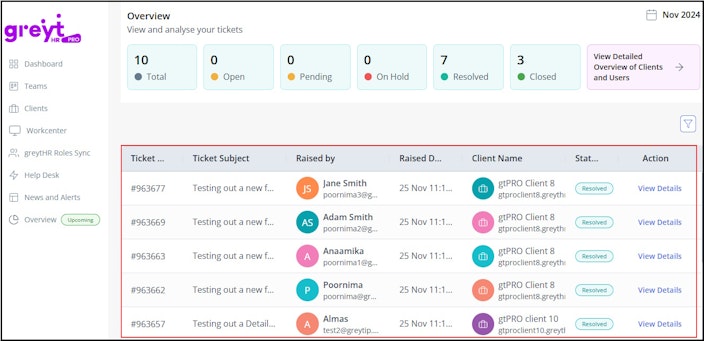
Displays a complete list of tickets based on roles with key details, including Ticket ID, Ticket Subject, Client Domain, Raised By, Status, and Raised Date.


4. Advanced filters
Refine your ticket search using Client Name and Ticket Status.

5. Ticket details
Select any ticket and click View Details to view comprehensive details, such as Ticket Description, Raised By and Raised Date, Last Updated Date, Client Name, Status, Query Category, Sub-category, and Type, Public Comments, and Attachments (if any)
Other related links: