Enable Elapsed Timer Visibility for Employees on the greytHR Mobile App
Updated in December- 2025 | Subscribe to watch greytHR how-to video
Tracking work hours accurately is an important part of managing attendance and ensuring productivity. Employees often need a clear view of the time they have spent at work to plan their day effectively and avoid errors in attendance records.
The Elapsed Timer feature on the greytHR mobile app helps employees see the duration since their first sign-in of the day, encouraging better time management and reducing early sign-outs or regularization requests.
However, not all organizations wish to expose this information to employees due to internal policies or culture. To support this, greytHR now allows admins to control whether employees can see the Elapsed Timer on the mobile app.
Enable Elapsed Timer visibility for employees
To enable the visibility of the Elapsed Timer for employees, from the greytHR Admin portal, go to Settings icon > System Settings > Attendance > Attendance Option.
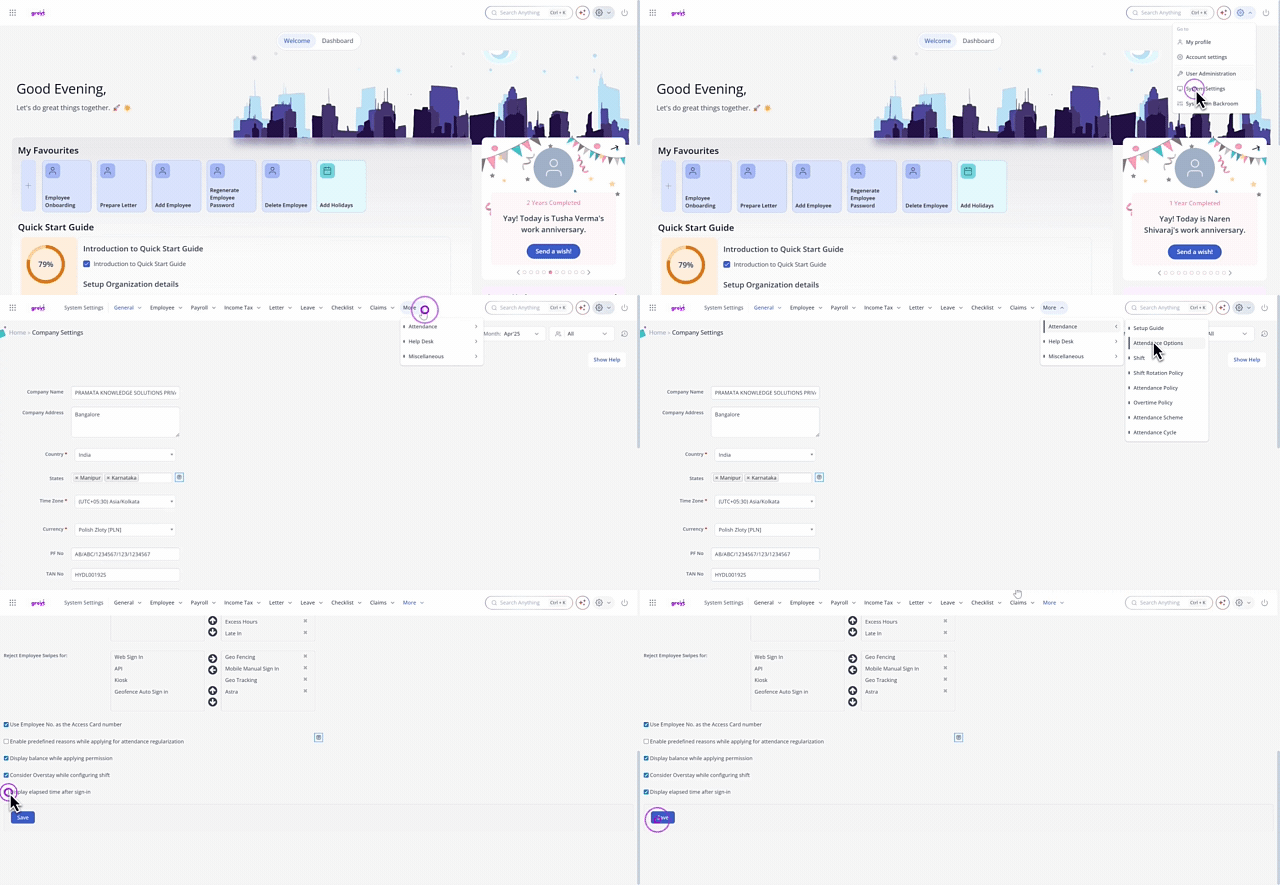
On the Attendance Options page, scroll to the bottom of the page, and select the checkbox Display elapsed time after sign-in to enable the timer on the mobile app.
Click Save to apply the changes
Note: To hide the timer from employees on the mobile app, disable the checkbox.
Important notes
The timer works only if at least one mobile swipe capturing method is configured (Geofence, Geo Tracking, or Mobile Manual Sign-In).
It starts from the first valid IN swipe of the day, updates using backend time, and stops at sign-out.
Supports all shift types, and continues tracking in the backend even if hidden mid-day. For split shifts, the timer resets for each session.
Related Articles:
Track/View your work time duration on the greytHR mobile app