Set Cooling-Off Period for Candidates in greytHR Recruit
Updated in September - 2025 | Subscribe to watch greytHR how-to video
As a recruiter, you often come across repeated applications from candidates who were previously rejected, without any significant skill upgrades or profile updates. This clutters your hiring pipeline, wastes recruiter time, and creates a negative experience for candidates facing repeated rejections.
greytHR Recruit introduces Cooling-off period in the recruitment process to prevent rejected candidates from reapplying to any role during the defined timeframe.
A cooling-off period is the minimum waiting time you set before a candidate can reapply for a role in your company. In greytHR Recruit, the cooling-off period applies to those candidates who are rejected for any job. This helps you, as an HR admin, avoid repeated or premature applications and ensures only eligible candidates are considered after the defined gap.
Enable Cooling-off period
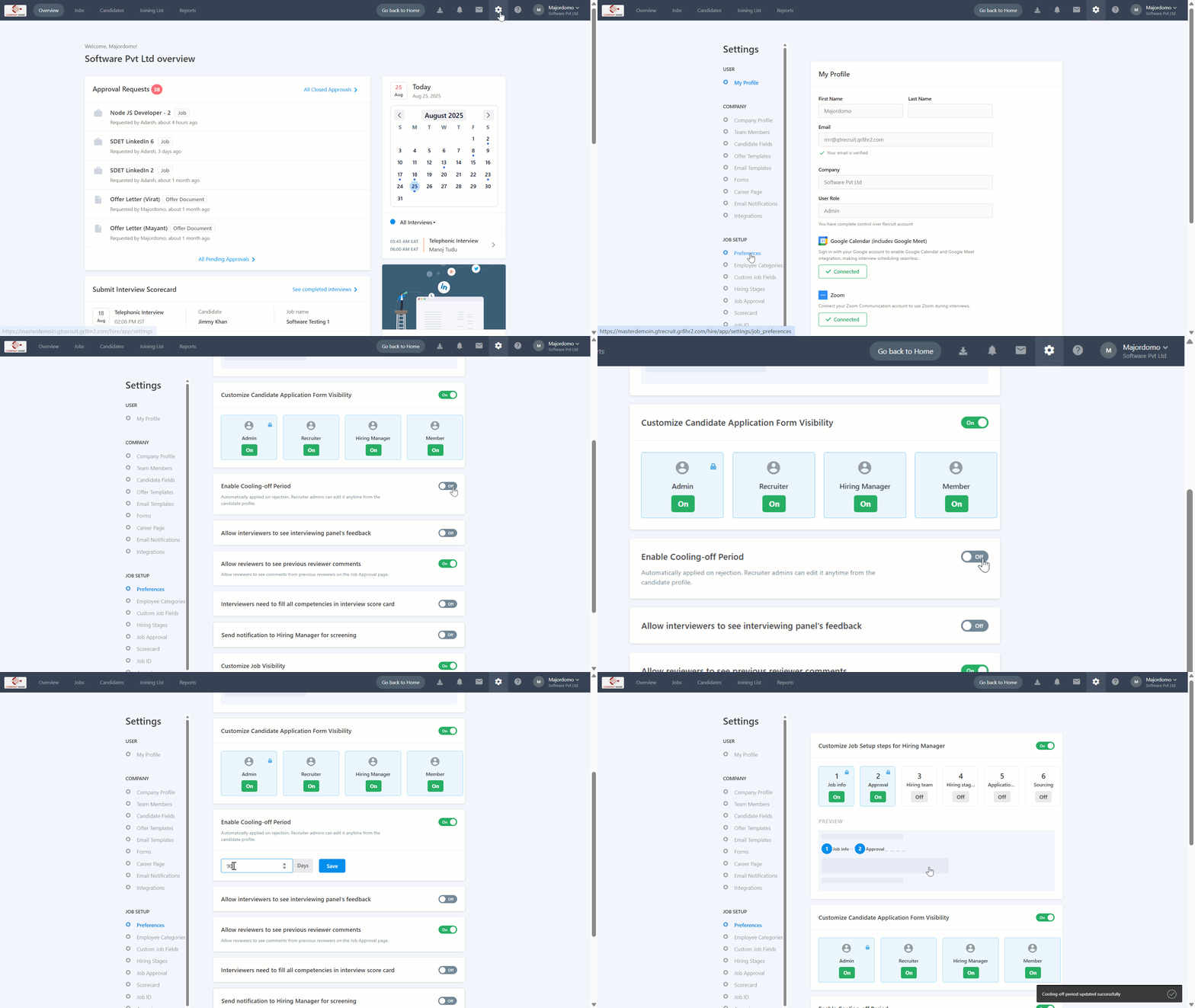
To enable the cooling-off period, on your greytHR Admin portal, hover over the 9 dots and select Recruitment > Settings.
Under the JOB SETUP section, select Preferences.
Toggle the button for Enable Cooling-off Period, enter the number of days, and click Save.
Note:
The cooling-off period is applied at the company level and not job-specific. If a candidate is rejected for any role, they will not be able to apply for any other role in the company until the defined cooling-off period is over.
After you reject a candidate, the cooling period gets automatically applied to the candidate’s profile.


View candidates in cooling-off period
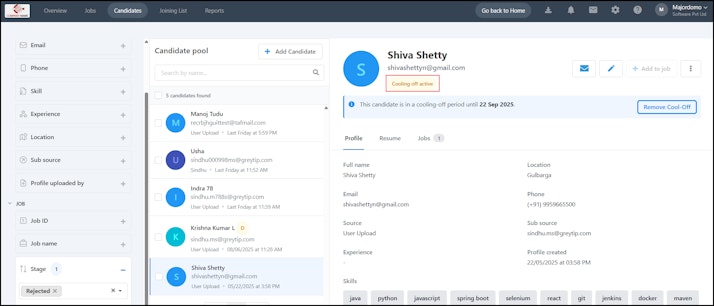
To view a candidate who is within the cooling-off period, go to the Candidates tab, search the candidate by their name, or use the Filters: Job > Stage > Rejected.
In the candidate’s record, you will see a tag Cooling-off active along with the duration of the cooling-off period.


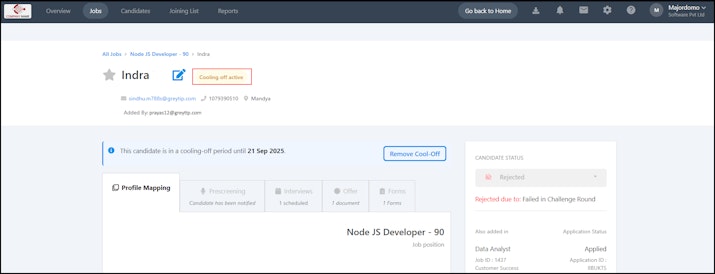
Alternatively, go to Jobs and select the job and the candidate who was rejected. On the candidate’s page, you will see the Cooling off active tag.
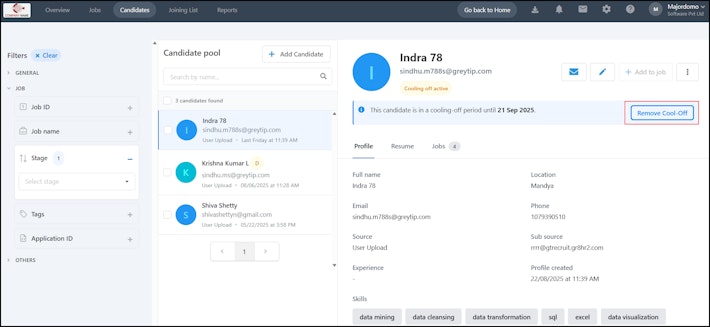
Note: If you want to reconsider the candidate’s profile for any job, you can remove the cooling-off period for the particular candidate by clicking on the Remove Cool-Off.


Info:
The cooling-off period restriction applies across all channels: Career Page, Agency/Vendor Portal, and Employee Referrals.
Agencies cannot submit candidates who are under a cooling-off period. The system prevents duplicate submissions.
Employees cannot refer candidates who are in a cooling-off period. A message will notify them about the restriction.
Related article: