Use greytHR to Post Jobs on Naukri Gulf Effortlessly
Updated in May- 2026 | Subscribe to watch greytHR how-to video
Hiring in the Gulf region requires compliance with region-specific job classifications, location mappings, and currency formats. Managing these requirements manually across platforms can lead to inconsistencies, delays, and errors.
The Naukri Gulf integration allows organizations using greytHR Recruit to publish and manage job openings on Naukri Gulf through secure API connectivity. It supports Middle East hiring by aligning with Naukri Gulf’s job posting standards, country-specific location IDs, and regional currency requirements.
With this integration, recruiters can create, update and unpublish job postings directly from greytHR Recruit without manually logging into Naukri Gulf. This ensures faster publishing, improved accuracy, and a streamlined recruitment workflow.
Enable the Naukri Gulf integration
To enable the Naukri Gulf integration, from your greytHR Admin portal, hover over the 9 dots and select Recruitment > Settings > Integrations.
Under the JOB BOARD section, toggle on the Naukri Gulf option.
Enter the Company ID and click Update. If you are unaware of the Company ID, please contact the Naukri Gulf support for the same.
Note: If the Company ID is invalid, the job doesn’t get posted on Naukri Gulf.
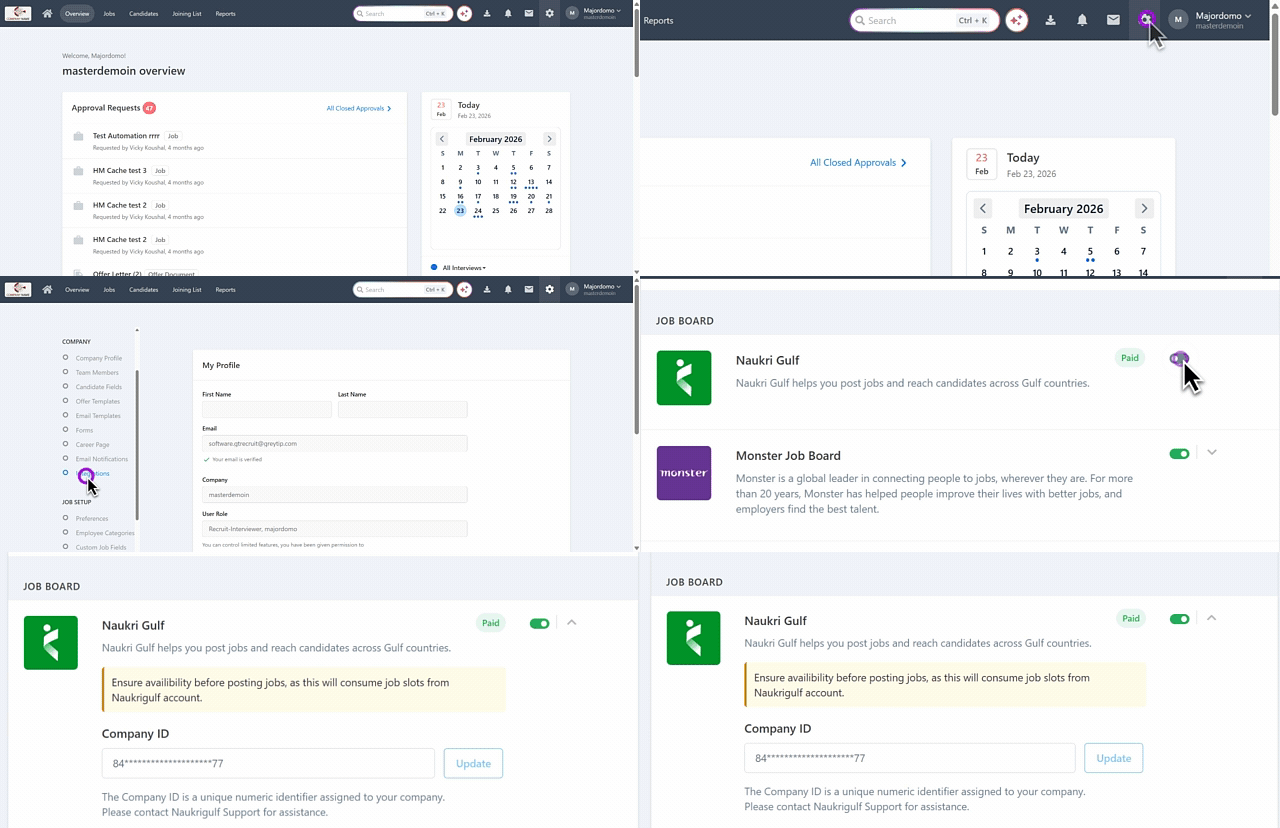
After you have enabled the Naukri Gulf integration, you can post jobs on Naukri Gulf.
Post jobs on Naukri Gulf
You can post jobs on Naukri Gulf while creating a new job or by editing an existing job. To post a job on Naukri Gulf, from the greytHR Admin portal, hover over the 9 dots and select Recruitment > Jobs.
To publish an existing job on Naukri Gulf, select an existing job card > click Edit > Sourcing > Job Boards. Toggle the Naukri Gulf option, fill out all the details such as Country, State, City, and other information, and click Publish.
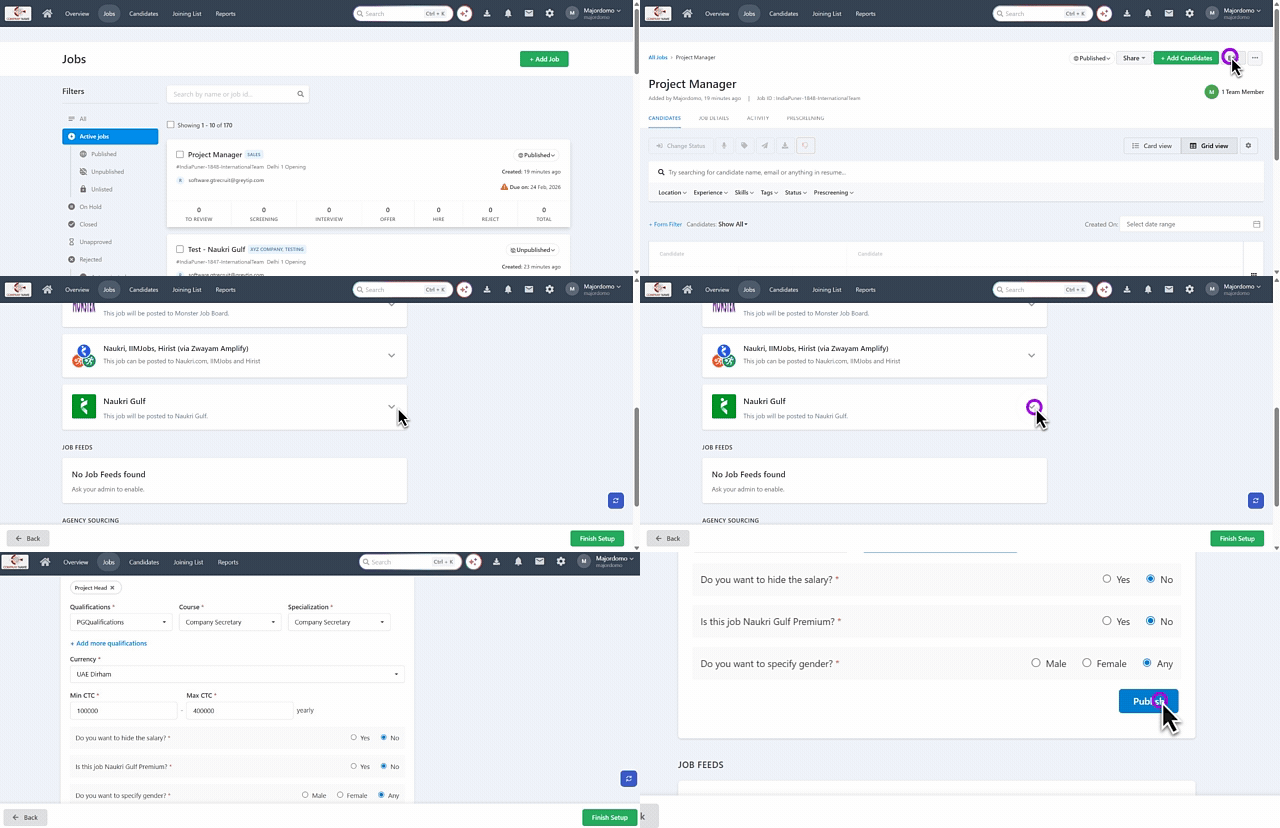
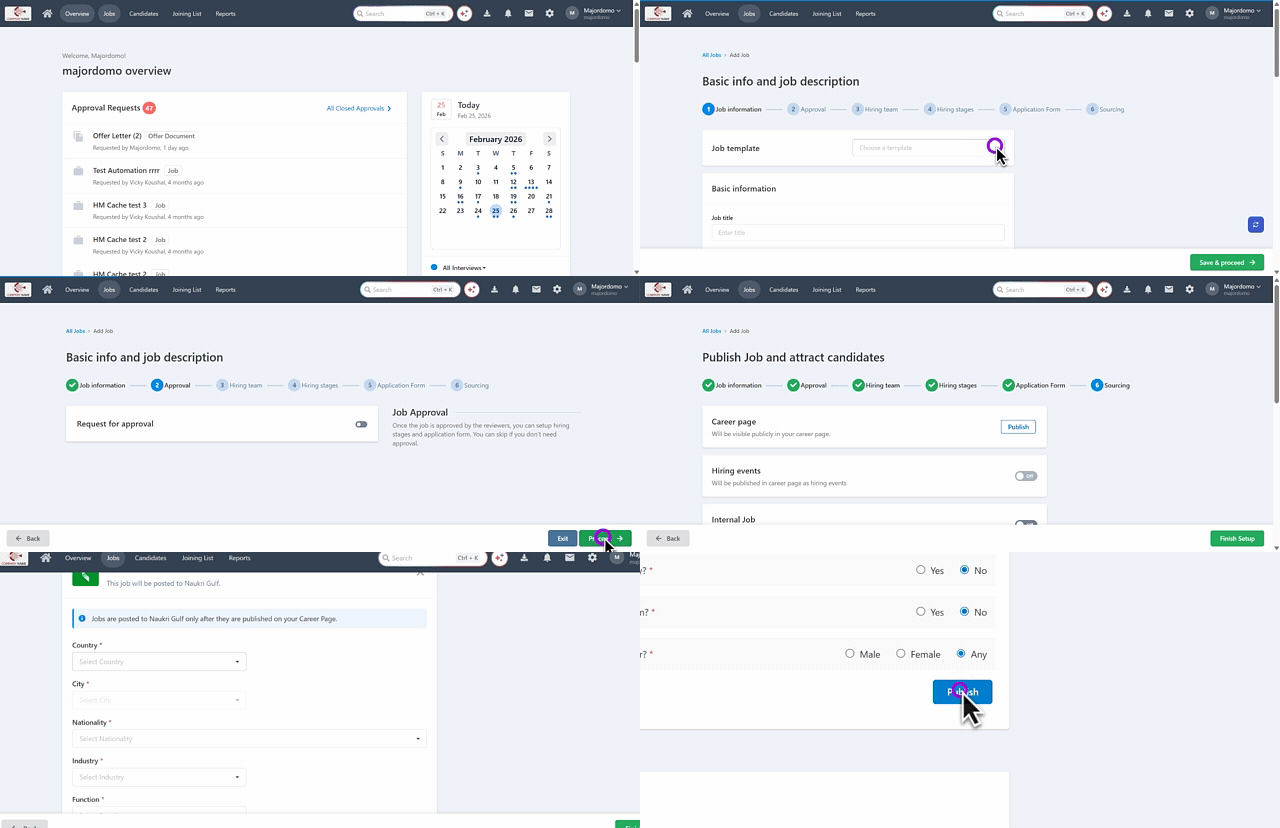
To publish a new job on Naukri Gulf, on the Jobs page, click + Add Job, follow the steps similar to adding a job > under Sourcing > Job Boards > toggle the Naukri Gulf option, fill out all the details such as Country, State, City, and other information, and click Publish.
Note:
The Naukri Gulf toggle option is available once you have completed the integration.
Jobs can be posted to Naukri Gulf only after they are published on your Career Page. If the job is not posted on the Career Page, go to the Sourcing tab, click the Publish option on the Career Page card, and confirm the action.
Publishing jobs to Naukri Gulf can take sometimes up to 1 day.
Filter jobs posted on Naukri Gulf
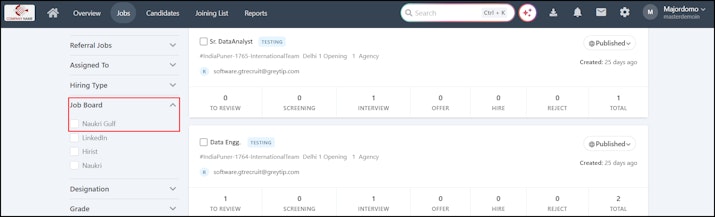
If you want to filter the jobs that are posted on Naukri Gulf, hover over the 9 dots and select Recruitment > Jobs. On the Jobs page, under the Filters section, expand the Jobs Board and select Naukri Gulf. The jobs posted on Naukri Gulf would appear.


Filter candidates’ Naukri Gulf applications
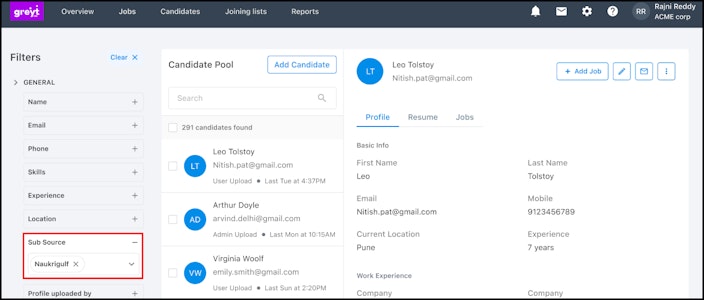
To review the candidates’ applications received through Naukri Gulf, hover over the 9 dots and select Recruitment > Candidates.
Under the filters, expand the Sub Source field, select Naukri Gulf, and the list of candidates’ applications from Naukri Gulf would appear.


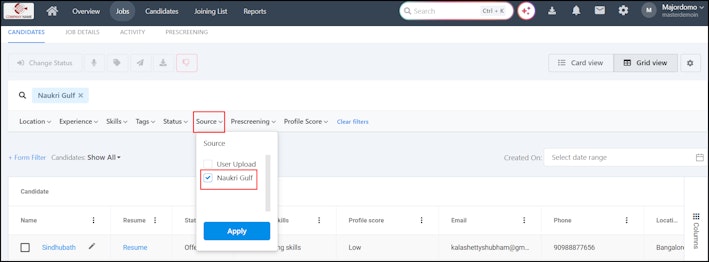
Alternatively, you can open a job and apply filter in the Source tab.


Monitor jobs posted on Naukri Gulf
You can monitor the jobs posted on Naukri Gulf through the Reports tab. Hover over the 9 dots and select Recruitment > Reports. On the Reports page, you can view the following reports:
Recruitment Summary Report helps you to view the top 5 Candidate Sources and Sources of Hire.
Job Summary Report includes a filter as Naukri Gulf helps you to identify if the job is posted to Naukri Gulf.
You can also check if a job has been posted to Naukri Gulf from the following reports:
Candidate
Source and Origin
Related articles: