Manage Shift Rosters Efficiently with greytHR's Upload Feature
Updated in May -2026 | Subscribe to watch greytHR how-to video
Managers overseeing teams working in rotational or project-based shifts often face delays when relying on HR or admins for roster updates. These delays can disrupt operations and hinder timely shift assignments, which are crucial for smooth team coordination and productivity.
To address this, greytHR’s Shift Roster Upload feature allows managers to directly upload shift rosters through their ESS (Employee Self-Service) portal using the Excel Importer. This empowers managers to handle roster management independently, streamlining the shift assignment process and ensuring timely and efficient planning without needing assistance from HR or admin teams.
Key benefits of Shift Roster upload
Enables managers to upload shift rosters without Admin intervention.
Supports smoother shift scheduling at department/project levels.
Simplifies the import process through a familiar Excel-based interface.
Enable Shift Roster Importer for manager
To enable Shift Roster importer for manager, from the greytHR Admin portal, go to Settings > User Administration > User > User Roles.
Select the Manager user card and click Edit.
In Category, choose Importers. The list appears.
Select the Read Access and Write Access checkboxes next to Excel Import - Manager and save.
Again from the Category option, choose Excel Importers and select the Read Access and Write Access checkboxes next to Shift Roster Importer - Manager and save.
Once done again from the Category option, choose Admin Empinfo and select the Read Access and Write Access checkboxes next to Basic Information and save.
Note: Without enabling this setting, the import option will not be visible in the manager ESS login.
Once these options are enabled, the managers can upload shift rosters on their greytHR ESS portal using the Excel Importer.


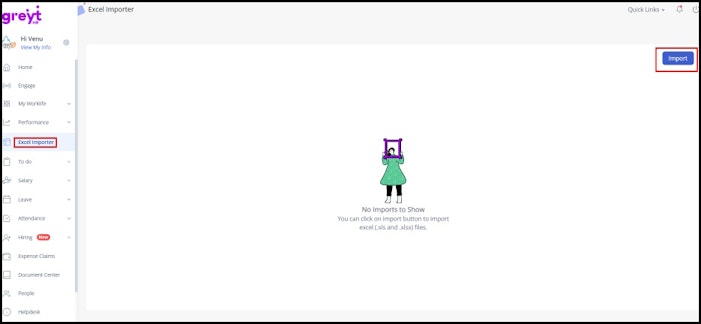
Note: If no imports have been made yet, the screen will appear in an empty state with the message: No imports to show. However, the Import button will still be available for action.
Related Article:
Import bulk data using excel import