Manage Employee PAN Status and Compliance in greytHR
Updated in March - 2026 | Subscribe to watch greytHR how-to video
The Permanent Account Number (PAN) is a computer-generated unique identification number provided by the Income Tax Department. Each person/entity eligible for paying income tax must have this number. PAN is a statutory requirement.
The PAN Status page in the greytHR Admin portal provides you with a quick overview of employees' PAN details in the database. You can view the employee details such as name, number, joining date, PAN availability status, PAN no, and verification status.
To view the PAN Status page, from the greytHR admin portal, hover over the 9 dots and go to Payroll > Admin > PAN Status.
You can perform the following actions on the PAN Status page:
View and update PAN status
Capture PAN linked with Aadhaar status
Bulk verify employees' PAN-Aadhaar link status
View and update PAN status
You can update the availability status of employees' PAN on the PAN Status page. To update the PAN status, from the greytHR Admin portal, hover over the 9 dots and go to Payroll > Admin > PAN Status. The PAN Status page opens and displays a list of all employees.
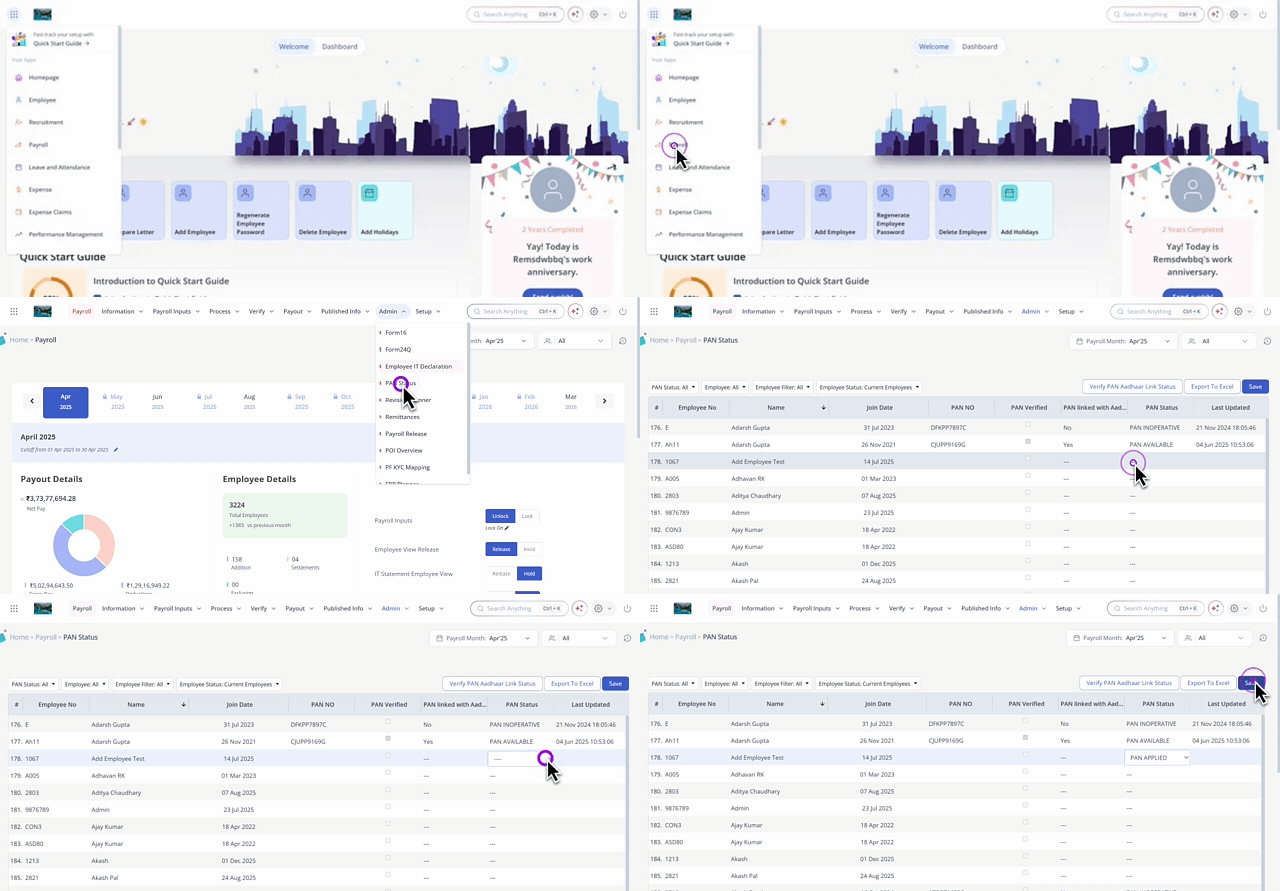
Using the PAN Status, Employee, Employee Filter, and Employee Status filters, customize the employee list as per your requirements.
Under the PAN Status column, double-click the required employee's cell to view the dropdown list.
Select the required status. The available statuses are: PAN APPLIED, PAN NOT AVAILABLE, PAN INOPERATIVE, PAN VERIFIED, PAN NOT VERIFIED
Click Save to update the availability status of the selected employees.
Note:
The PAN Status page allows you to view PAN details and update the PAN Status and PAN linked with Aadhaar status only. To add or modify an employee’s PAN details, you must update them on the Employee Profile page.
Capture PAN linked with Aadhaar
As per the Income Tax Act linking PAN with Aadhaar is mandatory. Failing to do so, results in PAN becoming inoperative. The consequences of an inoperative PAN lead to:
Inability to file e-TDS.
Higher TDS rates applied.
Incomplete or mismatched tax information in AIS.
Unable to submit 15G/15H Declarations.
To capture the PAN linked with the Aadhaar status of employees, from the greytHR Admin portal, hover over the 9 dots and go to Payroll > Admin > PAN Status.
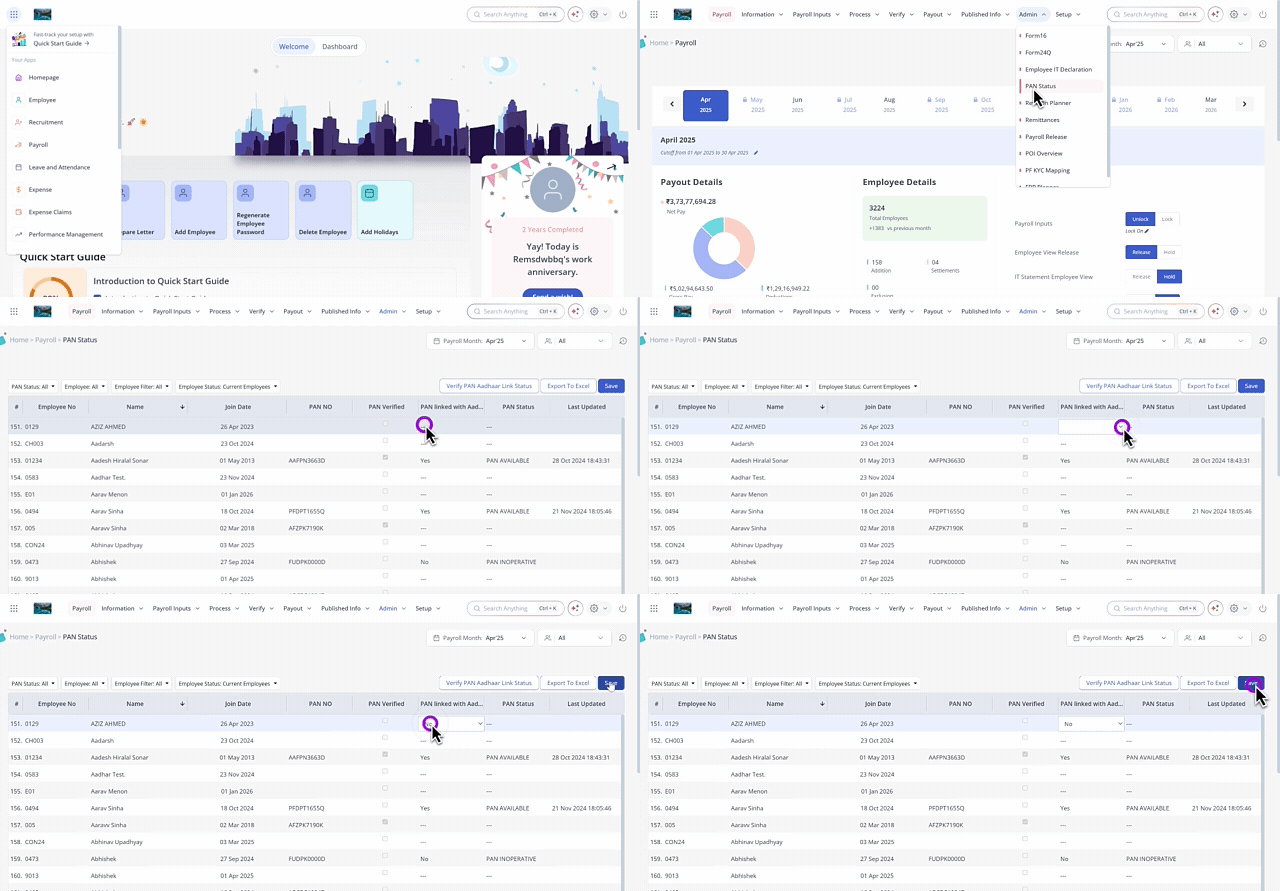
Using the PAN Status, Employee, Employee Filter, and Employee Status filters, customize the employee list as per your requirements.
Under the PAN linked with Aadhaar column, double-click the required employee's cell to view the dropdown list.
Select the status as Yes/No as per your requirements.
Click Save to update the changes.
Bulk verify employees' PAN-Aadhaar link status
To bulk verify employees' PAN-Aadhaar link status, from the greytHR Admin portal, hover over the 9 dots and go to Payroll > Admin > PAN Status.
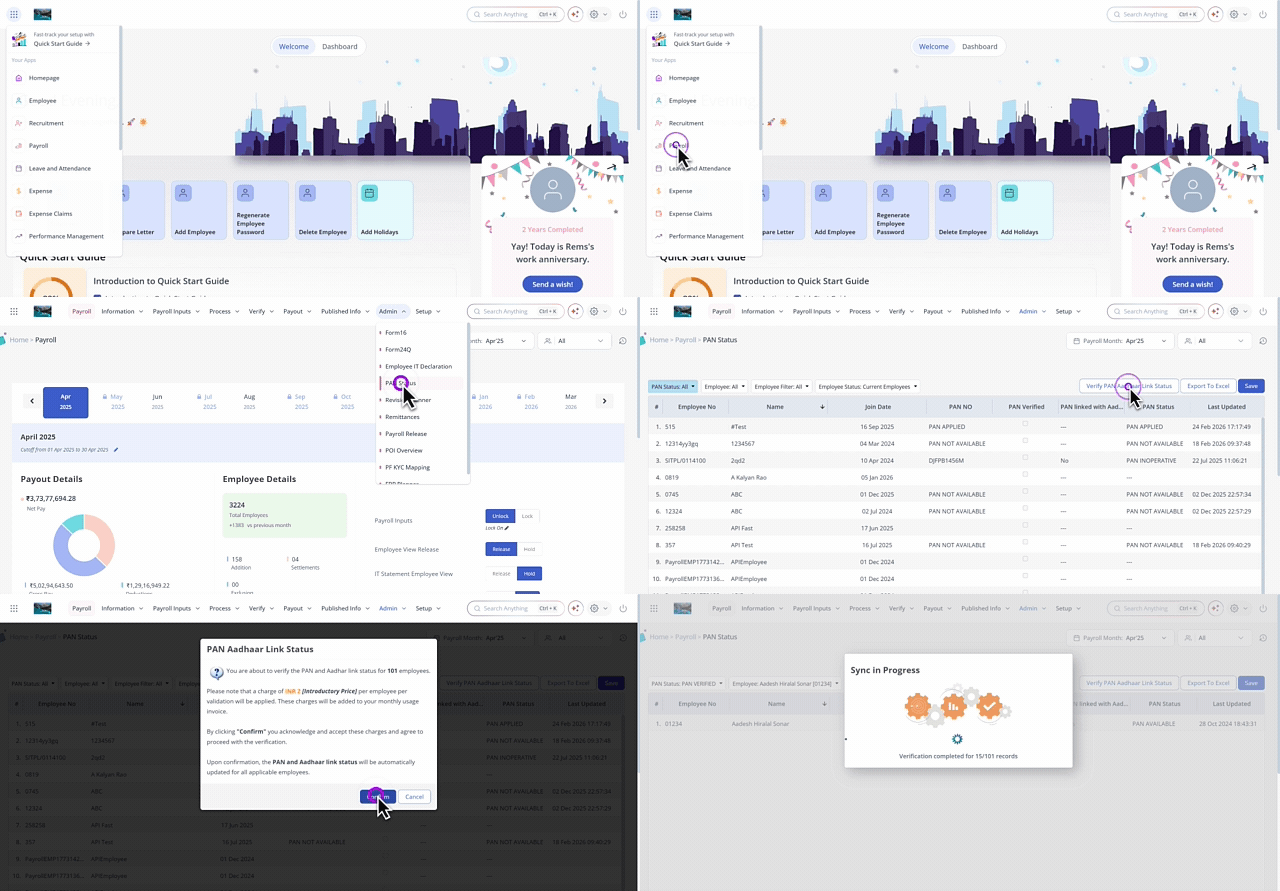
Click the Verify PAN Aadhaar Link Status button to auto-verify the employees' PAN-Aadhaar link status . The PAN Aadhaar Link Status pop-up appears.
Read the terms and click Confirm. A progress bar appears displaying the employees' PAN Aadhaar link verification status.
Note:
Each PAN-Aadhaar link verification costs ₹5 per transaction.
The PAN status of the employees reflects in the IT statement, Payroll Statement, and while extracting the report using Query Builder.
You can bulk upload your employees' PAN details by using the Import from Excel option on the Excel Import page.
Verify employees' PAN from the Employee Profile page
To mark an employee’s PAN as verified, from the greytHR Admin portal hover over the 9 dots and go to Employee > Information > Employee Profile page, and update the PAN verification status there.


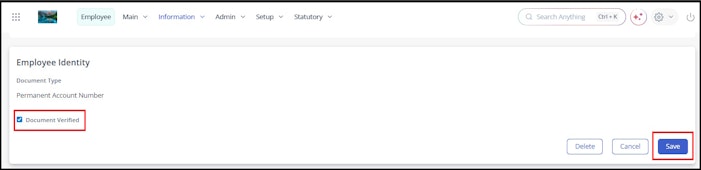
Once the PAN is verified on the Employee Profile page, the updated status is reflected on the PAN Status page. If the PAN–Aadhaar link status is verified, it appears as Yes in the PAN Status column. If the PAN and Aadhaar are not linked, the status changes to Inoperative.
Related Article: