Update Employee Position History in greytHR
Updated in January - 2026 | Subscribe to watch greytHR how-to video
Position history plays a vital role in an employee's payroll cycle. The information must be up to date before you process payroll. The primary purpose of maintaining position history details is to help employers manage their workforce and make informed decisions related to job assignments, promotions, and succession planning. By tracking an employee's job history, employers can identify opportunities for growth and development, as well as ensure that they have the right talent in place to meet their business needs.
The Position History page in the greytHR Admin portal helps you to add or edit your employee details such as designation, department, grade, and location.
To view the Position History page, from the greytHR Admin portal, hover over the 9 dots and select Employee > Information > Position History.
You can perform the following actions on the Position History page:
Add position history details.
Edit position history details.
Add position history details
To add the position history details of an employee, from the greytHR Admin portal, hover over the 9 dots and select Employee > Information > Position History.
On the Position History page, from the Search Employee search box, enter the employee number or name to search for the employee whose details you want to add. All the relevant position detail cards appear.
Click Add on the required card.
From the Category dropdown list, select the appropriate category.
From the Effective From dropdown calendar, select the starting date of the required detail.
From the Effective To dropdown calendar, select the relevant date.
Click Save to add the position details of the selected employee.
Edit position history details
To edit the position history details of an employee, from the greytHR Admin portal, hover over the 9 dots and select Employee > Information > Position History.
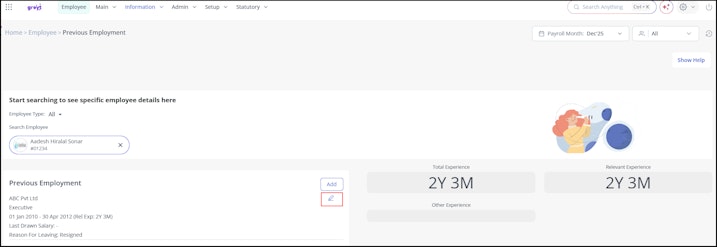
On the Position History page, from the Search Employee search box, enter the employee number or name to search for the employee whose details you want to modify. All the relevant position detail cards appear.
Click the Edit icon on the required card to edit the details.
Update the required information.
Click Save to modify the position details of the selected employee.


Note: You can also click Delete to delete updated details.
Other related links: