Create Performance Periods in greytHR for Effective Reviews
Updated in March - 2026 | Subscribe to watch greytHR how-to video
Performance period refers to a specific timeframe during which an employee's performance is evaluated. This can happen every quarter, twice a year, yearly, or on any custom schedule that fits the company's goals. Without it, you cannot move forward with setting goals or conducting performance reviews. The performance period is also commonly known as the Appraisal Period, Evaluation Period, or Appraisal Cycle.
Create Performance Period
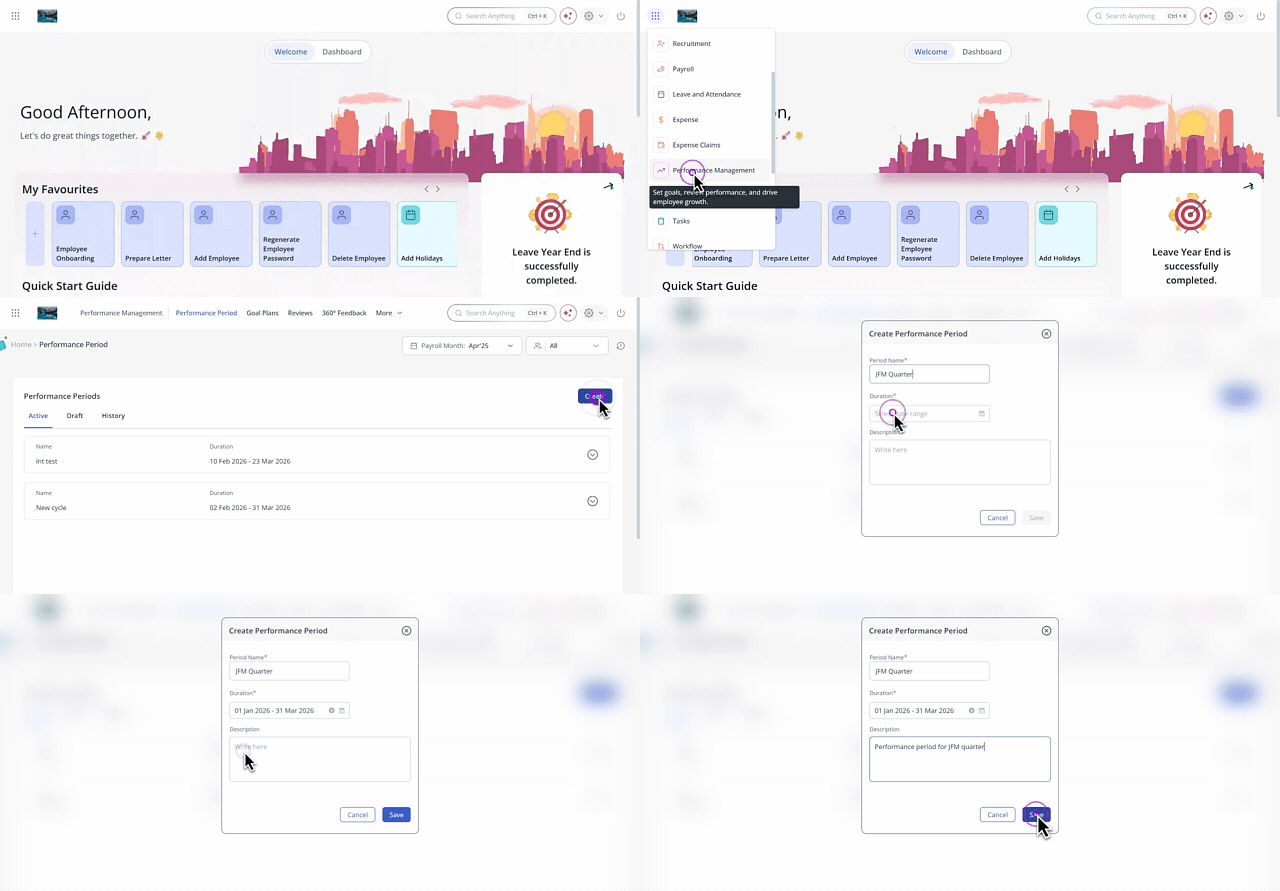
From the greytHR Admin portal, hover over the 9 dots and select Performance Management > Performance Period.
Click Create, enter the Period Name, Duration, and Description.
Click Save.
Note: The newly created performance period must be activated from the Draft tab. Once you activate the performance period, you cannot edit or change it.
The next step is to create goal plans.
Other related links: