Efficiently Add Employee Goals in Bulk with greytHR
Updated in June- 2026 | Subscribe to watch greytHR how-to video
Adding goals for your employees sets clear expectations and helps track their progress.
But imagine having to add multiple goals for your employees one by one! Doing this manually can be time-consuming and prone to errors, making the whole process inefficient.
With greytHR, both admins and managers can easily add multiple goals in bulk for the respective employees, eliminating the hassle of manual entry.
Add multiple goals in bulk for the employees
Adding multiple goals in greytHR is quick and easy with the Goals Bulk Upload feature.
From your greyHR Admin portal, hover over the 9 dots and select Performance Management > Goal Plans.
Choose a goal, click View Details, and select Bulk Upload—this opens a new tab.
Select Goals from the Importer Type drop-down. A table appears, showing field names and descriptions as a reference for your Excel file.
Download the sample file, fill in the required data with reference to the selected goal plan, and upload it.
The Map Fields step ensures correct column mapping. If names match the sample file, they auto-map; otherwise, you need to manually map them. Additionally, employee numbers will be validated during this step.
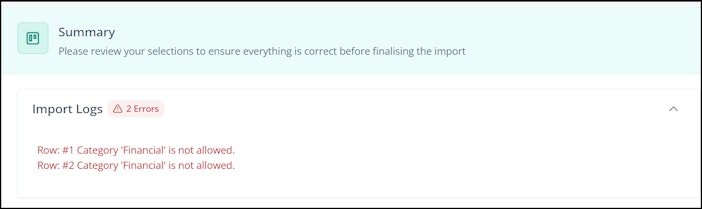
In the next step, Summary, you can review your file before uploading. If there are no errors, the file will be uploaded automatically. If there are any mismatches or errors found, the system will display them, allowing you to download an error file with only the incorrect entries for easy corrections.

7. Once you have made the corrections and re-uploaded the file, click Import to complete the process.


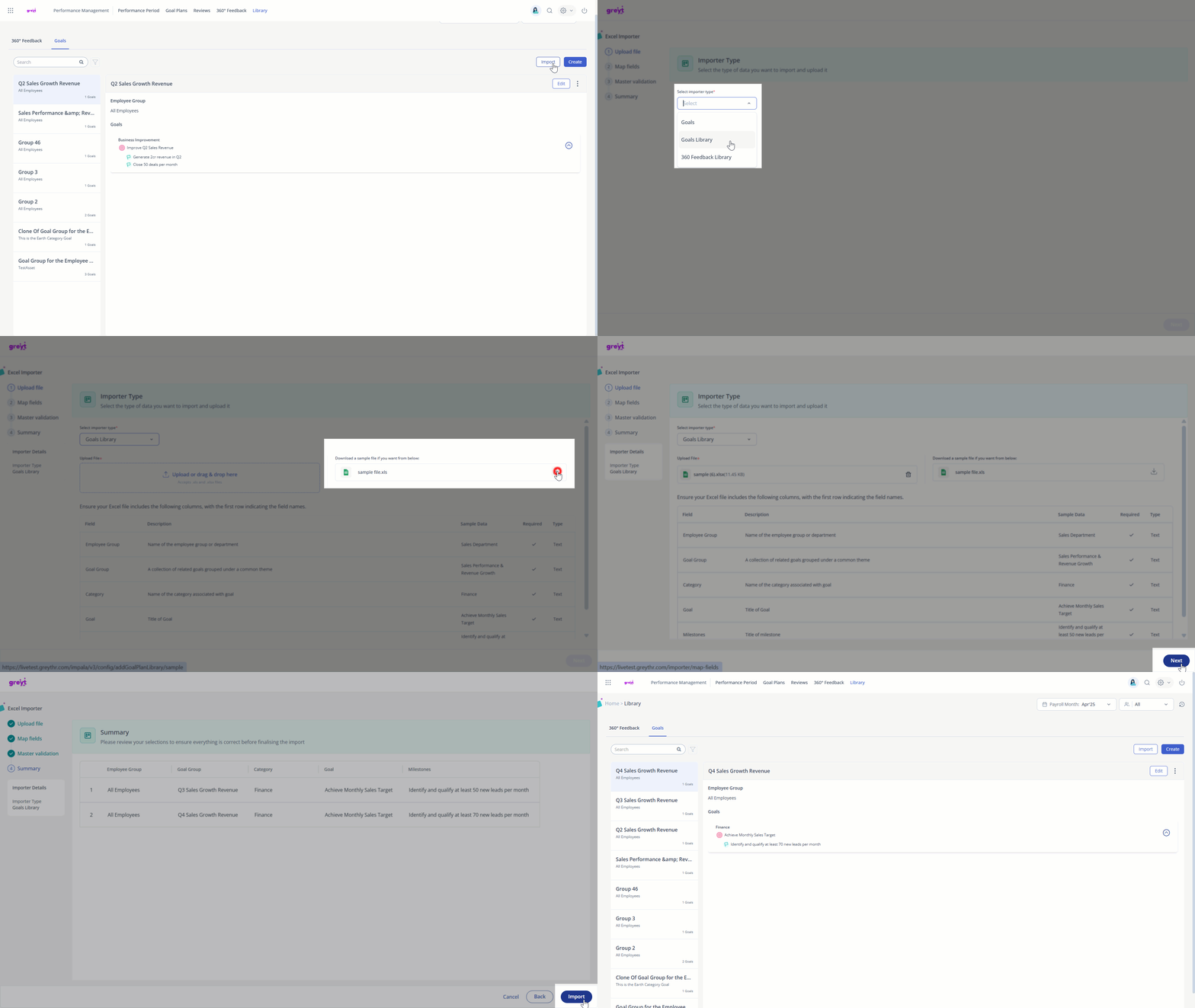
With the introduction of the PMS Library, you can import multiple goal groups or 360° feedback question categories in bulk.
Upload multiple goal groups or 360° feedback question categories in bulk
Adding multiple goal groups in bulk
To add multiple goal groups in bulk, click the Import option. Select Goals Library, Download the sample file, fill in the required data, and upload it to complete the process.
Adding 360° feedback question categories in bulk
To add multiple 360° feedback question categories, click the Import option, select 360 Feedback Library, Download the sample file, fill in the required data, and upload it.

Bulk upload of multiple employee goals by managers
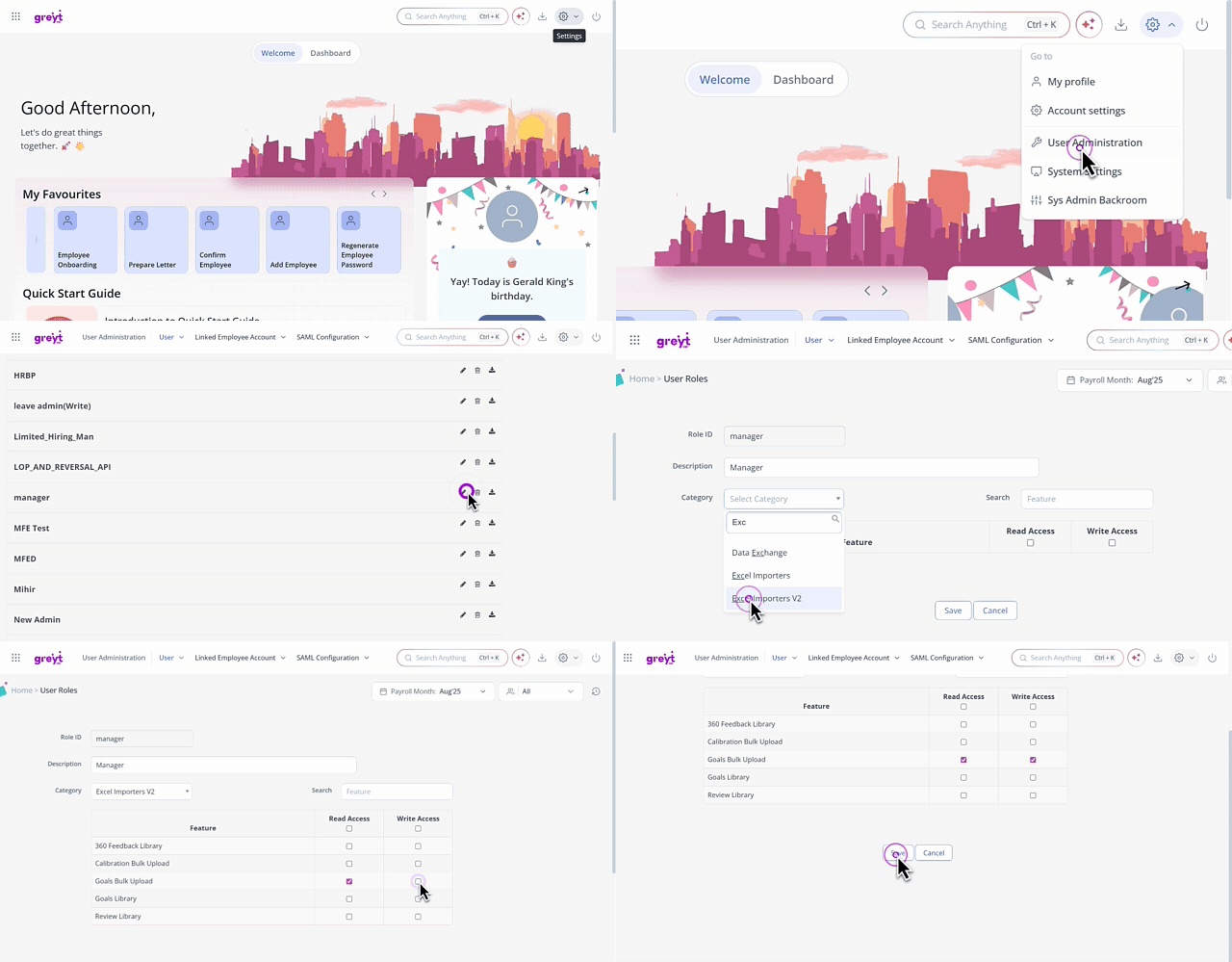
To allow managers to upload multiple goals for employees, enable the Excel Importers V2 feature.
From the greytHR Admin portal go to Settings > User Administration > User > User Roles.
Select the manager’s user card and click the Edit icon.
From the Category dropdown, choose Excel Importers V2.
The Goals Bulk Upload option will appear—select both Read Access and Write Access, then save the changes.
Once enabled, the managers can see the Excel Importer feature in their greytHR ESS portal under the Control Panel.
📌Note: They can also view the history of imports done. If there are any errors while uploading the file, they can view and download it using the Import Log option.
Related articles: