Navigate greytHR's New Menu for Efficient HR Management
Updated in March- 2025 | Subscribe to watch greytHR how-to video
As the year begins, navigating greytHR becomes easier, faster, and more intuitive with the introduction of the New Menu. 🚀 This new enhancement improves accessibility, reduces clutter, and makes switching between modules and access key tools easy.
Watch the video below to see the New Menu in action!
The New Menu at a Glance
📂 A clean, collapsible-style menu displaying all modules in an organized layout.
🖱️ Get better visual feedback when selecting options, making navigation smoother.
Finding the New Menu
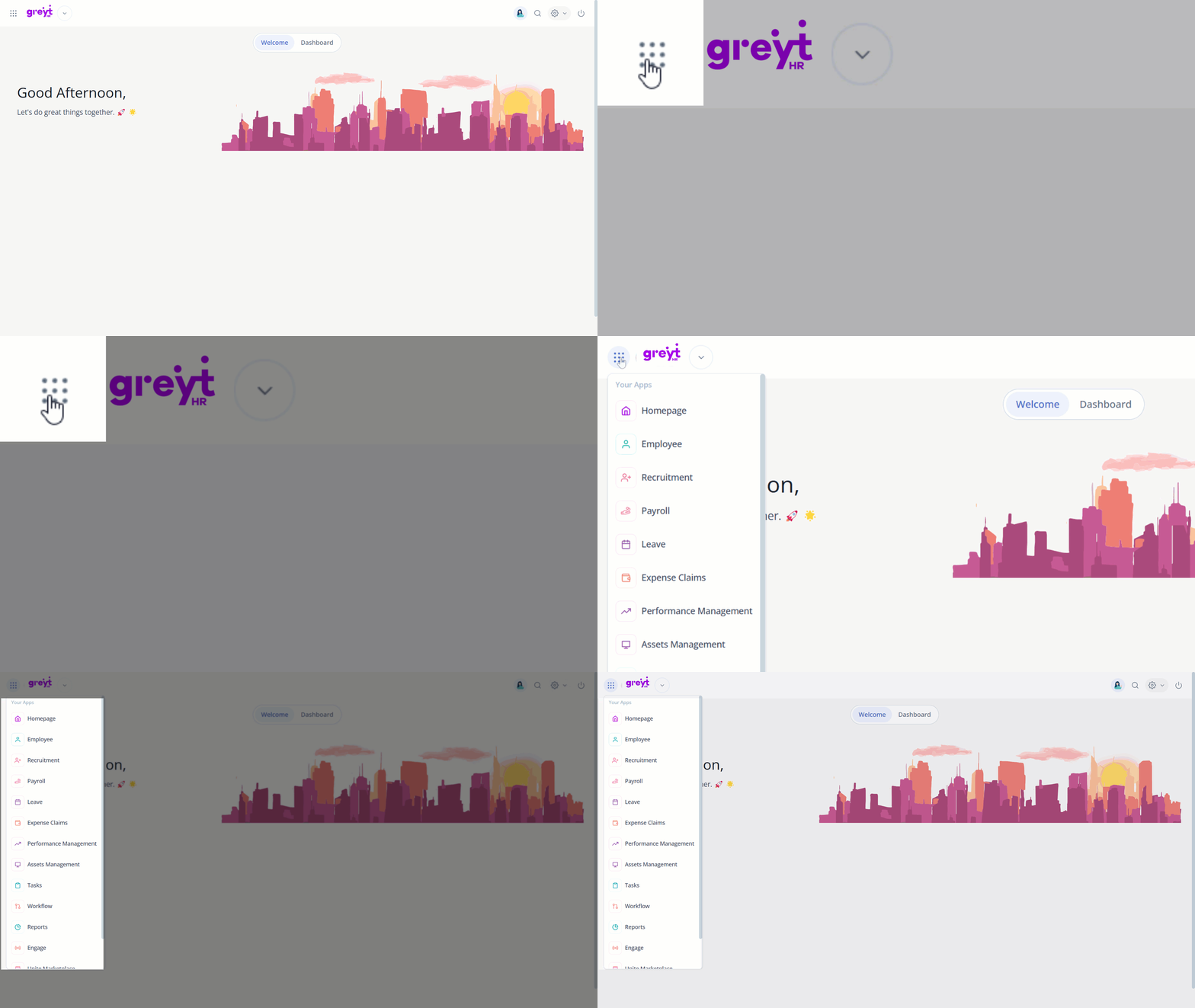
The New Menu is located right beside the company logo at the top-left corner of the Home page. 📍
Hover over the 9 dots, choose the module you need, and you'll be taken to the respective page as usual.
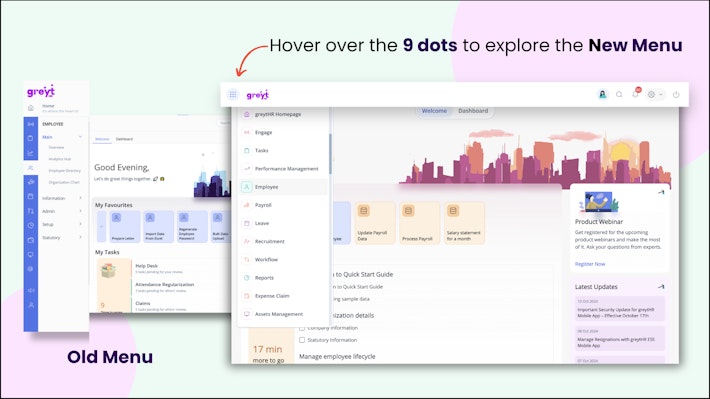
Old vs. New Menu: A Navigation Comparison
Old Menu: Previously, modules were listed vertically on the left side of your greytHR Admin portal. Accessing sub-sections required clicking through multiple levels.
New Menu: We have streamlined navigation! The old, vertical menu is now updated to a collapsible 9-dot icon next to your company logo. Hover over the 9 dots and it reveals the full list of the modules, making it faster and easier to find what you need.


Availability of the New Menu in Your Account
After the New Menu is enabled for you, you'll receive an email notification and can find it next to your company logo on the home page.
Steps to Enable the New Menu
You’ll receive an email notification when the New Menu is available for you, along with a confirmation once it’s enabled. 📩
Switching Back to the Old Menu
Once the New Menu is enabled, switching back to the old one is not possible. If you haven't enabled it yet, it will eventually become the default for everyone. Get started now and enjoy a smoother navigation experience! 🎯
Navigation Structure After the New Menu Is Enabled
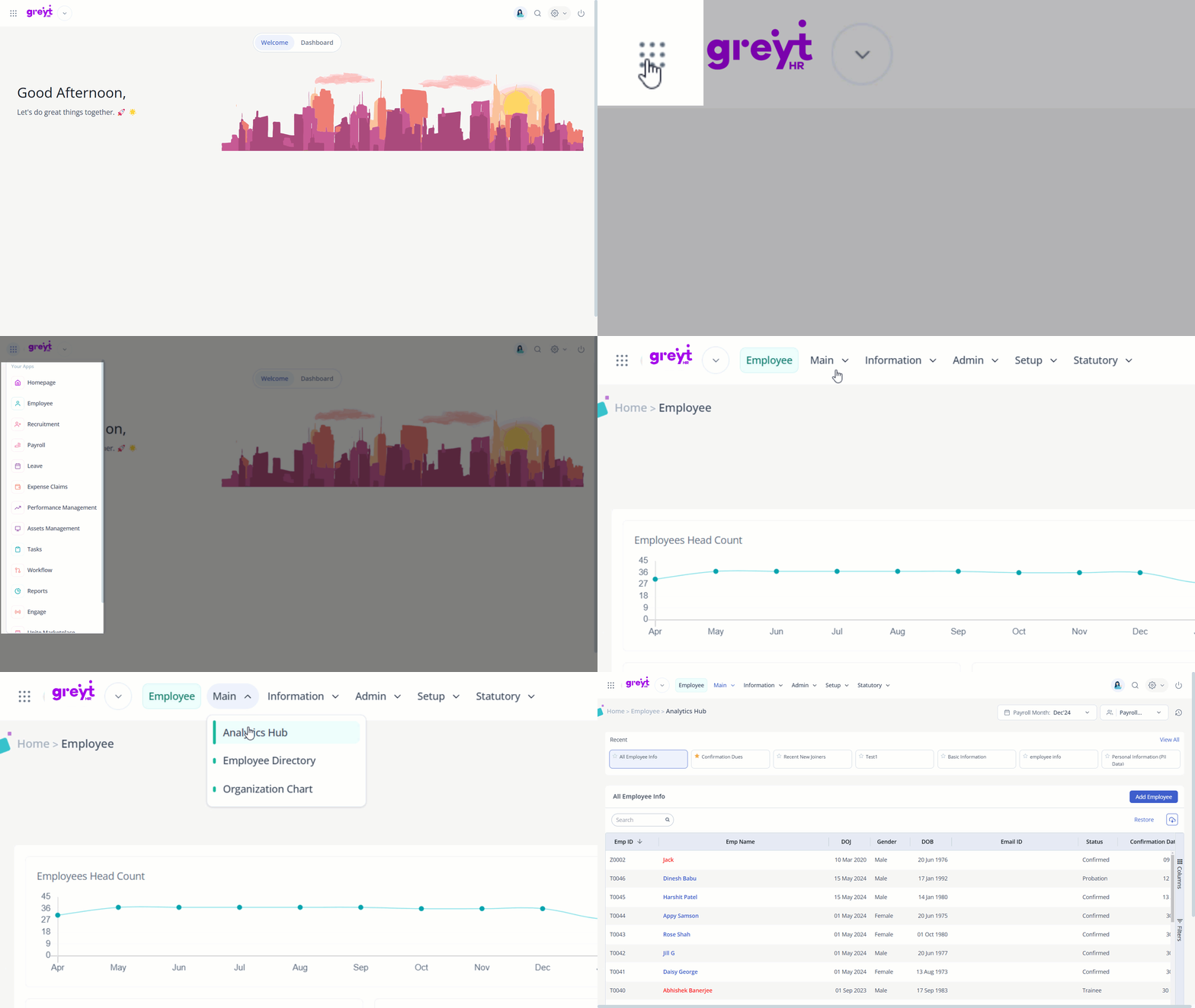
Only the location and layout have changed — the vertical menu is now a collapsible design next to your company logo. The hierarchy and structure of second and third-level menu pages remain unchanged.
To explore more, just hover over the 9 dots, select the module you need, and you’ll land on the respective page as usual. ✅
Other related links: