Streamline Employee Insurance Management with greytHR
Updated in January - 2026 | Subscribe to watch greytHR how-to video
Insurance provides financial protection against unforeseen risks such as health emergencies or accidents. For employees, it reduces financial stress, while for organizations, it enhances employee satisfaction and retention by demonstrating a commitment to their well-being.
greytHR simplifies insurance management and also fosters better collaboration between employees and HR teams. Previously, only admins could add the insurance details. With this new feature, employees can enter their insurance information directly during the onboarding process, making data collection seamless and accurate.
How the insurance feature works in greytHR
Employees can now add their insurance details during the onboarding process.
Admins can view these details, which are automatically updated on the Insurance page, ensuring all information is easily accessible.
Admins can still edit or add insurance details as needed, maintaining control and flexibility.
To explore the Insurance page, from the greytHR Admin portal, hover over the 9 dots and select Employee > Information > Insurance.
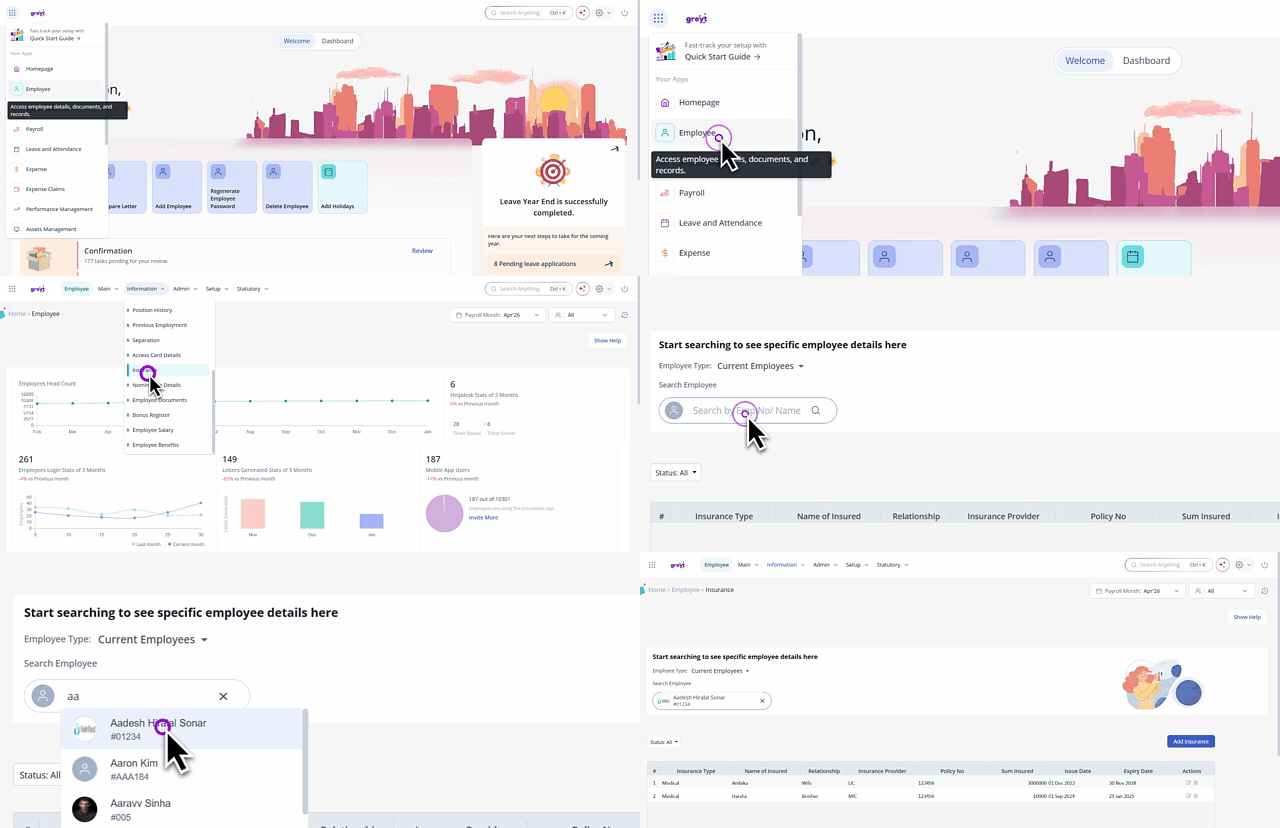
As an admin, you can view all your employees' insurance details submitted during onboarding directly on the Insurance page.
Collecting employees' insurance details is a default option added in the Employee Onboarding form under the Employee Information Settings tab > Accounts & Statutory section. You can choose to mark it as mandatory or optional.
Add employees' insurance details
To add an employee’s insurance details, from the greytHR Admin portal, hover over the 9 dots and select Employee > Information > Insurance.
Search for the employee whose insurance details you want to add.
Click Add Insurance.
Fill in the details and click Save.
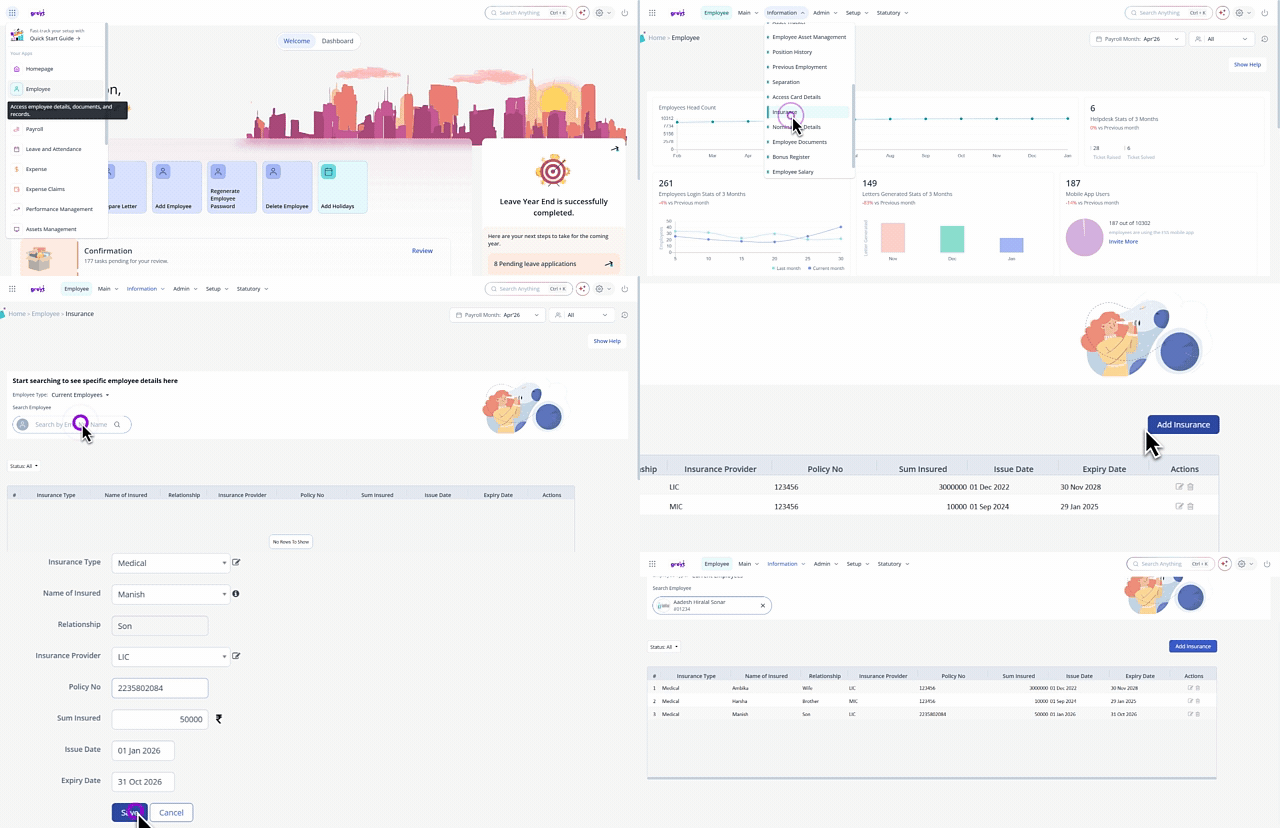
Note: You can also edit the existing employee insurance details.
Other related links: