Review and Manage Resignation Requests on greytHR
Updated in September- 2024 | Subscribe to watch greytHR how-to video
Resignation is an essential part of the employment lifecycle. The reasons for this vary from employee to employee. It can be pursuing a new job opportunity, personal reasons, or dissatisfaction with the current position or work environment.
The Review page in the greytHR ESS portal allows you as a manager to view details, revoke, and, accept or forward, your team member's resignation requests. You can also view all the closed resignation requests from this page.
The page displays the following tabs:
Active: Displays all the pending resignation requests of team members.
Closed: Displays all the closed, rejected, approved, and withdrawn resignation requests of team members.
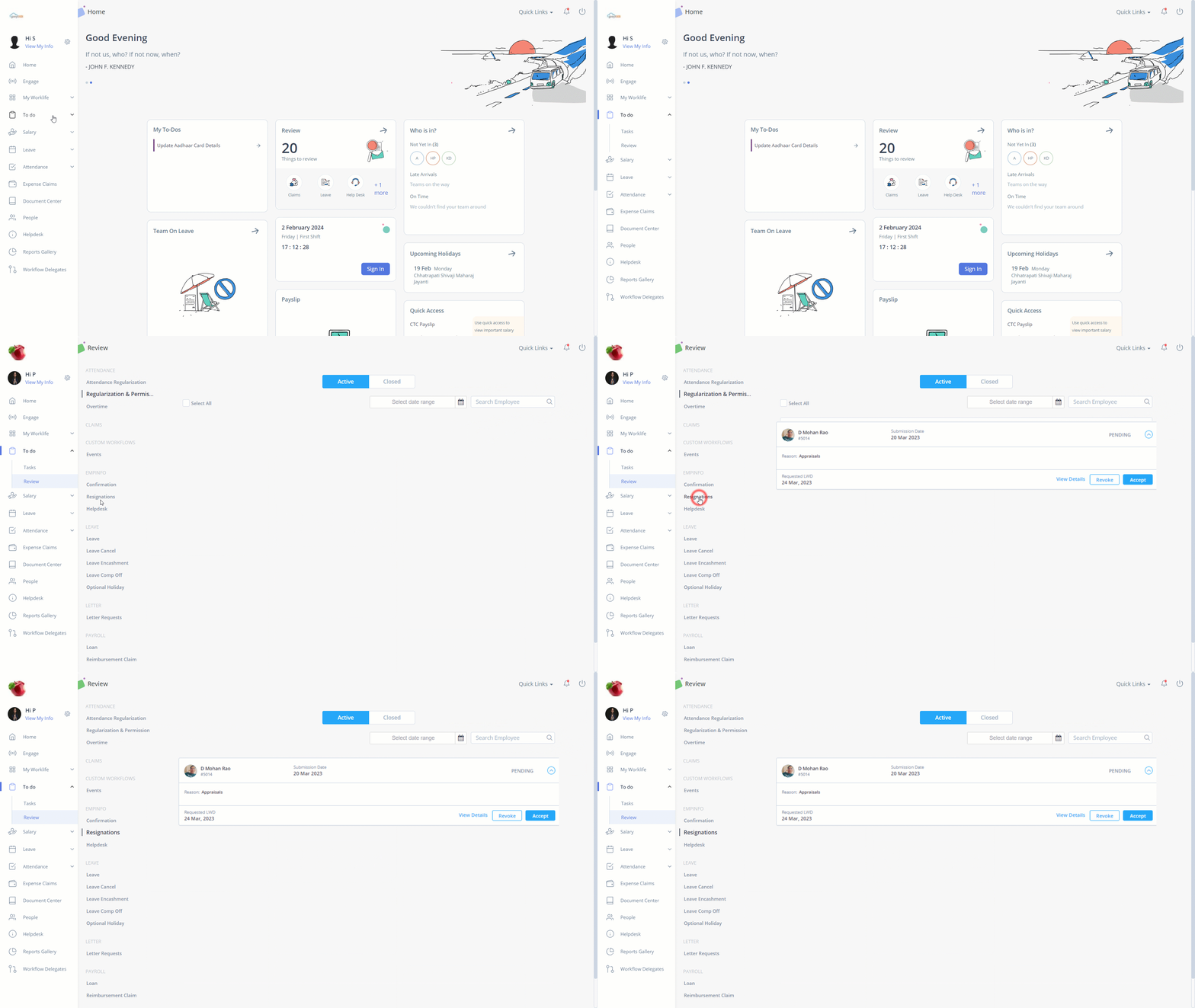
Review team member’s resignation requests
To review your team member’s resignation request, perform the following actions:
From the greytHR ESS portal, navigate to To Do > Review. Alternatively, you can navigate to Home > Review widget > Resignation > Active tab.
On the Review page, click Resignation.
Under the Active tab, select the required team member’s resignation request card. The card expands.
Click Revoke/Accept & Forward as per your requirements. A pop-up appears.
Note: By clicking the Accept & Forward option, the request moves to the next level reviewer.Click Confirm. A success message appears.
Note: You can view more details of the request, such as Submission Date, Reason, Shortfall days, and Employee Details by clicking View Details. Additionally, you can add remarks for the next level reviewer under Remarks for Reviewer within the detailed view.