Explore and Apply for Internal Jobs on greytHR Portal
Updated in March-2025 | Subscribe to watch greytHR how-to video
Seeing the potential for growth in your career is a powerful motivator! By actively seeking out development opportunities, you can unlock new levels of achievement and create a dynamic and rewarding career path.
greytHR Recruit’s employee portal allows you to explore various internal job opportunities within your organization, giving you a fair chance to grow, take on new roles, and advance your career without changing jobs.
Explore internal job opportunities from the greytHR Recruit’s employee portal
Login to your greytHR ESS portal and click on the Hiring menu > IJP & Referral. Under the Internal Jobs tab, you can explore all the jobs that have been posted for IJP.
Hover on the job card and click on View to see the Job Details.
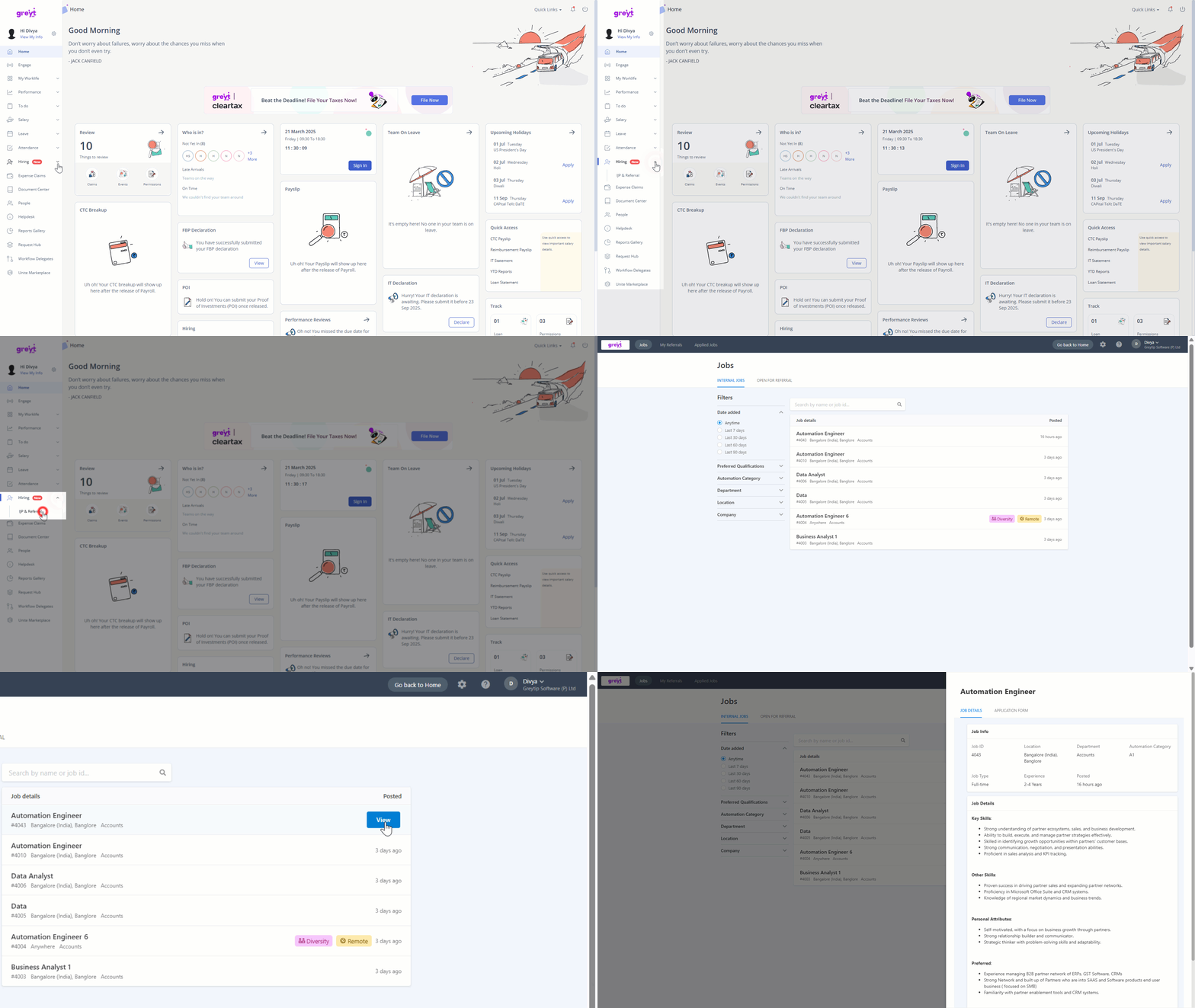
Apply for a job through IJP from the greytHR Recruit’s employee portal
Once the job details pop-up appears, click on the Application Form tab, fill in the required details, and submit the application.
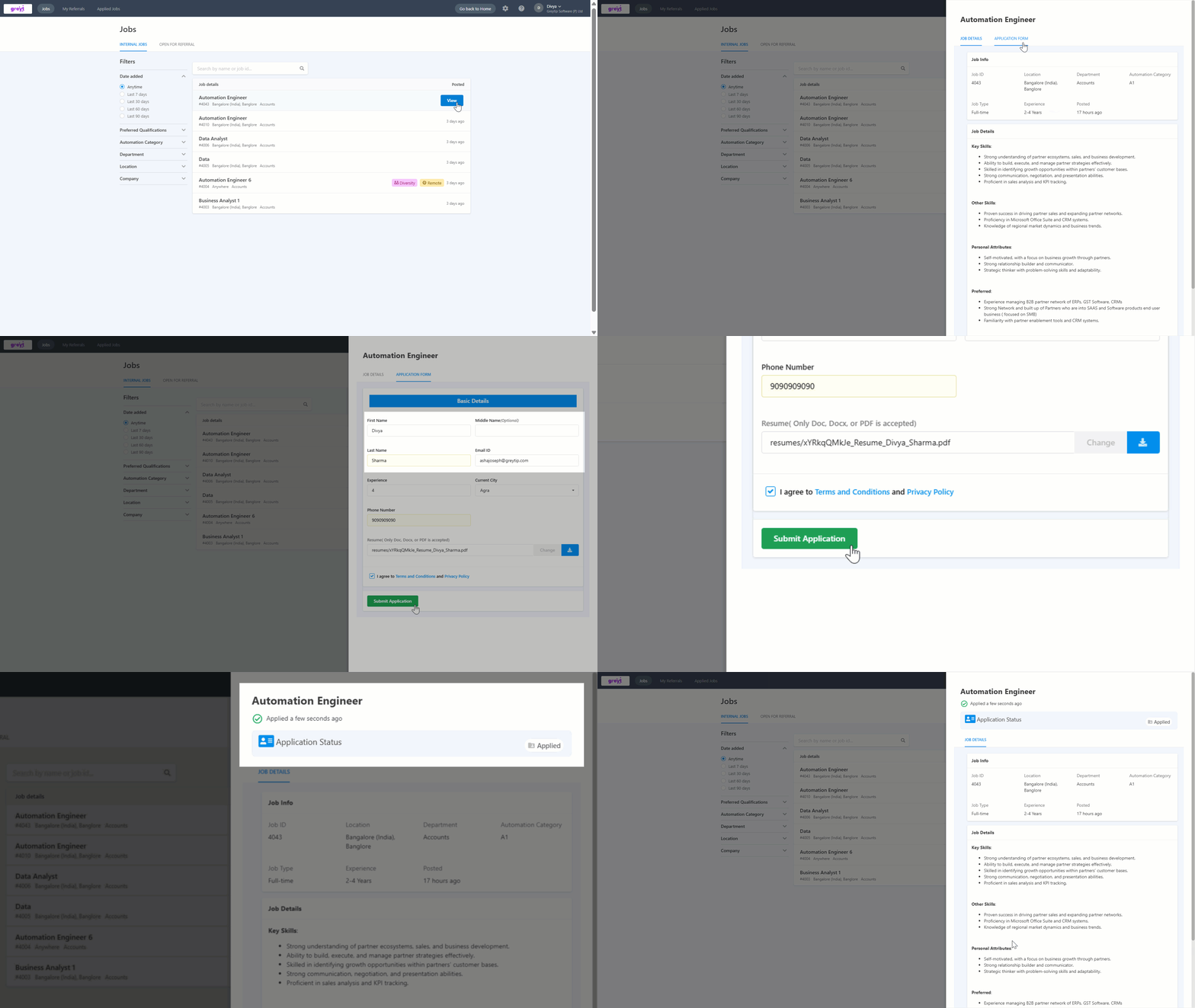
After the application is submitted, you will receive an email notification.
Track the application status after applying for the job
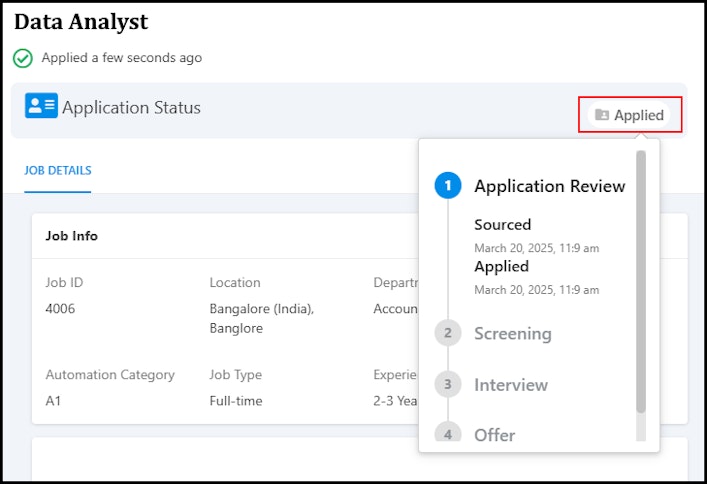
After you have submitted your application for a job, you can click the Applied option and track the status.


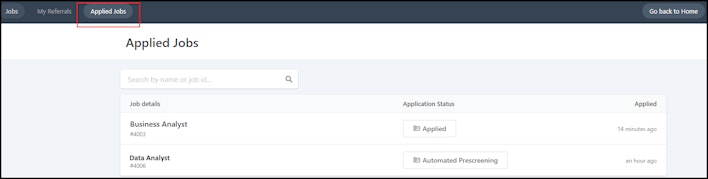
Note: If you have applied for more than one job, then you can track the job application statuses from the Applied Jobs tab.


Enable notifications for internal job opportunities
If you have enabled email notifications for Internal Jobs, you will receive an email notification whenever any job is posted for IJP, allowing you to apply directly from the email link.
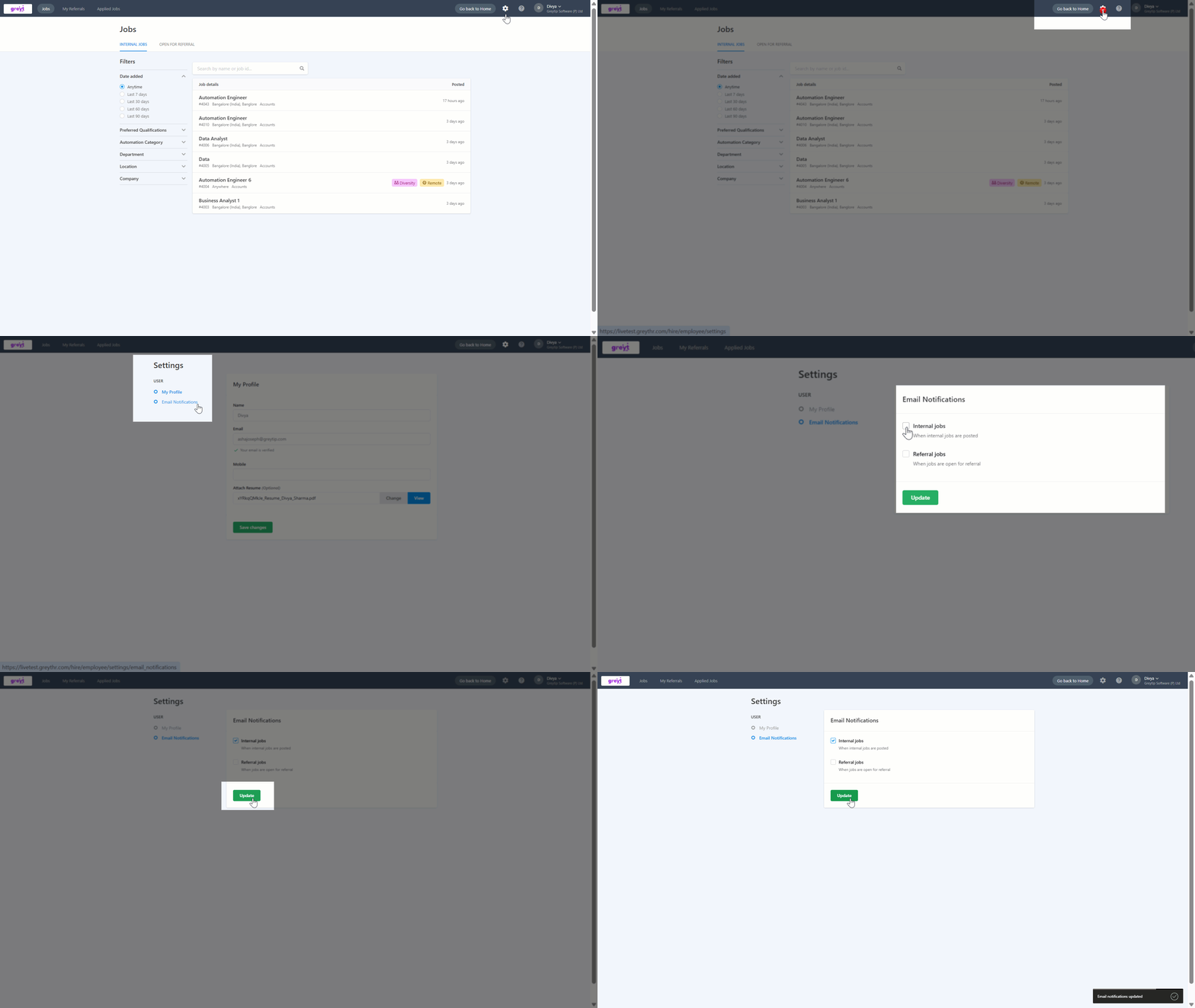
Note: You can disable notifications if you prefer not to receive updates about internal job opportunities.
Add/attach a new or updated resume to greytHR Recruit’s employee portal
If you want to add/attach a new or updated resume, then you can do it from the Settings tab. Under the My Profile section, upload the resume in the Attach Resume box and save the changes.


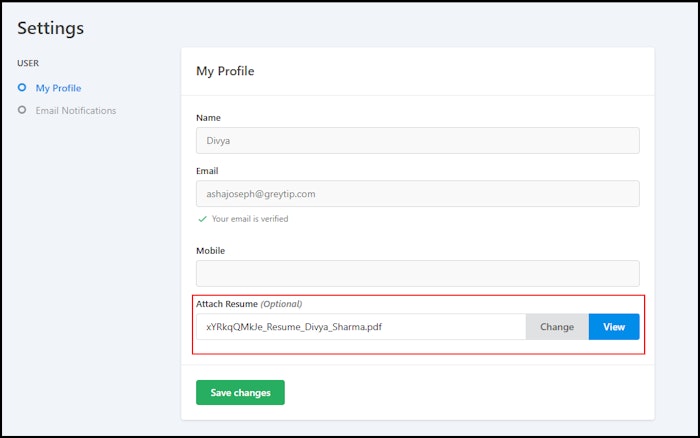
Note: The information is retrieved from the greytHR database and cannot be edited. You can only upload a resume.
What’s more? greytHR also allows you to refer your friend or acquaintance to a job.
Other related links: