Manage Team Loan Requests with greytHR ESS Portal
Updated in September-2024 | Subscribe to watch greytHR how-to video
After an employee applies and submits a loan request, as a manager, you might need to review the application and do the needful.
The Review page in the greytHR ESS portal allows you to manage all the loan requests of your team members.


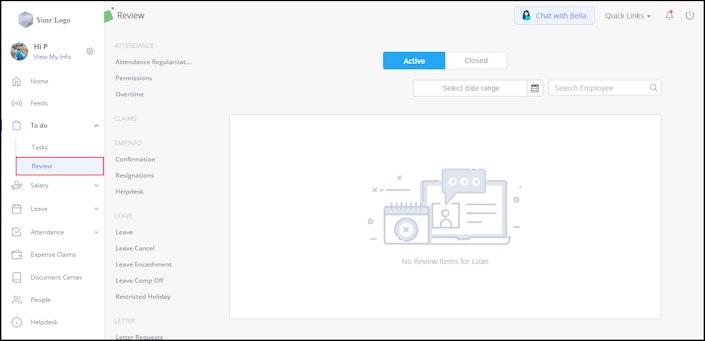
You can perform the following actions on the Review page:
Review team members’ loan requests.
View team members’ closed loan requests.
Review team members’ loan requests
To review team members’ loan requests, perform the following actions:
From the greytHR ESS portal, navigate to To Do > Review.
On the Review page, from the workflow category menu available on the left side, select Loan.
Click the Active tab. A list of all the active loan request cards appears.
Click View Details on the required loan request card. The Review/View Details page opens.
After your review, click Withdraw/Accept/Forward/Accept & Forward/Revoke/Resolve as per your requirements.
View team members’ closed loan requests
To view team members’ closed loan requests, perform the following actions:
From the greytHR ESS portal, navigate to To Do > Review.
On the Review page, from the workflow category menu, select Loan.
Click the Closed tab. A list of all the closed loan request cards appears.
Click View Details on the required loan request card. The Review/View Details page opens with all the details of the loan application.
Other related links: