Manage Team Leave Cancel Requests with greytHR Portal
Updated in September- 2024 | Subscribe to watch greytHR how-to video
Leave cancellation occurs when an employee needs to cancel approved leave; this may happen due to insufficient available leave, sudden changes in plans, or unforeseen circumstances. It's like calling off a break due to work requirements or unexpected situations.
The Review: Leave Cancel page in the greytHR ESS portal allows you as a manager to review the leave cancel requests of your team members. The page displays the team members’ leave cancel requests in detail such as the number of days the team member has applied for leave cancel, the reason, and the applied status.
The page displays the following tabs:
Active: Displays all the pending leave cancel requests of team members.
Closed: Displays all the closed, rejected, approved, and withdrawn leave cancel requests of team members.
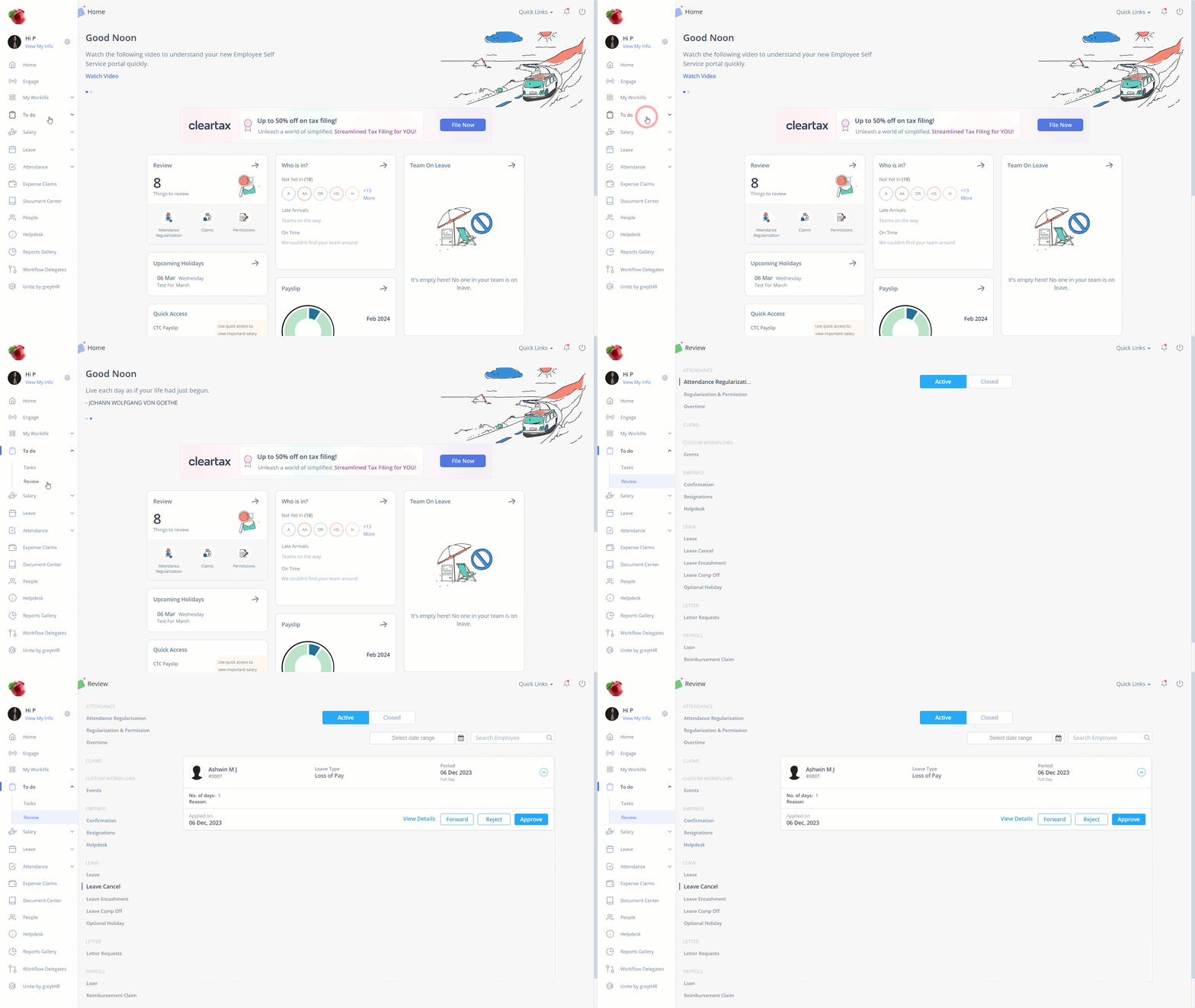
Review team members’ leave cancel requests
To review your team members’ leave cancel requests, perform the following actions:
From the greytHR ESS portal, navigate to To do > Review.
On the Review page, click Leave Cancel.
Under the Active tab, click the required team member’s card whose request you want to review. The card expands.
Click Forward/ Reject/Approve as per your requirements. The Forward/Reject/Approve Request pop-up appears.
Note: By clicking the Forward option, the request moves to the next level reviewer.In the Remarks text box, enter the remarks.
Click Confirm. A success message appears.
Note: You can view more details such as From date, To date, Balance, and Applying to by clicking View Details.
Other related links:
Review team member's overtime requests