Quickly Access Pazcare Benefits via greytHR Unite
Updated in February - 2025 | Subscribe to watch greytHR how-to video
Unite by greytHR seamlessly integrates with third-party applications, enabling businesses to streamline HR operations and enhance employee experience. With secure Single Sign-On (SSO), employees can easily access various services without multiple logins.
Pazcare provides employees with seamless access to their benefits through Unite by greytHR using Single Sign-On (SSO). This integration eliminates the need for multiple logins, making it easier to manage employee benefits effortlessly.
Benefits for employees
Hassle-free access to Pazcare without separate login credentials.
Quick and secure verification through Single Sign-On (SSO).
Easy management of employee benefits directly from greytHR.
Employee access to Pazcare
Employees can access Pazcare seamlessly through Unite by greytHR using Single Sign-On (SSO). From the greytHR ESS portal go to Unite Marketplace.


Steps to access Pazcare
From the Unite Marketplace page click the Pazcare app card and click View Details.
Click Get Started.
Read and check the Terms of Service (ToS) checkbox, and click Accept & Proceed.
The system will prompt you for your email ID for account verification (SSO).
Verify the email and click Send OTP.
Enter the OTP received via email from Repute and click Verify Account.
Post-verification steps
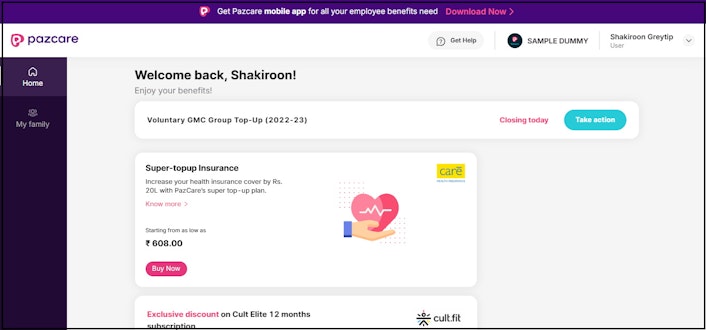
Once the app is automatically enabled, its status changes to Enabled. The Open button appears, allowing access to the Pazcare Employee Portal via SSO.
Note: Ensure your role is set to User upon login.
Click on the profile dropdown to switch to Admin view (if applicable).
To log out, click Logout, this redirects you to the Pazcare login page.
Note: If an employee has only the User role, they will see only User under their profile. For future logins, you can access Pazcare directly via SSO from greytHR Unite.
Other related links: