


Today, all organizations are looking for the agility and constant innovation required to meet the demands of a quickly transforming world. Cloud adoption seems to be a popular choice for businesses here. It has practically revolutionized the industry with its strategic and tactical advantages. According to the Gartner Report on Market Trends, organizations using cloud services are allocating 40% of their IT budget to cloud-related spending and 78% of these organizations planned to increase their spending on the cloud through 2017.
Cloud is on the rise and its adoption is spreading rapidly throughout the world especially in the small and mid-size markets. For example, businesses have adopted to cloud for ecommerce, accounts, HR or even managing sales. Now do you want to know why you are right to start with the cloud? Here we go on a deep dive into the various factors that will help you decide if cloud adoption is an intelligent choice.
For HR teams, this choice often comes down to cloud HR software or a cloud-based HRMS versus an on-premise HR system.
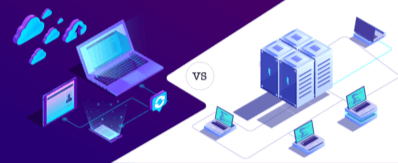
Comparison between on-premise and cloud software:
- The cost factor:
Capital expenditure: One of the leading drivers of cloud adoption has been its drastic reduction in entry/upfront costs. Hardware, network architecture, and software licenses are costly to own for an organization and they recur every few years. This has indeed been a limitation for small and even mid-size organizations who earlier resorted to manual processes. The high capital expenditure is eliminated when we move to the cloud. Cloud software promises low costs with no hassles of installation, hardware, software, and license fees. Additionally you can decide to pay only for what you really need, the application, the technology stack or the computing infrastructure.
Maintenance costs: On-premise software requires periodic upgrades, maintenance and infrastructure management, which can add to operating costs. Cloud software shifts much of the underlying infrastructure maintenance to the provider, allowing internal IT teams to spend less time maintaining the application environment.
Pricing model: Cloud systems are commonly offered through subscription-based pricing, which can lower upfront investment and give businesses more flexibility to scale usage. On-premise software typically requires a larger upfront commitment to software and infrastructure, including capacity needed for future growth or peak usage.
- Updates and enhancements: In an on-premise software, these need to be requested for to the vendor and they come at an extra cost. With the cloud, there are auto updates and enhancements come at practically no cost to the user.
RELATED: The world is moving toward cloud computing. Are you?
The total cost of ownership of software by organizations (on-premise) includes capital expenses (on-premise hardware/software), operating expenses (services, support, and maintenance) and indirect costs (potential downtime and time to market delays). Cloud-based systems bring all these down to a very minimum and immensely improve flexibility and agility.
Accessibility: On-premise software limits access to systems with the software installed or to a company’s local network. Access outside these limits is restricted owing to significant investments on data centers, firewall, and security. Cloud offers a solution to work from anywhere, anytime and using any device. This aspect has triggered cloud adoption as it is a perfect cultural and technical fit to the world we live in today. With a dynamic millennial workforce generation, the industry demands that we constantly engage with employees, make information available in a single click, encourage virtual teams and provide a smooth user experience. So, with the cloud, it doesn’t matter where you are. If you have access to the internet, you have access to your software.
Real-time data: With this kind of accessibility, the cloud solutions often provide real-time data. This feature has improved businesses to a great extent, especially for people on the move as they can access information on the go. Dynamic work assignments, access to real-time information on orders, sales etc. are making business processes more efficient.
Scalability: The cloud is highly scalable, which means it can expand and shrink with your organization. Scaling your technical usage is instant, easy and automatic. However, with boxed software applications, you will need to be ready for significant investments in software and infrastructure if you are expanding your business. It’s also difficult to scale back once you’ve made the investment, as now your money is locked in, which is not the case when using cloud infrastructure.
Back-up and disaster recovery: Organizations running their own software and platforms need defined processes for backups and disaster recovery. With cloud software, the provider manages much of the underlying infrastructure, backup and service-resilience capability, while the customer still retains responsibilities such as access control, configuration and data governance.
Trials/Prototyping: Cloud offers free trials which allow rapid demonstrations and prototyping possible. This provides painless proof of concept and discovery phases to result in benefits for companies. Organizations can switch to a different vendor easily and are not locked in. However, on-premise software does not provide us with this advantage. If we decide to switch, the upfront capital expenditure is a sunken cost.
Quick deployment: Cloud-based software is deployed in a matter of hours/days over the internet and this reduces the time taken to realize its ROI. In comparison, on-premise software deployment is time-consuming and complex.
Employee engagement: Employees (the end users) of the organizations are also impacted by using cloud-based systems. High level of accessibility and user experience keeps the employee continuously engaged. The availability of employee service portals 24/7 via a mobile app, for example, has immensely improved processes, reduced workload, and improved employee relationships.
Go green with the cloud: Moving suitable workloads to the cloud and digitizing manual processes can reduce dependence on physical infrastructure and paper-based workflows. The actual environmental impact varies by workload, provider and how the technology is used.
The key premise of cloud computing is that by moving to the cloud and automating processes, organizations can focus on making them more efficient. Innovation and productivity levels also improve as the time and effort required for administrative tasks fall. The cloud provider also manages operations faster, cheaper and smarter.
Cloud software has made advanced business systems more accessible to organizations of different sizes. For HR teams, a cloud-based full-suite HRMS can bring core HR, leave and attendance, payroll, employee self-service and other HR workflows onto one platform.
Frequently Asked Questions
What is the difference between cloud software and on-premise software?
Cloud software is hosted and maintained by a service provider and accessed over the internet, while on-premise software is installed on infrastructure managed by the organization. The choice affects upfront costs, maintenance responsibility, accessibility, scalability and control.
Is cloud software always cheaper than on-premise software?
Not always. Cloud software can reduce upfront infrastructure and maintenance costs, but total cost depends on subscription pricing, user volumes, integrations, support and long-term usage. Businesses should compare total cost of ownership rather than only the initial purchase price.
What should businesses evaluate before moving HR software to the cloud?
Evaluate security controls, data access, integrations, migration effort, scalability, uptime and support, regulatory requirements and pricing. For HR teams, the software should also fit existing payroll, attendance, employee self-service and reporting workflows. If any HR vendor provides strong support, like greytHR’s inhouse team of domain experts for implementation and post-sales support, it’s a huge plus.
Why do businesses choose cloud HR software?
Cloud HR software can make HR systems easier to access, update and scale while reducing dependence on locally managed infrastructure. A cloud-based HRMS can also connect employee data, payroll, leave, attendance and self-service workflows in one system.
About greytHR
greytHR is a full-suite HRMS trusted by 34,000+ organisations and 3.5 million+ employees across 30+ countries. This cloud-based platform helps businesses manage the complete employee lifecycle, including manpower planning, recruitment and onboarding, core HR, leave and attendance, timesheets, payroll and statutory compliance, performance and expense management, and exit. With built-in Agentic AI working across every module, HR teams can surface insights instantly and make data-driven decisions. greytHR is widely recognised for its dedicated in-house support team and strong Indian and GCC statutory payroll compliance.
Author(s)
Guest
Guest Blogging is a Win-Win situation for both the blog owners and guest bloggers. greytHR publishes high-quality content on the blog.Share this


