Explore TalkBack Support in the greytHR Mobile App
Updated in September-2025 | Subscribe to watch greytHR how-to video
At greytHR, we believe every employee should have equal access to workplace tools, regardless of their abilities.
The TalkBack feature in the greytHR mobile app allows visually impaired users to navigate and use the app independently. After the TalkBack feature is enabled, it reads aloud the on-screen content and provides voice instructions, guiding users through each step to complete tasks with ease.
Benefits of TalkBack
Accessibility for all users – Ensures visually impaired employees can use the app independently.
Ease of use – Voice guided actions reduce dependency on assistance.
Key actions supported
Currently, TalkBack in the greytHR mobile app supports the most frequently used functions:
With TalkBack enabled, users can:
Log In & Log Out – Enter credentials (phone number, email ID, or web address), and securely log in or out.
Sign In – Mark attendance, choose location, capture selfie (if required), and add remarks.
Apply for Leave – Select leave type, choose dates, select sessions, add remarks, and upload documents.
Sign Out – End the workday by selecting the location, adding remarks, and confirming sign out.
View and download Payslips – Employees can easily navigate to their payslips and conveniently view and download them using TalkBack accessibility
Mark Team Attendance – Managers can mark attendance for their team members using TalkBack navigation.
Enable TalkBack
The TalkBack feature can be enabled on both Android and iOS devices.
For Android devices:
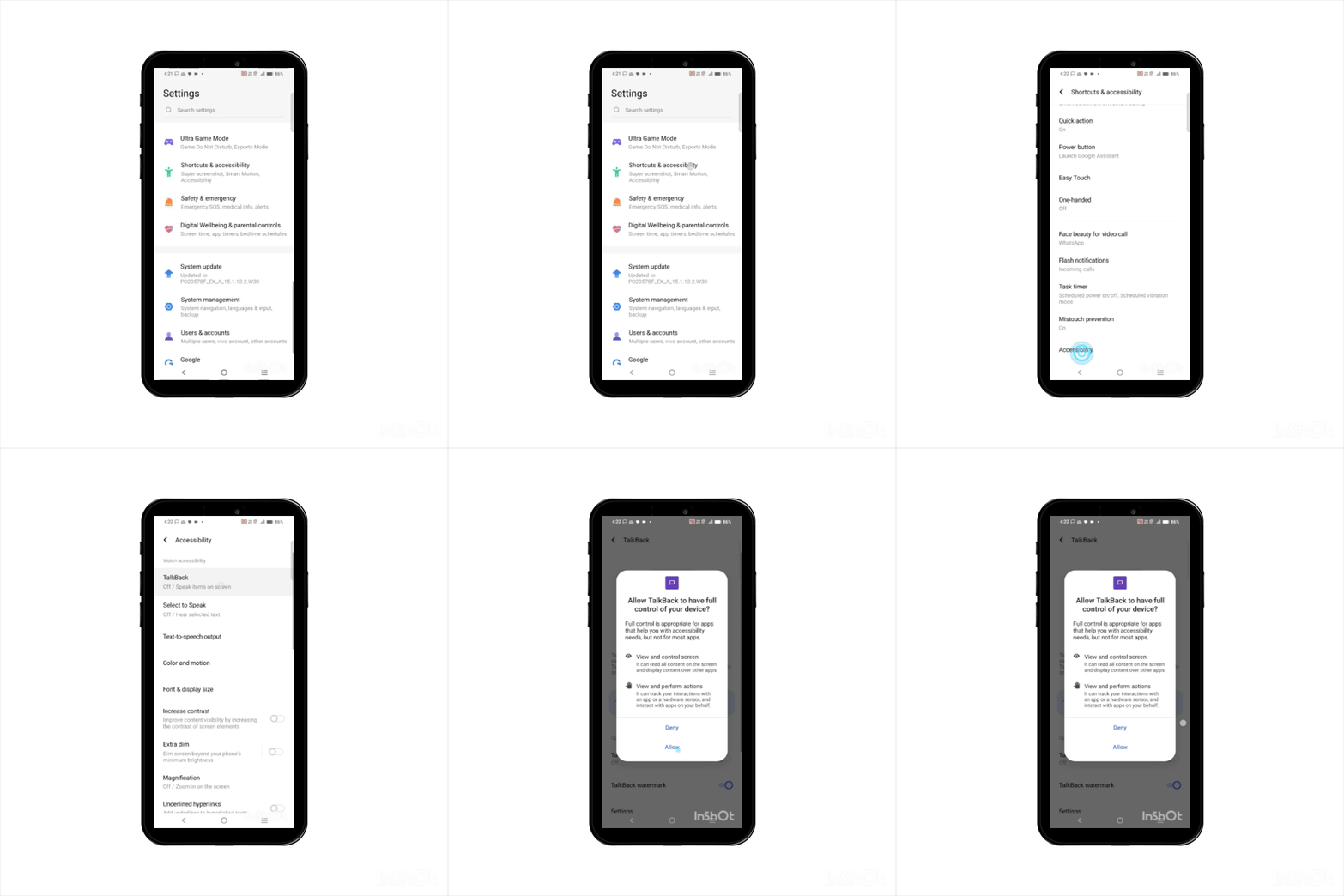
Open Settings on your device.
Tap Shortcuts & accessibility.
From the Shortcuts & accessibility screen, tap Accessibility.
From the Accessibility screen, tap TalkBack.
Toggle TalkBack to On and then tap Allow in the pop-up.
Note: On some devices, you can search for TalkBack directly in the Settings search bar.
For iOS devices:
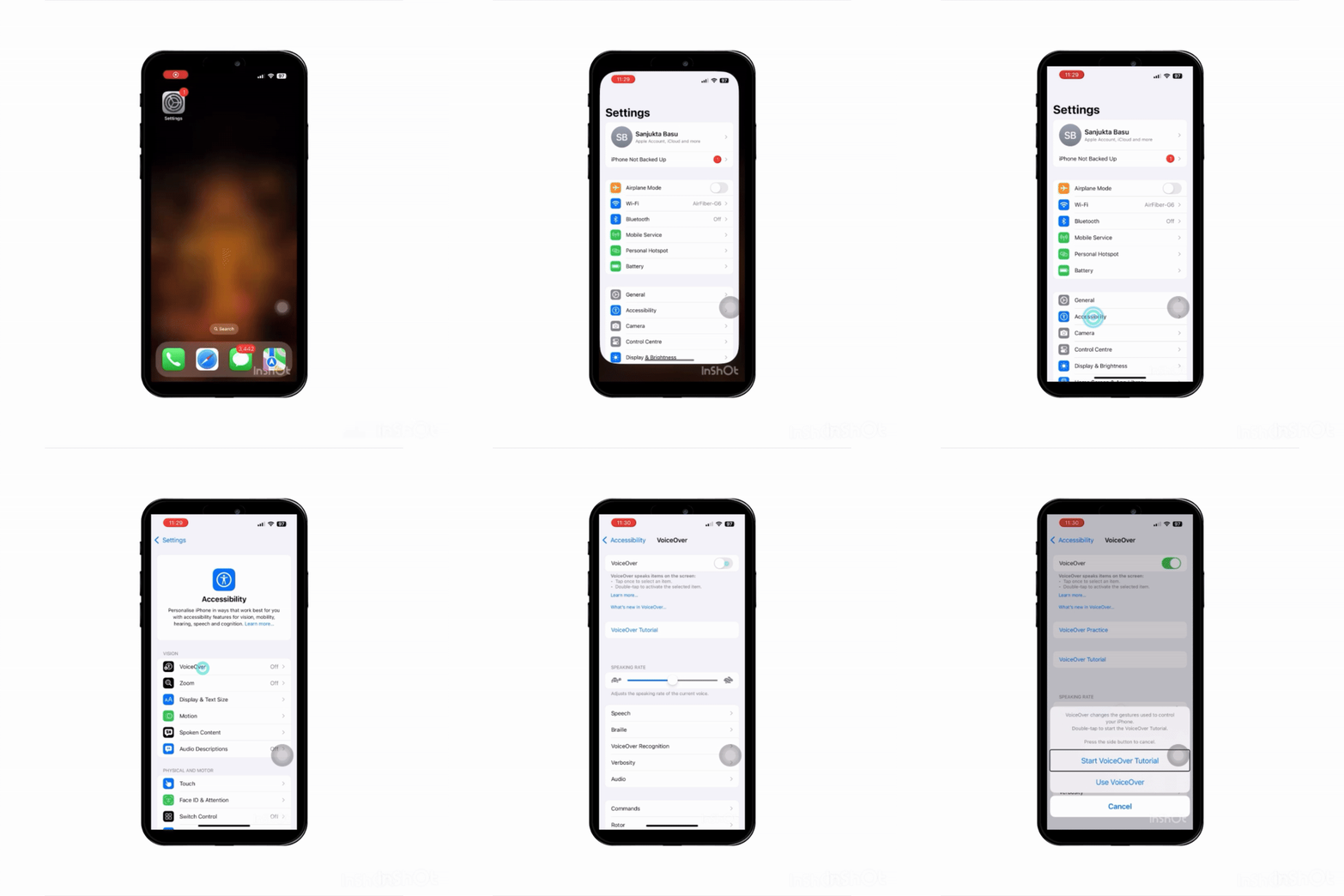
Open Settings on your device.
Tap Accessibility.
Under Vision, select VoiceOver and toggle it “On.”
Using TalkBack in the greytHR mobile app
Once you have enabled the TalkBack feature:
Single-tap highlights the item.
Double-tap activates the highlighted item.
The app will read out labels, instructions, and button names, guiding the user through each step.
Example:When applying for leave, TalkBack will read Select leave type → Select date → Enter reason → Attach document → Apply button.
When signing in, TalkBack will read Select location → Enter remarks → Confirm sign in button.
Related Articles:
Get started with greytHR ESS Mobile app
Log in to greytHR ESS mobile app securely