Secure the greytHR Mobile App with PIN & Biometric lock
Updated in February- 2025 | Subscribe to watch greytHR how-to video
Securing an app with biometric authentication or a PIN ensures that sensitive data remains protected. It adds an extra layer of security while offering quick and convenient access without relying on passwords.
The greytHR mobile application offers a PIN and Biometric lock feature to safeguard your data and prevent unauthorized access ensuring that only you can access your HR records. 🔒
Enable Biometric app lock
Once you update your greytHR mobile application and log in, a pop screen appears. Tap Enable Now to access the Privacy and Security screen and activate the biometric lock.
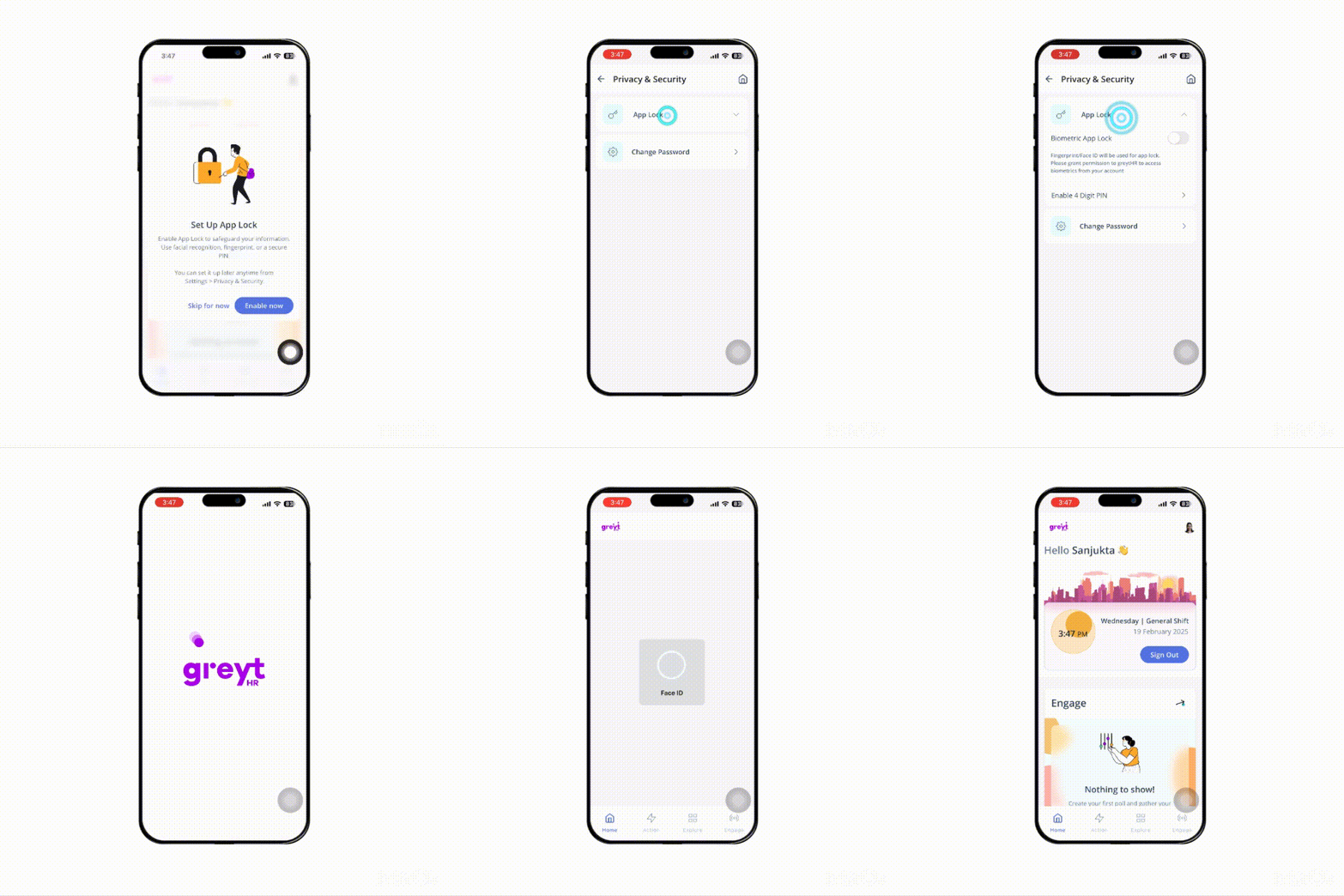
Once enabled, your device’s default biometric authentication will be used to lock the application.
📢Heads up! If you haven’t already set up biometric authentication on your phone, you’ll need to do that first in your device settings before you can use the biometric app lock.
📌 If biometric authentication doesn’t work, you’ll need to set up a 4-digit PIN instead. Enter a new PIN, tap Next, then re-enter it and tap Confirm.
👉 You can tap Skip for now if you want to set this up later.
Set up a login PIN in the greytHR mobile application
Once you log in, tap your profile picture and go to Settings to access the Privacy and Security screen, where you can set up your PIN.
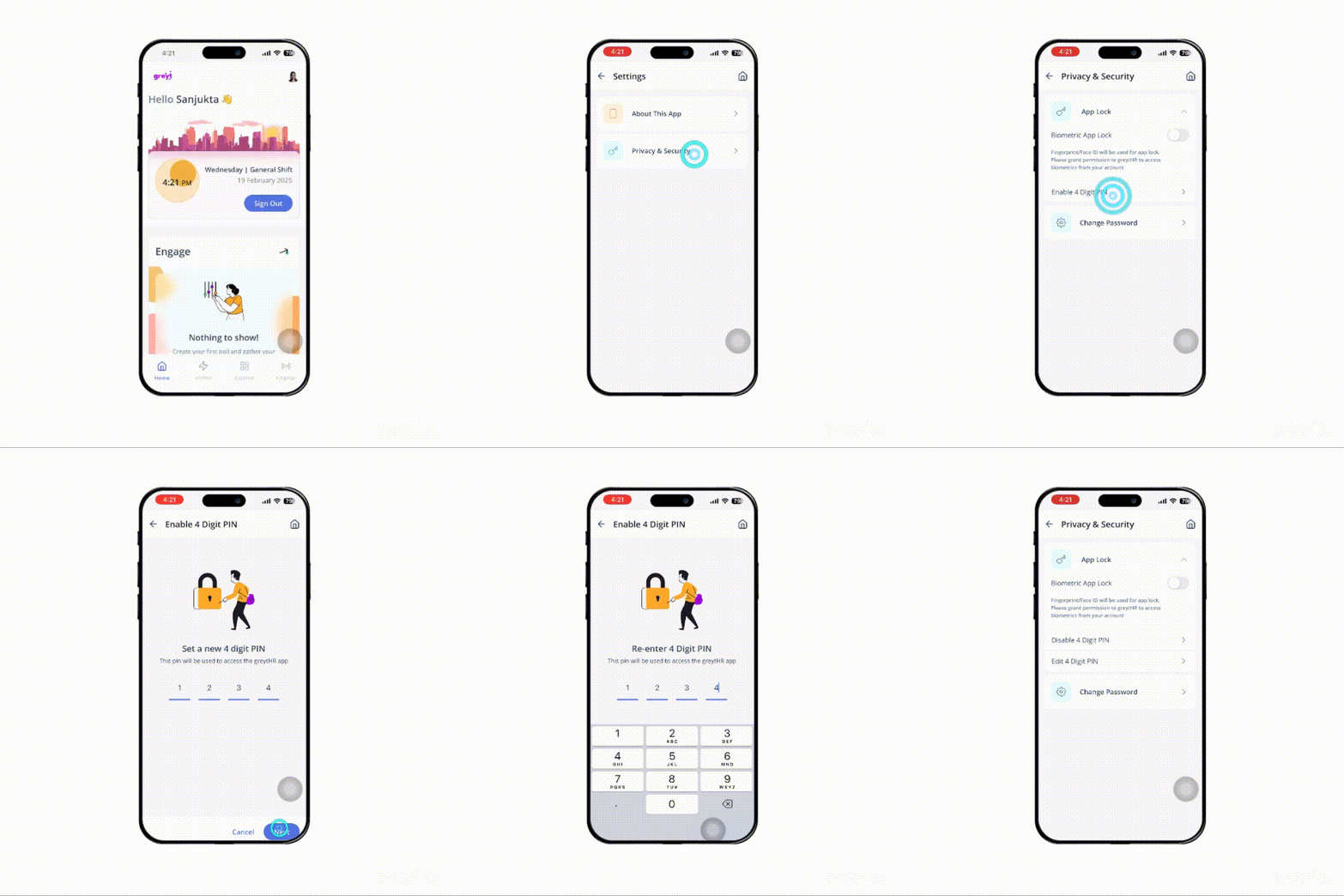
📌 Note: You can also Edit or Disable the 4-digit PIN.
Forgot your PIN? Here’s What to Do!
If you forget your PIN or enter it incorrectly, simply tap Log Out on the main screen to sign out. Log in again with your registered mobile number and OTP and set up a new PIN.
What’s more?
If you're unable to unlock the app using biometrics, you can use the login PIN instead. To set this up, enable the Biometric PIN App Lock by toggling Biometric App Lock in Privacy & Security settings and setting up a 4-digit PIN.
Other related links: