December 2025 Releases



Here's what we've been working on lately
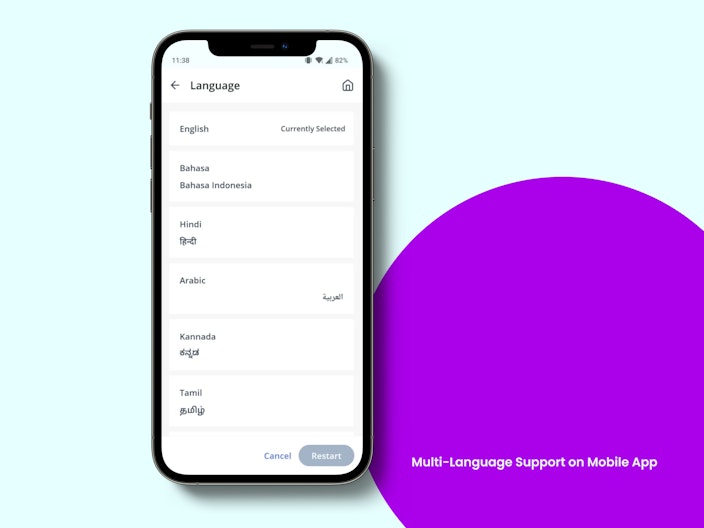
Multi-Language Support on Mobile App
Building on our earlier launch of Bahasa, Arabic & Hindi translation, the greytHR mobile app will support Tamil, Telugu & Kannada. Users can seamlessly switch their app language from English to any of these options, allowing the content to be displayed in their preferred language.


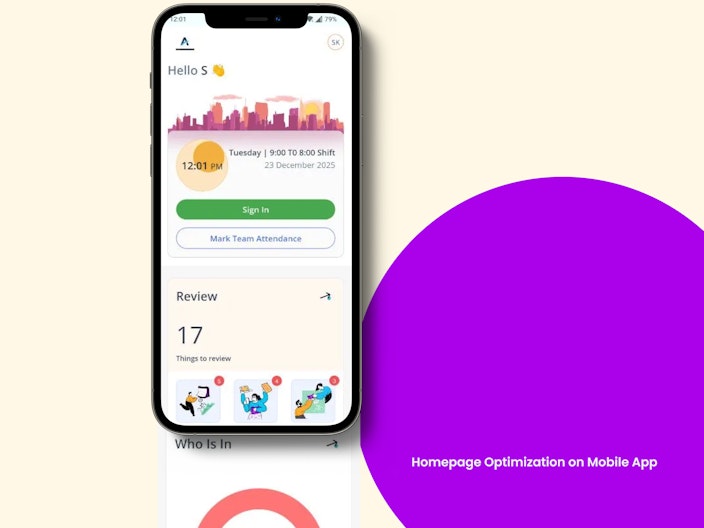
Homepage Optimization on Mobile App
We’ve enhanced the homepage to boost performance and speed by displaying only the widgets that are applicable to the users. Widgets such as IT Declaration and Engage will now appear based on active windows or assigned polls, reducing unnecessary load.

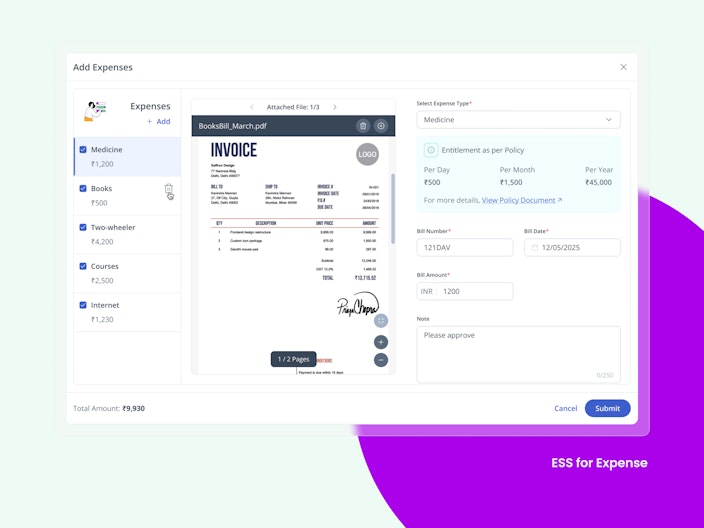
New Expense Management on ESS
As part of new Expense Module, employees will be able to submit their expense claims directly through the ESS web portal, and managers can conveniently review and approve these claims online, making the process faster, simpler, and more transparent.

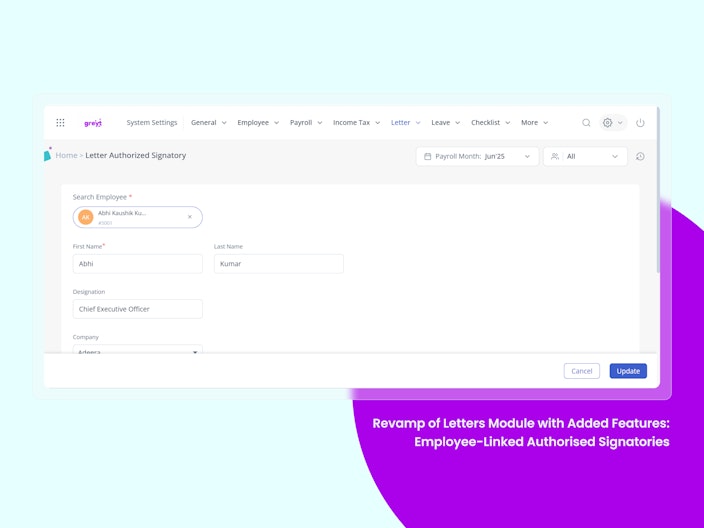
Revamp of Letters Module with Added Features
We’ve rolled out a major upgrade to the Letters module — transforming it into a secure, approval-driven system that ensures every letter is intentional, authorised, and auditable.
What’s New?
Employee-Linked Authorised Signatories
All signatories must be linked to an active employee
Every approval action is now traceable to a real user

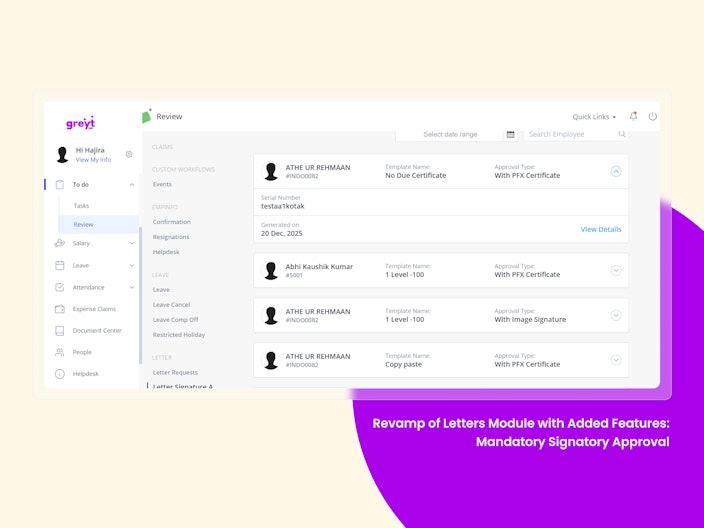
Mandatory Signatory Approval
Letters cannot be issued without approval
Signatories receive requests in:
ESS → To-Do > Reviews > Letter Signature ApprovalThey can approve or reject with comments

Template Ownership Control
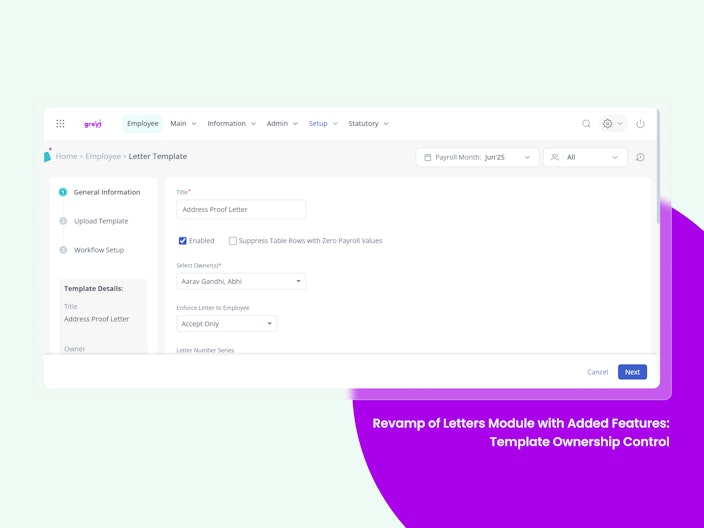
Templates can now be restricted to specific admins
Only owners can:
Edit templates
Generate letters
Manage issued letters
Great for company/location/department-level access control

New ‘Release Letter’ Step
Once approved, letters appear in In Progress
Admins must explicitly release the letter
After release:
Letter moves to Completed
It is sent via ESS/email/acknowledgement, based on settings
Digital Signatures (Available in Demo Accounts Only for Now)
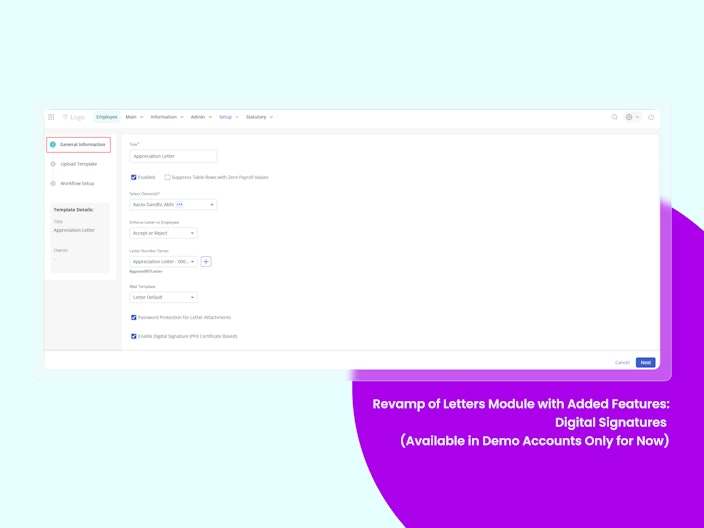
PFX-based digital signing now supported (demo accounts only)
Flow:
Upload a PFX file during signatory setup
Select digital signature at template level
Signatory authenticates via PFX password during approval
Result: tamper-proof, digitally signed letters Note: Customers must procure PFX certificates independently

Employee Information Module (EIM) v1.0
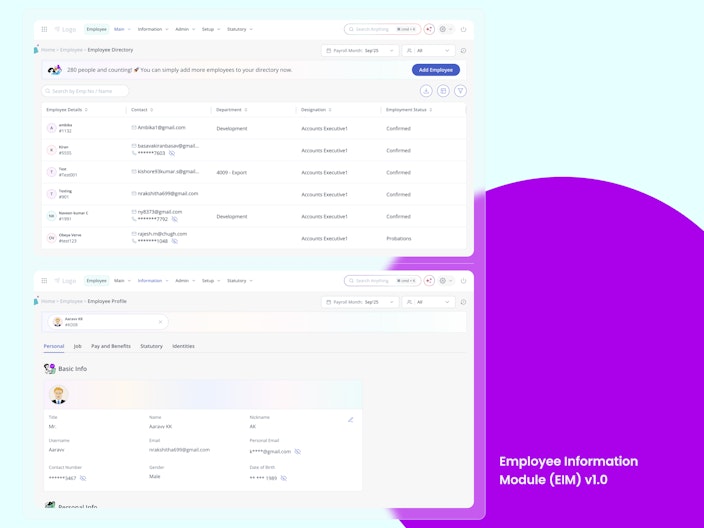
We’ve launched Employee Information Module (EIM) v1.0, marking the first major step in rebuilding greytHR’s core Employee module on a modern, scalable, and globally-ready platform. This release introduces a redesigned Employee Directory and Employee Profile experience with improved performance, intuitive navigation, and a refreshed design system.
The new Employee Directory enables instant search, a quick-view drawer, customizable columns, and contextual actions for efficient employee management at scale. The redesigned Employee Profile offers a clean card-based layout, clear tab segmentation, inline editing, sensitive data masking, and stronger identity validations.
EIM v1.0 serves as the foundation for greytHR’s long-term modular HR vision, enabling better usability, higher data accuracy, faster iterations, and seamless future enhancements.

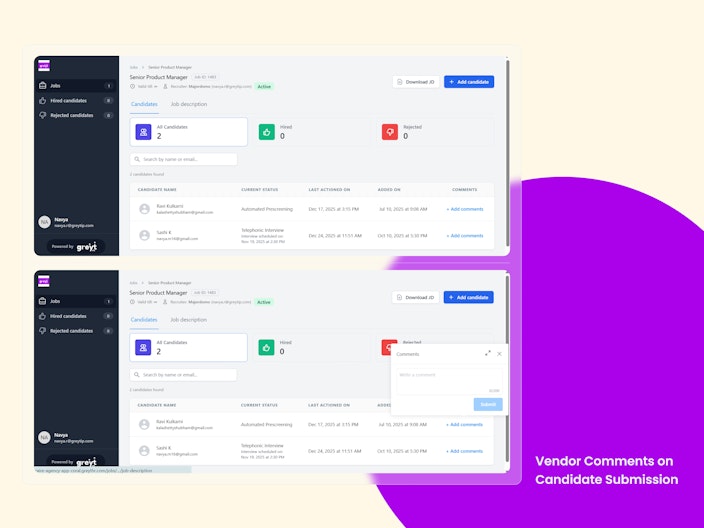
Vendor Comments on Candidate Submission in greytHR Recruit
Vendors can now add comments while submitting candidates in greytHR Recruit. This gives recruiters better upfront context on candidate availability, experience, or special notes without additional follow-ups.
Why is it Important?
Better Context: Recruiters receive key candidate insights at the time of submission.
Faster Decisions: Reduces the need for follow-up emails or calls with vendors.
Transparency: Clear identification of vendor-provided inputs.
Key Highlights:
Vendors can add optional comments during candidate submission.
Comments are visible on the Candidate Overview page.
All vendor comments are clearly tagged as Agency.
Vendor comments are read-only for recruiters.
Every comment is automatically logged in the activity history.

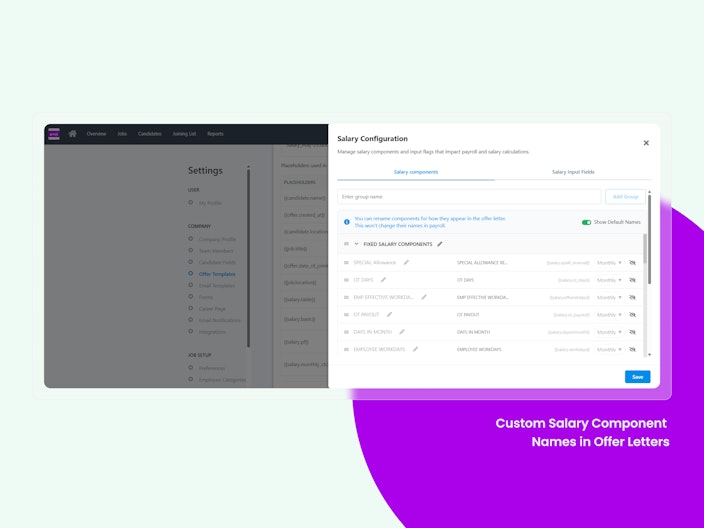
Custom Salary Component Names in Offer Letters
Recruiters can now customize salary component names displayed in offer letters in greytHR Recruit. This ensures offer letters are clean, professional, and candidate-friendly without impacting payroll accuracy.
Why is it Important?
Professional Communication: Offer letters look clearer and more polished for candidates.
Flexibility: Internal payroll naming conventions don’t appear in candidate-facing documents.
Accuracy: Payroll configuration remains unchanged.
Key Highlights:
Customize salary component display names used in offer letters.
Default payroll component names remain unchanged.
Option to toggle payroll names for internal reference.
Offer letters automatically display the customized component names.

Revised IR21 Form Template for Year 2026- Singapore Payroll
The IR21 form template has been revised by IRAS for the Year 2026. This update introduces new fields, expanded sections, and format changes aimed at enhancing accuracy and compliance when reporting the cessation of non-citizen employees (FIN Number Employees) in Singapore.
Why Is This Important?
The revision of the IR21 form is important because it ensures regulatory compliance, accurate tax reporting, and risk mitigation when handling cessation of non-citizen employees.
IRAS uses IR21 submissions to assess and collect outstanding taxes before an employee leaves Singapore. Any missing, incorrect, or outdated information may result in:
Non-compliance with IRAS requirements
Delays in tax clearance for departing employees
Increased manual corrections and rework
Updating systems to align with the latest IRAS template ensures that employers meet statutory obligations while maintaining data accuracy and operational efficiency.
CPF Contribution Changes from 1 January 2026- Singapore Payroll
The Central Provident Fund (CPF) has introduced contribution changes effective 1 January 2026. These updates include adjustments to the CPF Ordinary Wage (OW) ceiling and CPF contribution rates, aimed at keeping pace with wage growth and enhancing retirement adequacy for older employees.
Why Is This Important?
These changes are intended to:
Ensure CPF contribution limits keep pace with rising wages
Strengthen retirement adequacy for senior workers
Provide greater income security during retirement years
Key Highlights
CPF OW ceiling increases to $8,000 from 1 January 2026
CPF annual salary ceiling remains unchanged at $102,000
Higher CPF contribution rates for employees aged above 55 to 65
Increased contributions fully support employees’ Retirement Accounts
No changes to SPR graduated rates or AW and CPF Annual Limits
Holiday List Phase 2
The Holiday Master List 2026 (Phase 2) for India Accounts (Amazon & GCP) has now been updated for 8 additional states/UTs.
Gujarat
West Bengal
Uttar Pradesh
Himachal Pradesh
Telangana
Andhra Pradesh
Maharashtra
Punjab
Other Features
Employee Submission Restrictions for Superannuation and Employer Contribution to NPS in POI on ESS
Employee submissions for Super Annuation (Section 10(13)) and Employer Contribution to NPS (Section 80CCD(2)) are now restricted in the Proof of Investments (POI) module.
These employer-defined, system-calculated components will no longer appear in POI for employees across both tax regimes.
This removes unnecessary document uploads and approval effort, while avoiding confusion around tax impact.
Admins will continue to view these contributions in the Income Tax and Published Info → IT Declaration pages.
There is no change to tax computation logic; POI validation and approval workflows now skip these components entirely.
Performance Reviews Report now Includes Calibrated Ratings
The Reviews Report now includes separate columns for Aggregate Rating and Calibrated Rating. This gives admins clear visibility into how final ratings are calculated and adjusted through calibration.
Self-assessment can now be Disabled in Performance Reviews
Admins can now enable or disable self-assessments when configuring a review cycle. This allows organisations to run manager-only or assessor-led reviews in line with their internal policies.
Delete One or More Canceled Employee from a Goal Plan
Admins can now remove one or more employees from a goal plan after it is cancelled for them. This clears the employee from goal views and reports, keeping goal plans clean and allowing reassignment when needed.
Delete One or More Canceled Employee from a Review
Admins can now delete an employee from a review after the review is cancelled for them. This removes the employee from all review views and reports, reducing clutter and enabling clean reconfiguration when needed.
Delete One or More Canceled Employee from a 360* Feedback
Admins can now remove a participant from a 360° feedback cycle after it is cancelled for them. This removes the participant from the policy, reducing clutter and allowing clean reconfiguration when needed.
Restriction to Sample Letter Preview and Download for Employees in ESS
Employees can currently preview and download HR letter templates in the ESS portal while initiating new requests. This exposes sensitive templated content that hasn’t yet been approved, increasing the risk of misuse or unauthorized edits. Now , We’ve Introduced a feature flag to allow admins to restrict letter preview and download capabilities for employees during the request creation process.
Employee Acknowledgement Reflection in Admin Onboarding Verification
Currently, HR admins currently lack a quick, visible way to confirm whether an employee has acknowledged the company policy during onboarding. This makes it harder to ensure compliance before final approval. We’ve now Introduced a visual status indicator (pill) on the onboarding approval page to show whether policy acknowledgment has been completed.
Want to explore more about greytHR? Visit our website.