August 2025 Release



Here's what we've been working on lately
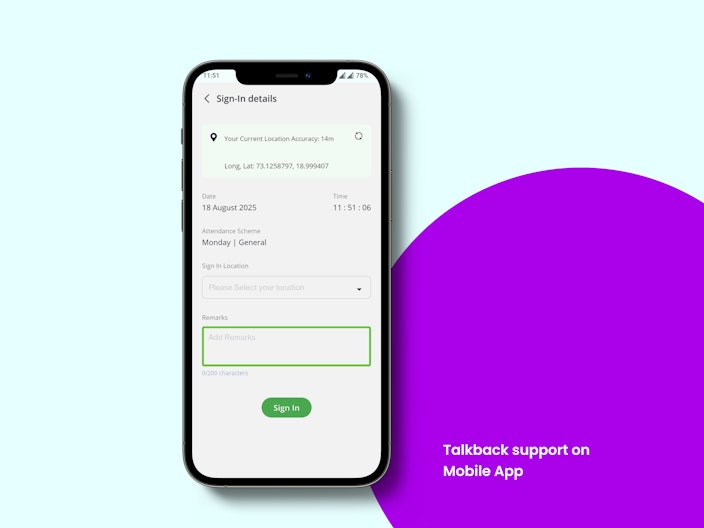
Talkback Support on greytHR Mobile App
Accessibility gets a major boost! Visually impaired users can now navigate key workflows like login, logout, sign-in, sign-out, and apply leave with TalkBack support on the mobile app. This enhancement ensures an inclusive user experience, empowering all employees to interact with the app confidently and independently.


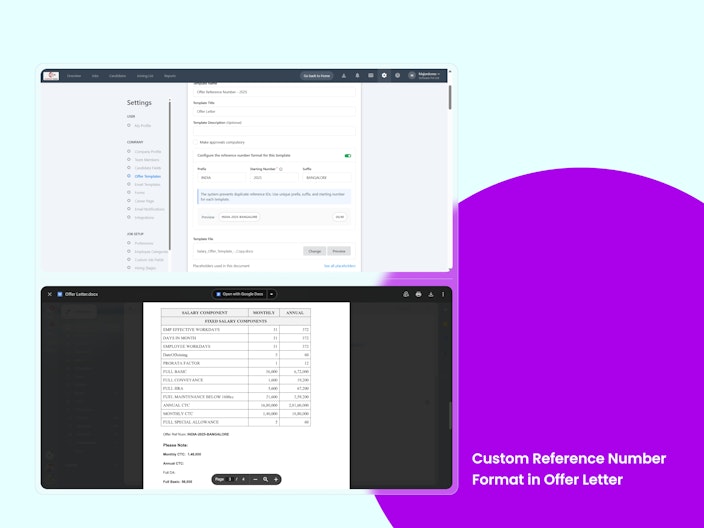
Custom Reference Number Format in Offer Letter in greytHR Recruit
Recruitment Admins can now configure custom reference number formats for offer letters at a regional level. The system allows defining a prefix, starting number, and suffix in the Offer Template settings, generating region-specific formats (e.g., UAE: HRJO252-UAE, KSA: HRJO058-KSA). Reference numbers are also displayed in candidate reports for better tracking.

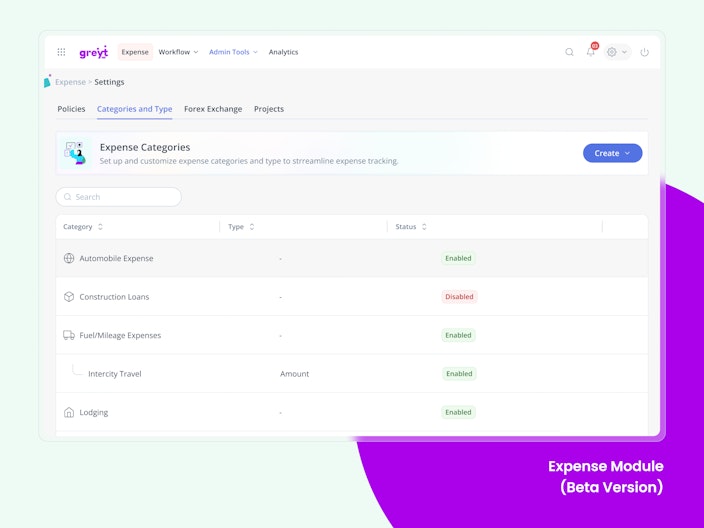
Expense Module (Beta Version)
The new Expense Module is designed to offer a flexible, policy-driven approach to managing employee reimbursements. It includes configurable rule engine support for policy enforcement, expense categories and a type-based query builder for custom logic, batch configuration to manage grouped expense processing, and a fully configurable workflow engine for multi-level approvals. The module is also accessible via mobile, enabling on-the-go claim submission and tracking.

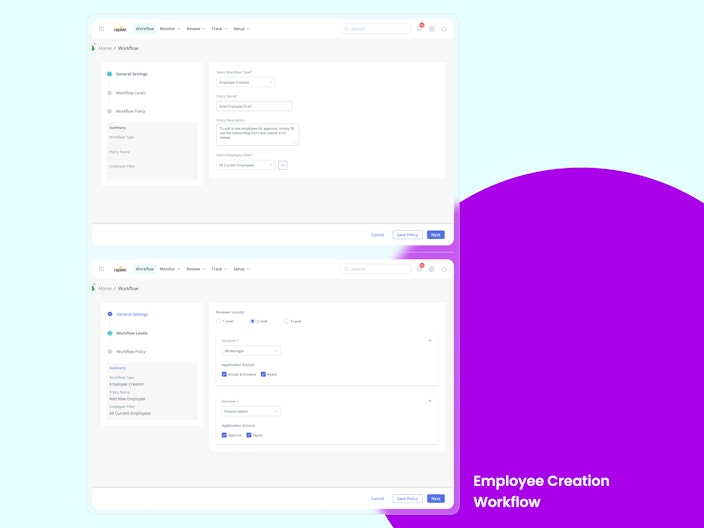
Employee Creation Workflow
The Employee Creation Workflow is a configurable, multi-level (up to 3 levels) employee creation approval system that enables HR admins to initiate and manage the employee addition process with greater accuracy, accountability, and compliance. It replaces manual approvals with a structured flow, ensuring employee data is verified before being recorded.

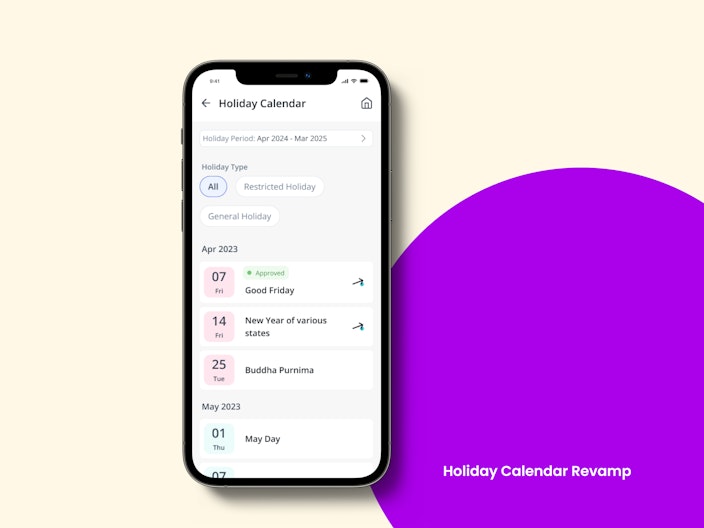
Holiday Calendar Revamp in greytHR Mobile App
The Holiday Calendar gets a fresh new look! Employees will now experience a revamped, intuitive interface that makes it easier to view and plan around holidays.

Logout Button Transitions in greytHR Mobile app
Users will now see a loading indicator and a disabled logout button once they initiate the logout process. This enhancement provides clear feedback that their action is being handled, reducing confusion and making the logout flow more seamless and user-friendly.
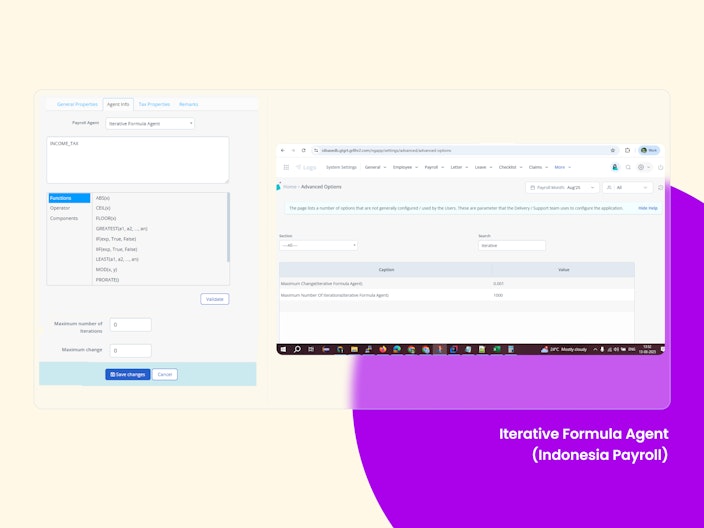
Iterative Formula Agent - Indonesia Payroll
The Iterative Formula Agent is a new payroll engine enhancement that automates complex iterative calculations, such as income tax gross-up. It eliminates manual intervention by repeatedly running calculations until the target value is achieved, ensuring highly accurate results.

Form III – Annual Return Under the Minimum Wages (Central) Rules
We’ve added new statutory reports to support Tamil Nadu region-specific compliance, helping payroll admins meet Indian labour laws with ease.
Display Category-wise Currency in Payroll-Related Pages
This feature lets payroll teams view salary data in the correct currency by employee category, improving clarity and supporting multi-currency management.
Other Features
Basic Employee Information Excel Importer - Emergency Contact Details
Admin can now bulk import employees’ emergency contact details using the Basic Employee Information Excel importer. New columns (e.g., Emergency contact’s - name, mobile, relationship, address, email) are added to the importer and mapped to the respective fields in the system.
Hide Display of Current Position in ESS
Admin can now hide the “Current Position” section in ESS via user role-based configuration. This prevents sensitive or outdated job titles from being displayed to employees while retaining data in audit logs and reports. The feature supports data minimization, reduces confusion, and provides flexibility to align with organizational policies, without affecting other ESS functions like Resign and View Timeline.
Warning Message for Duplicate Mobile Number and Email Address
The system now displays a visual warning “Mobile number already linked to another employee” and “Email already linked to another employee” when an entered email address or mobile number is already linked to another employee. This applies to Add Employee, Employee Profile, and Excel Importer scenarios. The warning is informational only, and administrators can still proceed with saving the details.
Clearer Context on the Goal Listing Page
When managers or admins navigate to an employee’s goal listing from the control panel or ESS, it's not always obvious whose goals they're viewing. The current breadcrumb doesn't offer enough clarity and can add visual clutter.
We’ve updated the top section of the goal listing page to show key details upfront:
Employee’s full name and employee ID
Goal Plan name
Performance Period
This makes it easy to confirm you’re viewing the right employee and the right goal plan — whether you're an admin or part of the reporting hierarchy. Plus, we’ve removed the breadcrumb to keep the view clean and focused.
Updated Access Controls for PMS Module
Previously, users with the generic “Admin” role had default access to PMS settings, which sometimes led to confusion or accidental changes by users not responsible for performance management. To streamline access and improve control, we’ve made a key update:
Default PMS access has been removed from the “Admin” role.
Default read/write access is now granted to the new “PMS Admin” role.
This ensures only designated users can manage PMS features like Goal Plans, Reviews, and 360° Feedback — including actions like creating, editing, activating, or pausing.
Searchable Drop-downs in Reviews & Goal Plans
PMS admins had to scroll through long lists to find the right Performance Period or Employee Filter while configuring Reviews or Goal Plans, making the setup slow and tedious
We’ve made both the Performance Period and Employee Filter drop-downs searchable. Now, admins can simply type keywords (e.g., “Bangalore” to get “All Bangalore Employees”) and instantly narrow down results.
Pending Goal Approvals in MIS Report
We’ve added two new columns to the goals report:
Pending for Approval → Number of goals awaiting approval.
Pending With → Approver’s name and employee number.
Now, HR admins can quickly identify bottlenecks and reach out to the right approvers, making goal management smoother and more efficient.
Want to explore more about greytHR? Visit our website.