July 2025 Release



Here's what we've been working on lately
Prevent Duplicate Candidate Profiles During Resume Upload in greytHR Recruit
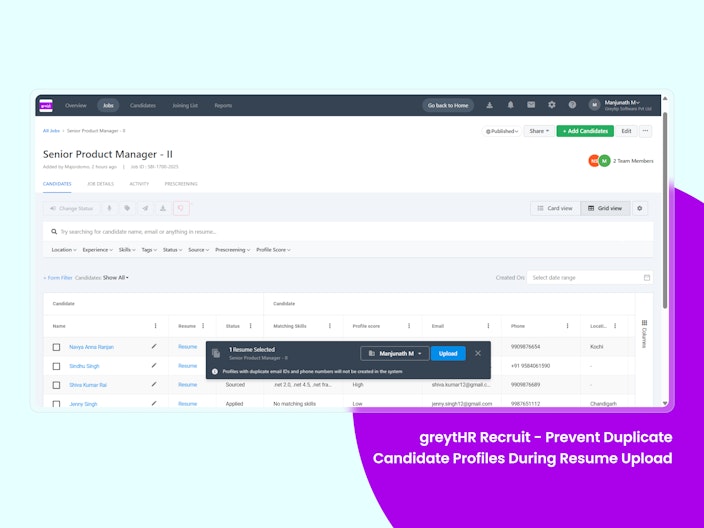
When Recruit Admins or Recruiters upload resumes in greytHR Recruit, the system will now block the creation of duplicate candidate profiles based on email IDs and mobile numbers.
Why is it important?
Improved Data Quality: Avoids data clutter and confusion caused by duplicate profiles.
Saves Time: Eliminates the need for manual cleanup of candidate records.
Streamlined Hiring: Ensures recruiters focus on qualified candidates rather than managing duplicate entries.
Key Highlights:
Duplicate profiles (based on email ID) will not be created during uploads from Candidate Pool or Job Candidate List.
Clear in-app message: “Profiles with duplicate email IDs will not be created in the system.”


View Pending Approval Tasks on the Hiring Widget in the ESS Portal
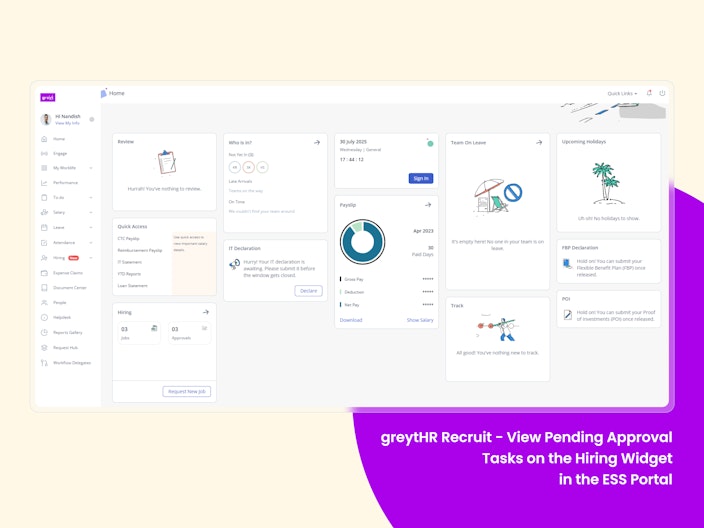
Managers and Employees assigned as job approvers can now view all pending job approvals directly from the Hiring Widget on their ESS dashboard. This update offers a quick, centralized view of your hiring tasks without the need to switch modules.
Why is it important?
Quick Access: View pending job approvals, interviews, and job listings instantly.
Better Productivity: Save time by navigating directly to the relevant page with one click.
Clean Dashboard: The "Approvals" icon only appears when tasks are pending, reducing clutter.
Key Highlights:
The Hiring Widget now displays:
Jobs: Total job listings
Interviews: Pending interviews
Approvals: Jobs, offers, and form approvals waiting for action
Each section is fully clickable, taking you straight to the associated page.
If there are no pending approvals, the "Approvals" icon will not be shown.

CTC Frequency Selection in Job Forms
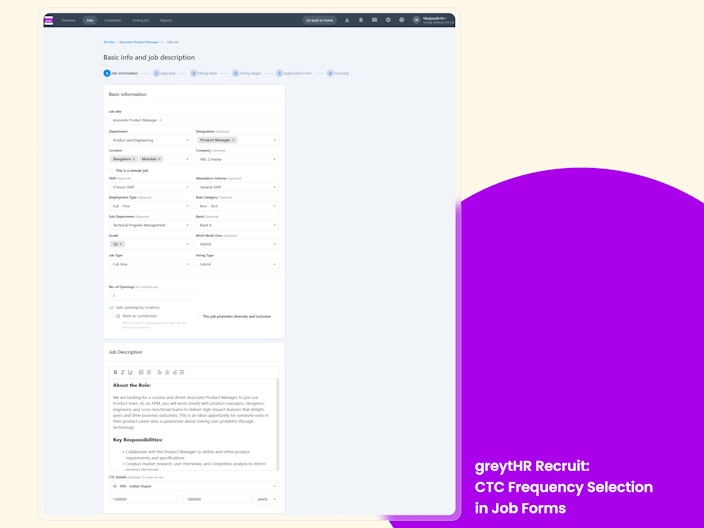
Recruiters and Admins can now specify whether the CTC (Cost to Company) is Monthly or Annual while creating a job - ensuring clarity for recruiters, approvers, and candidates.
Why is it important?
Improved Clarity: Removes ambiguity around salary figures for all stakeholders.
Smoother Communication: Reduces unnecessary back-and-forth with approvers and candidates.
Streamlined Hiring: Ensures consistent information throughout the recruitment process.
Key Highlights
CTC Frequency Dropdown: A new dropdown is now available next to the “Max CTC” field, allowing you to choose Monthly or Annual CTC.
Consistent Data: The selected frequency will be saved and displayed on the Job Details page, ensuring transparency at every stage.

Overstay in Shift
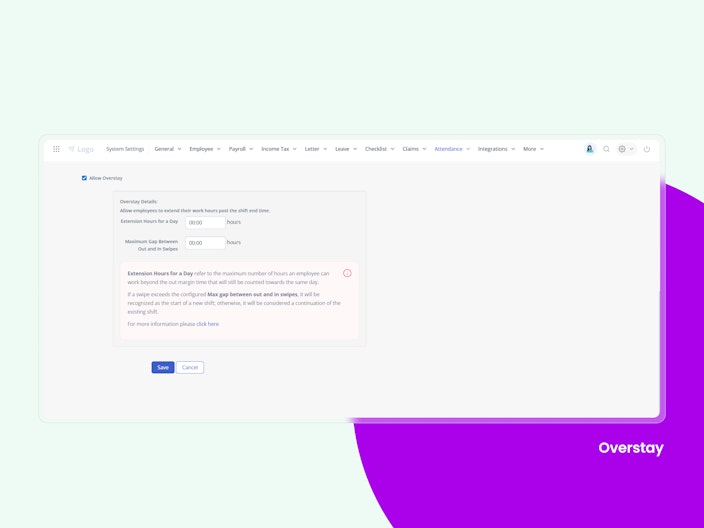
The system seamlessly handles both Flexi and 24-hour shifts, ensuring accurate tracking for overnight or variable work schedules without errors.
It supports gap handling by allowing up to 12 hours between a swipe-out and the next swipe-in without splitting the shift, maintaining continuity in attendance logs.
With intelligent attendance mapping, all swipes are accurately assigned to the correct attendance dates, even across long or overnight shifts, ensuring reliable records.
Additionally, the platform provides override support, allowing admins to make corrections within the extended end time window—up to 23:59 hrs—simplifying exception management.

Shift Roster Importer
This feature empowers managers to independently import and update shift rosters for their direct reports through an Excel Importer, reducing reliance on admin teams and improving shift management efficiency for large or distributed teams.
Once the feature is enabled, managers can upload shift rosters on their greytHR ESS portal using the Excel Importer.
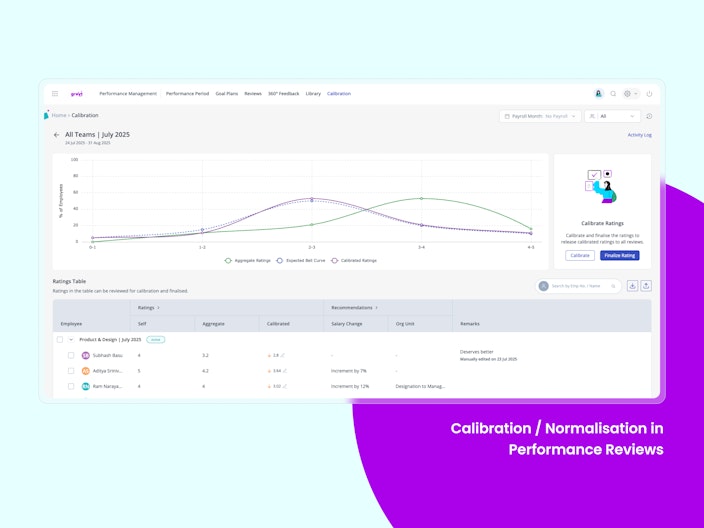
Calibration / Normalisation in Performance Reviews
Worried about inconsistent or biased performance ratings? Calibration is now available in Performance Reviews to help you bring fairness and consistency across teams. It lets you apply bell curve logic, align ratings to company standards, and reduce reviewer bias. Once all assessments are in, admins can calibrate ratings at the policy or review level—and choose whether to publish the calibrated scores or the original ones.

New Statutory Reports for Tamil Nadu State
We’ve added new statutory reports to support Tamil Nadu region-specific compliance, helping payroll admins meet Indian labour laws with ease.
Included:
Form IV – Payment of Wages (Tamil Nadu)
Form A – Labour Welfare Fund (Tamil Nadu)
Form XXVII – CLRA Wage Register (Tamil Nadu)
Modification Tracking Added to Key Salary Reports
The following columns have been added to improve traceability and audit readiness in salary-related reports:
Modified Date – Displays when a change was made
Modified By – Displays who made the change
These columns are now available in:
Salary Revision Report
CTC Breakup Report
Salary Input History Report
These additions help track salary-related updates for better audit and compliance management.
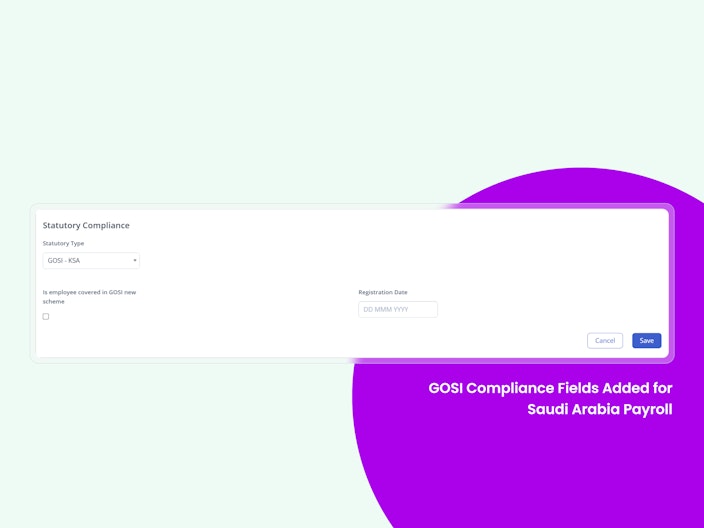
GOSI Compliance Fields Added for Saudi Arabia Payroll
A new GOSI - KSA section is now available under Employee → Information → Statutory Compliance for customers using Middle East Payroll with Saudi Arabia selected as the country. This enables GOSI compliance tracking, payroll calculations, and audit readiness. Changes are logged and reflected in the Payroll Statement and Query Builder.

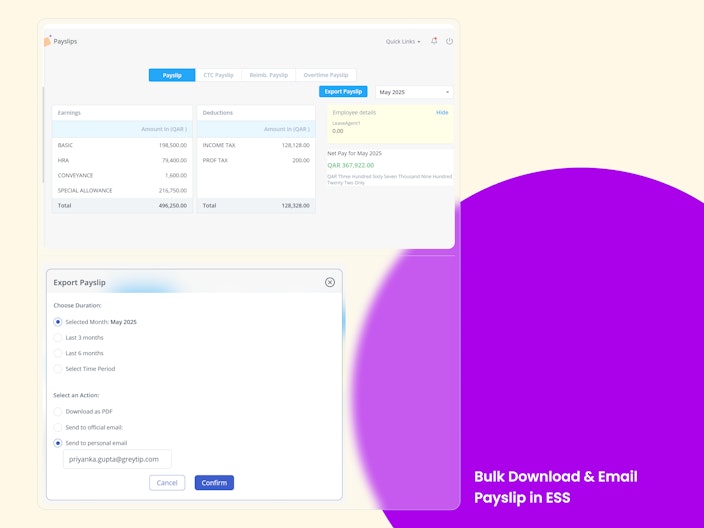
Bulk Download & Email Payslip in ESS
The Bulk Download and Email Payslip feature in the ESS portal allows employees to conveniently access multiple payslips at once. Instead of downloading or emailing each payslip individually, employees can now select a duration—such as the current month, last 3 or 6 months, or a custom date range—and choose to either download them as a ZIP file or send them to their official or personal email.
This feature is designed to streamline all payslip management(Overtime, CTC, Reimbursement & Regular Payslip) especially useful during tax filing, loan applications, or offboarding processes.

Null Password Reset for Alumni Portal (especially for SAML users)
This enhancement to the Alumni Portal removes the legacy restriction on 'NULL' passwords for SSO/SAML users, enabling secure password reset via email and mobile OTP. It makes the portal accessible for alumni while reducing dependency on Admin support.
Other Features
Permission Hour Balance to be Displayed at ESS & Admin
Employees and managers can now view real-time permission balances (Late In, Early Out, On Duty, etc.) directly while applying. This eliminates guesswork, reduces support queries, and ensures applications remain within the configured limits for daily, weekly, or monthly usage.
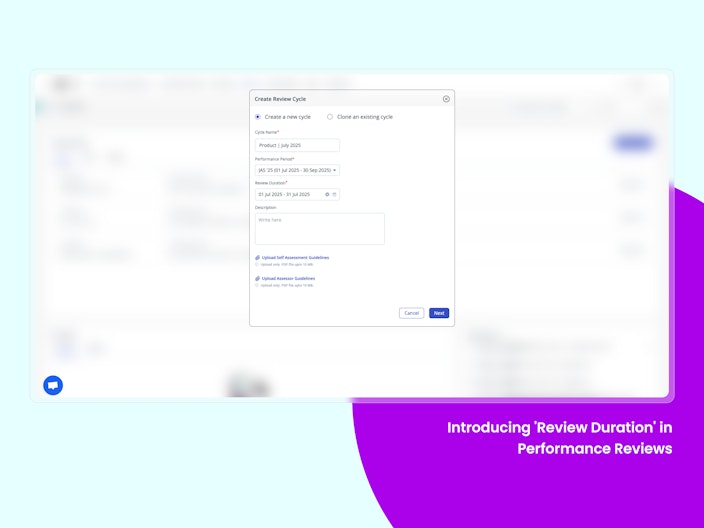
Introducing Review Duration in Performance Reviews
Admins can now define a specific review duration while setting up performance reviews. This makes it possible to create multiple, distinct reviews for the same employee within a broader performance period. It’s especially useful for organisations that run quarterly, project-based, or other specific evaluations, ensuring each review is tied only to its intended time frame, not the entire performance cycle. This adds flexibility without compromising structure.

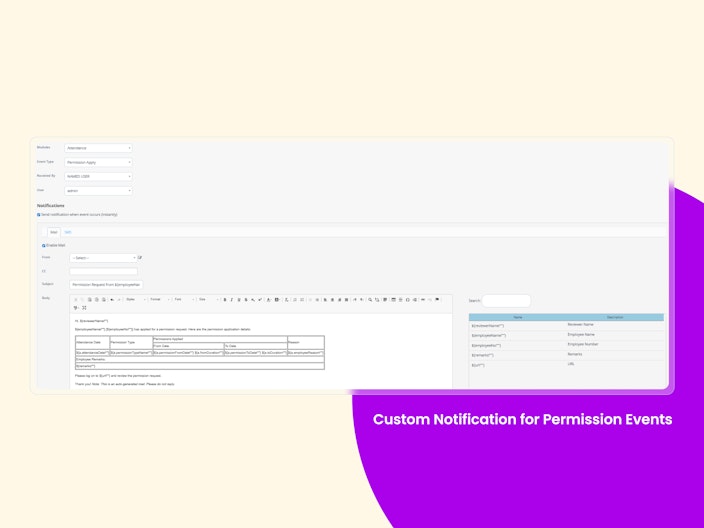
Custom Notification for Permission Events
Admins can now set up custom email notifications for all Permission events—Apply, Approve, Reject, Withdraw, and more. They can define recipients (like Project Managers or HR), add CCs, customize subject/body using dynamic placeholders, and filter by employee groups—all from the Event Notification settings. This gives full control without affecting the default system emails. Perfect for teams needing tailored communication.

District Field in Address Fields (Admin and ESS)
The District field has been added to all relevant address sections(Permanent Address, Current Address sections, contact and emergency contact sections) in both the Employee Profile and Employee Onboarding, QB reports, and Excel Importer.
Progress Indicator for Letter Generation on Preview Screen
A progress indicator has been added to the Letter Preview screen during letter generation. It displays a real-time loader bar with a tooltip for added clarity. This enhancement improves user experience by providing visual feedback during processing, reducing confusion and support queries during bulk operations.
Want to explore more about greytHR? Visit our website.