March 2026 Releases



Here's what we've been working on lately
GPS Live Tracking on Mobile App
greytHR introduces GPS Live Tracking on the mobile app to enable real-time visibility of employee work locations. This feature helps organizations accurately track attendance for field and remote employees while strengthening attendance accuracy for mobile employees. Managers gain better insights into employee movements during work hours. Overall, it improves transparency, accountability, and workforce monitoring.


Attendance Status Picker Agent and Attendance Leave Picker Agent Enhancements
The Attendance Leave Picker and Attendance Status Picker have been updated to support multi-select functionality. This change allows users to configure multiple values within a single component, replacing the previous single-select limitation.
Functional Updates
Attendance Leave Picker: Supports multi-select for Shift and Leave Type.
Attendance Status Picker: Supports multi-select for Shift Type.
Calculations: Systems now aggregate all combinations of selected Leave/Attendance Status, Day Type, and Shift for the configured Period Type.
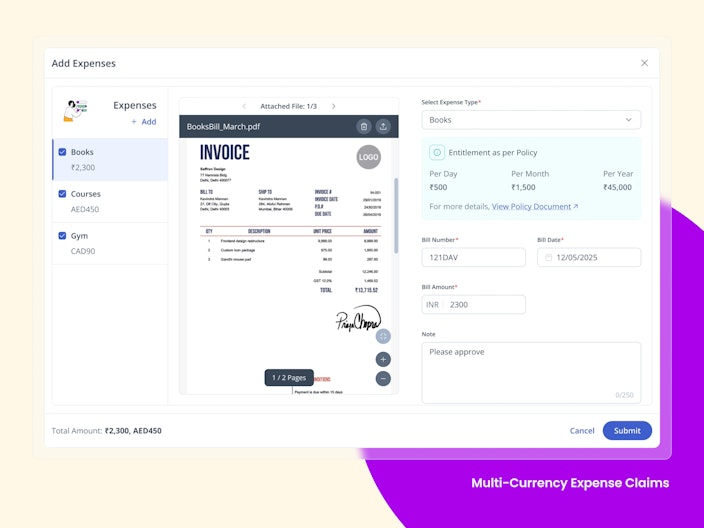
Multi-Currency Expense Claims
Employees can submit both amount-based and mileage-based expense claims in foreign currencies, while the system automatically converts them to the organization’s base currency for accurate reimbursement and reporting.

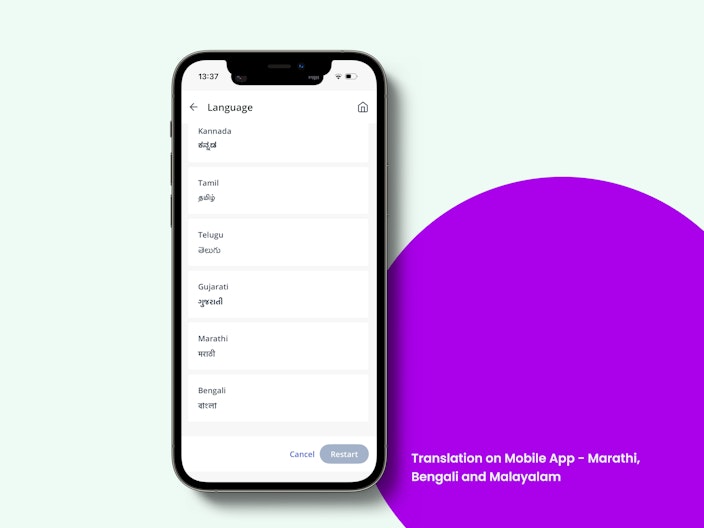
Translation on Mobile App - Marathi, Bengali and Malayalam
Building on our earlier launch of Tamil, Telugu and Kannada translation, the greytHR mobile app will support Marathi, Bengali and Malayalam. Users can seamlessly switch their app language from English to Marathi, Bengali and Malayalam, allowing the content to be displayed in their preferred language.

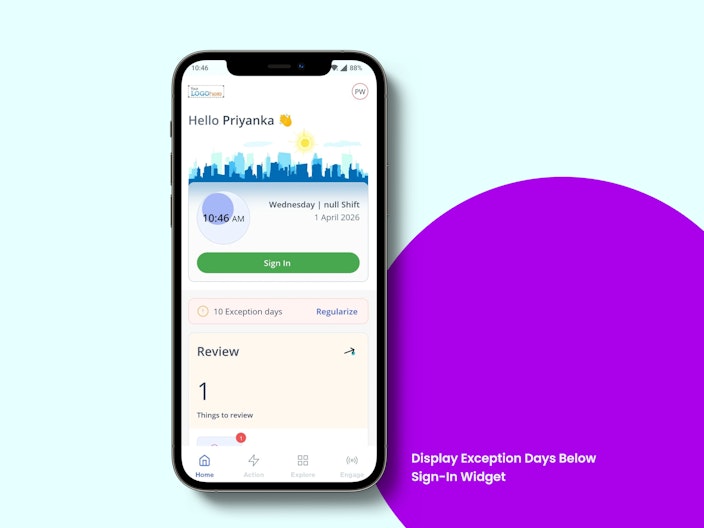
Display Exception Days Below Sign-in Widget in Mobile App
Employees can now view exception days directly below the sign-in widget on the home screen for quick visibility of unresolved attendance issues. Tapping the banner navigates them to the Regularization / Regularization & Permission screen, where both Gap Days and Exception Days are shown for action.

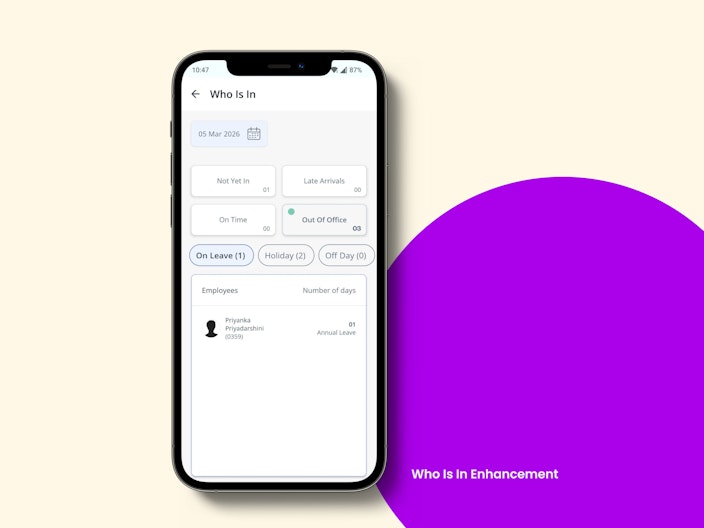
Who Is In Enhancement in Mobile App
The ‘On Leave’ section is renamed to ‘Out of Office’ and now includes On Leave, Holiday, Rest Day, and Off Day categories. This provides managers and HR a clearer, consolidated view of employees who are unavailable and the reason for it.

Other Features
GPS Live Tracking in ESS
GPS Live Tracking is now available on the web, enabling stakeholders to conveniently view tracking details beyond mobile. Admins can access tracking data for all employees, managers can view details for their team, and employees can view their own tracking information.
Extended Bank Account Number Field Support (Up to 34 Characters)
Bank Account Number Field Support supports up to 34 alphanumeric characters end-to-end, ensuring accurate validation, storage, and display without data loss, thereby resolving client issues, preventing salary processing failures, and ensuring compliance with banks issuing longer account numbers.
Event & Request Hub – Secure Attachment Visibility Enhancement
Now, attachments are accessible without global access and are restricted to only authorized tasks, ensuring proper role-based access and data privacy.
Automated Notice Period Update on Profile Changes
The system auto-updates the notice period based on latest employee attributes using configured rules, with audit tracking and fallback logic, ensuring accuracy without manual intervention. This applies across workflows, manual updates, and bulk changes, ensuring consistency at scale.
Revoke Resignation with Attachment Support
Users can now optionally upload attachments (PDF, DOC, images) during revocation across Offboarding and Resignation workflows. The details are available for preview, download, and audit tracking ensuring complete and compliant record management.
Confirmation Workflow Category in Query Builder (QB)
A new "Confirmation Workflow" category is added in QB, enabling retrieval of records for both manual and automated workflows with detailed fields like status, dates, extensions, and approvals. This will help HR teams gain complete visibility over employee’s confirmation processes.
Restrict OT and Comp Off on the Same Attendance Date
A new global rule allows admins to ensure employees can choose either OT or Comp Off on the same attendance date. The minimum hour eligibility for both continues to work independently, but when this rule is enabled, employees can submit only one of the two for the same date. If both are attempted, the system shows: “You can apply either OT or Comp Off grant for the same day, not both.” When the rule is disabled, the existing behavior continues. This change has no impact on existing customers unless it is explicitly enabled.
IN/OUT Visibility in Visage
Visage will now display the actual IN/OUT result instantly after a successful swipe, with the swipe record immediately visible on the Swipes Page and under Admin → Leave & Attendance → Information → Employee Swipes. This update eliminates the need for attendance processing and removes the dependency on using two devices to capture IN/OUT.
Convert Weekly Off to Absent
A new rule, Convert Weekly Off to Absent, allows HR/Admins to automatically mark scheduled Rest Days / Off Days as Absent when an employee is absent for a configured number of consecutive days.
Admin Added as Default Initiator in Request Hub
Admin is now added as a default initiator in the Request Hub platform within greytHR. While configuring workflows, Admin can now be selected as an initiator — providing greater flexibility in setting up and managing workflow requests.
New 'Performance' Widget
Introducing a new Performance Widget on the ESS homepage: a single, unified space to track and take action on all your performance-related tasks. Whether you’re an employee, manager, or skip-level manager, everything pending: from feedback to assessments and goal reviews is now clearly visible and easily accessible in one place. Each item links directly to where action is required, making it faster and simpler to stay on top of performance activities.
Enhanced Rating Scale Policy in Performance Reviews Configuration
More flexibility in performance reviews. Assessors will be able to rate goals with scores, admins can set custom score ranges with their own rating descriptions, and choose from new 4-point and 7-point rating scales to better align reviews with your evaluation approach.
Bulk document Download - Single and Multiple Employees
Earlier, HR, admins had to download documents individually for each employee, making it time-consuming and inefficient. Now the system enables bulk download of documents for single and multiple employees in a single action, allowing users to select employees, choose required documents, and download them as consolidated ZIP files with background processing and progress tracking, thereby reducing manual effort and improving operational efficiency.
Want to explore more about greytHR? Visit our website.